EasyManua.ls Logo

Hydrovane HR04 - User Manual

Hydrovane HR04
24 pages
Print Icon
To Next Page IconTo Next Page
Loading...
HR04-HR07 Models
User Handbook
(Original Instructions)
CC1132751D 10/2018
GB
Question and Answer IconNeed help?

Do you have a question about the Hydrovane HR04 and is the answer not in the manual?

Summary

Introduction

Customer Support

How to get support from your Hydrovane Distributor for specialist help or service.

Warranty Terms

Details the warranty period and exclusions for Hydrovane compressors.

Product Development

Information on Hydrovane's policy of continual product development and potential changes.

Quality Standards

Confirms compliance with BS EN ISO 9001 and European Directives.

Model Range

Lists the HR04-HR07 vertical range compressors and hypac models.

Product Terminology

Explains the meaning of product code segments and terminology used in the manual.

Warnings, Cautions and Notes

Defines hazard symbols like electric shock, danger, and hot surfaces.

General Safety Warnings

Explains various safety symbols such as dust protection, pressurised vessels, and remote operation warnings.

Product Information

Health and Safety Precautions

Operator responsibilities, use of approved parts, and avoiding hazardous conditions.

Compressor Performance

Optimal temperature range and factors affecting compressor performance and reliability.

Operating Temperatures

Ambient and working temperature limits and causes of high oil temperature.

Noise Level

Advice on positioning units to minimise noise impact.

Technical Data HR04-HR07

Installation

Lifting and Handling

Safe methods for moving and positioning the compressor unit using forklifts or pallet trucks.

Compressor Location

Requirements for positioning the unit, including space, surface, and environment.

Compressor Ventilation (Fig.3.1)

Guidelines for ensuring adequate airflow for cooling the compressor, including inlet and outlet positions.

Electrical Connections

Safety warnings for qualified electricians making electrical connections to the unit.

Electrical Installation (Fig 3.2)

Precautions for main-line fuse removal, isolator connections, and starter terminals.

Compressor Rotation

Procedure to check and correct compressor rotation direction to prevent damage.

RS Operation with other Compressors

Guidance on operating RS compressors in conjunction with other Hydrovane units.

General Description

Compressor;Hypac (Fig.4.1)

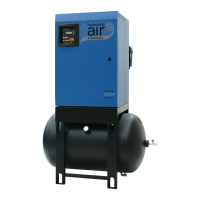
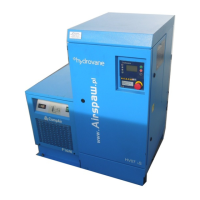
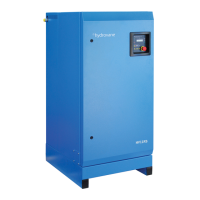
Description of vertical HR04-HR07 compressors and hypac units with receivers or dryers.

Automatic Operation

How the compressor automatically loads/unloads and starts/stops based on air demand.

Continuous Operation

Operation mode where the compressor supplies air from full to zero flow rates.

Regulated Speed (RS) Operation

Energy saving by regulating compressor speed to match system demand.

Compressor Assembly (Fig.4.2)

Details the main components and their arrangement within the compressor unit.

Electronic Controller

Overview of the electronic controller's menu structures, parameters, and access levels.

Operating Instructions

Checking Procedure Before Starting

Essential pre-start checks for safety and operational readiness of the compressor.

Operator Control Keys (Fig 5.1)

Identification and functional description of the controller's operator control keys.

Status Display;Lights

Explanation of the controller's display rows, symbols, and indicator lights for status monitoring.

Speed Indication (Variable Speed;RS)

How the operating speed is displayed for variable speed (RS) compressor models.

Displaying Values

How to navigate controller menus to display operational values and set parameters.

Changing Values

Procedure for modifying parameter values within the controller's menu system.

Language Selection

Steps required to change the display language on the electronic controller.

Setting Time;Date (Timer)

Procedure for setting the time and date for timer-based operations.

Starting Automatic Operation

How to start the compressor in automatic mode, including restart warnings.

Starting Continuous Operation

Procedure for starting the compressor for continuous operation.

Starting Regulated Speed;RS

Starting instructions specific to variable speed (RS) compressors.

Stopping All Models

Procedure for safely stopping all compressor models.

Emergency Stop

How to use the emergency stop button and the subsequent reset procedure.

Compressor Vent Down

Information on compressor venting controlled automatically by the REVS system.

Adjustments

Compressor Control (Fig 6.1)

Overview of operator menus, parameter settings, and solenoid valve functions.

Operation Selection

How to select between automatic and continuous operation modes via the controller.

Operator Menus

Guide to navigating menus, viewing error codes, and altering default parameter values.

Pressure Adjustment

Procedure for adjusting pressure settings, with critical safety warnings for service engineers.

Pressure Control RS Compressors

Adjusting load/cut-in and unload/cut-out pressure settings for RS compressors.

Servo Valve (Fig 6.2)

Procedure for adjusting the servo valve to control pressure, including steps for increasing or decreasing.

Setting Timer Units

How to configure timer units for automated switching operations based on days and times.

Maintenance

Routine Service

General guidance on routine service intervals, frequency, and conditions.

Service Kits

Information on available service kits for carrying out maintenance tasks.

Service Instructions

Critical safety instructions, including isolation and pressure release, before performing maintenance.

Panel Removal

Steps for removing panels to access internal components for maintenance.

Oil Filling;Draining (Fig.7.1)

Procedure for draining and filling the compressor oil, including filter replacement checks.

Oil Filter (Fig 7.1)

Instructions for the safe removal and replacement of the oil filter element.

Air Filter (Fig.7.1)

Instructions for the safe removal and replacement of the air filter element.

Oil Separator (Fig.7.1)

Instructions for the safe removal and replacement of the oil separator.

Oil Cooler;Aftercooler (Fig.7.2)

Procedure for cleaning the oil cooler and aftercooler matrix using compressed air.

Cabinet Air Filter (Fig 7.2)

Procedure for removing and refitting the cabinet air filter located in the rear panel.

Electric Motor

Instructions for cleaning dust and dirt from the electric motor and intake cowls.

Electrical Connections

Checks for electrical connections, terminal security, and signs of overheating.

Service Schedule

Overview of maintenance tasks based on oil type and operating hours.

Service Schedule Fluid Force Red, Clear and HPO Oil (2000 hour change period)

Detailed maintenance schedule for specific oil types at 2000-hour intervals.

Service Schedule for Fluid Force HPO Oil (4000 hour change period)

Detailed maintenance schedule for HPO oil with 4000-hour intervals.

Controller Messages

Status Messages

Explains the various status messages displayed on the controller during operation.

Warning;Faults

Details how warning and fault messages are displayed and the procedure for rectification.

Summary

Introduction

Customer Support

How to get support from your Hydrovane Distributor for specialist help or service.

Warranty Terms

Details the warranty period and exclusions for Hydrovane compressors.

Product Development

Information on Hydrovane's policy of continual product development and potential changes.

Quality Standards

Confirms compliance with BS EN ISO 9001 and European Directives.

Model Range

Lists the HR04-HR07 vertical range compressors and hypac models.

Product Terminology

Explains the meaning of product code segments and terminology used in the manual.

Warnings, Cautions and Notes

Defines hazard symbols like electric shock, danger, and hot surfaces.

General Safety Warnings

Explains various safety symbols such as dust protection, pressurised vessels, and remote operation warnings.

Product Information

Health and Safety Precautions

Operator responsibilities, use of approved parts, and avoiding hazardous conditions.

Compressor Performance

Optimal temperature range and factors affecting compressor performance and reliability.

Operating Temperatures

Ambient and working temperature limits and causes of high oil temperature.

Noise Level

Advice on positioning units to minimise noise impact.

Technical Data HR04-HR07

Installation

Lifting and Handling

Safe methods for moving and positioning the compressor unit using forklifts or pallet trucks.

Compressor Location

Requirements for positioning the unit, including space, surface, and environment.

Compressor Ventilation (Fig.3.1)

Guidelines for ensuring adequate airflow for cooling the compressor, including inlet and outlet positions.

Electrical Connections

Safety warnings for qualified electricians making electrical connections to the unit.

Electrical Installation (Fig 3.2)

Precautions for main-line fuse removal, isolator connections, and starter terminals.

Compressor Rotation

Procedure to check and correct compressor rotation direction to prevent damage.

RS Operation with other Compressors

Guidance on operating RS compressors in conjunction with other Hydrovane units.

General Description

Compressor;Hypac (Fig.4.1)

Description of vertical HR04-HR07 compressors and hypac units with receivers or dryers.

Automatic Operation

How the compressor automatically loads/unloads and starts/stops based on air demand.

Continuous Operation

Operation mode where the compressor supplies air from full to zero flow rates.

Regulated Speed (RS) Operation

Energy saving by regulating compressor speed to match system demand.

Compressor Assembly (Fig.4.2)

Details the main components and their arrangement within the compressor unit.

Electronic Controller

Overview of the electronic controller's menu structures, parameters, and access levels.

Operating Instructions

Checking Procedure Before Starting

Essential pre-start checks for safety and operational readiness of the compressor.

Operator Control Keys (Fig 5.1)

Identification and functional description of the controller's operator control keys.

Status Display;Lights

Explanation of the controller's display rows, symbols, and indicator lights for status monitoring.

Speed Indication (Variable Speed;RS)

How the operating speed is displayed for variable speed (RS) compressor models.

Displaying Values

How to navigate controller menus to display operational values and set parameters.

Changing Values

Procedure for modifying parameter values within the controller's menu system.

Language Selection

Steps required to change the display language on the electronic controller.

Setting Time;Date (Timer)

Procedure for setting the time and date for timer-based operations.

Starting Automatic Operation

How to start the compressor in automatic mode, including restart warnings.

Starting Continuous Operation

Procedure for starting the compressor for continuous operation.

Starting Regulated Speed;RS

Starting instructions specific to variable speed (RS) compressors.

Stopping All Models

Procedure for safely stopping all compressor models.

Emergency Stop

How to use the emergency stop button and the subsequent reset procedure.

Compressor Vent Down

Information on compressor venting controlled automatically by the REVS system.

Adjustments

Compressor Control (Fig 6.1)

Overview of operator menus, parameter settings, and solenoid valve functions.

Operation Selection

How to select between automatic and continuous operation modes via the controller.

Operator Menus

Guide to navigating menus, viewing error codes, and altering default parameter values.

Pressure Adjustment

Procedure for adjusting pressure settings, with critical safety warnings for service engineers.

Pressure Control RS Compressors

Adjusting load/cut-in and unload/cut-out pressure settings for RS compressors.

Servo Valve (Fig 6.2)

Procedure for adjusting the servo valve to control pressure, including steps for increasing or decreasing.

Setting Timer Units

How to configure timer units for automated switching operations based on days and times.

Maintenance

Routine Service

General guidance on routine service intervals, frequency, and conditions.

Service Kits

Information on available service kits for carrying out maintenance tasks.

Service Instructions

Critical safety instructions, including isolation and pressure release, before performing maintenance.

Panel Removal

Steps for removing panels to access internal components for maintenance.

Oil Filling;Draining (Fig.7.1)

Procedure for draining and filling the compressor oil, including filter replacement checks.

Oil Filter (Fig 7.1)

Instructions for the safe removal and replacement of the oil filter element.

Air Filter (Fig.7.1)

Instructions for the safe removal and replacement of the air filter element.

Oil Separator (Fig.7.1)

Instructions for the safe removal and replacement of the oil separator.

Oil Cooler;Aftercooler (Fig.7.2)

Procedure for cleaning the oil cooler and aftercooler matrix using compressed air.

Cabinet Air Filter (Fig 7.2)

Procedure for removing and refitting the cabinet air filter located in the rear panel.

Electric Motor

Instructions for cleaning dust and dirt from the electric motor and intake cowls.

Electrical Connections

Checks for electrical connections, terminal security, and signs of overheating.

Service Schedule

Overview of maintenance tasks based on oil type and operating hours.

Service Schedule Fluid Force Red, Clear and HPO Oil (2000 hour change period)

Detailed maintenance schedule for specific oil types at 2000-hour intervals.

Service Schedule for Fluid Force HPO Oil (4000 hour change period)

Detailed maintenance schedule for HPO oil with 4000-hour intervals.

Controller Messages

Status Messages

Explains the various status messages displayed on the controller during operation.

Warning;Faults

Details how warning and fault messages are displayed and the procedure for rectification.

Hydrovane HR04 Specifications

General IconGeneral
BrandHydrovane
ModelHR04
CategoryAir Compressor
LanguageEnglish

Related product manuals