19
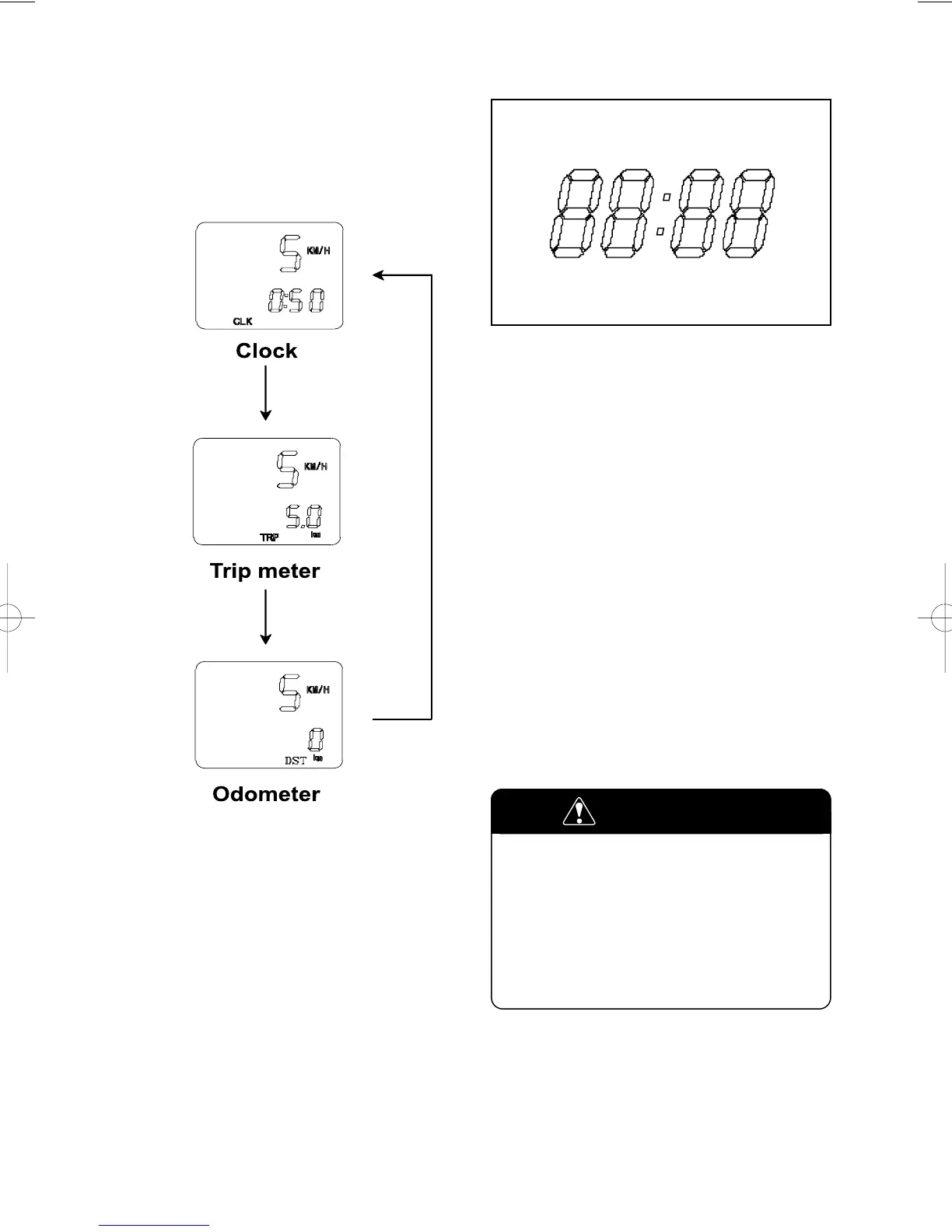
Follow the procedure below to adjust the
clock.
1. Push the switch (in the clock mode) for
0.6 ~ 1 seconds until the hour display blink.
It is the hour reset mode.
2. Adjust the hour display by pushing the
switch (in the hour reset mode) for
0.6 ~ 1 seconds.
3. Push the switch (in the hour reset
mode) for 0.6 ~ 1 seconds until the
minutes display blink.
It is the minutes reset mode.
4. Adjust the minutes display by pushing
the switch (in the minutes reset mode)
for 0.6 ~ 1 seconds.
5. Push the switch (in the minutes reset
mode) 0.6 ~ 1 seconds to resume in the
clock mode.
To reset the trip meter to zero, push the
switch (in the trip meter mode) for 0.6 ~
1 seconds.
Operating the display while riding can
be hazardous. Removing a hand from
the handlebar can reduce your ability
to control the motorcycle.
Always keep both hands on the
handlebar while riding.
WARNING
To change the display, push the switch
for 0.6 ~ 1 seconds while the display
indicates the clock, trip meter or odometer
you want to change.



 To Next Page