10
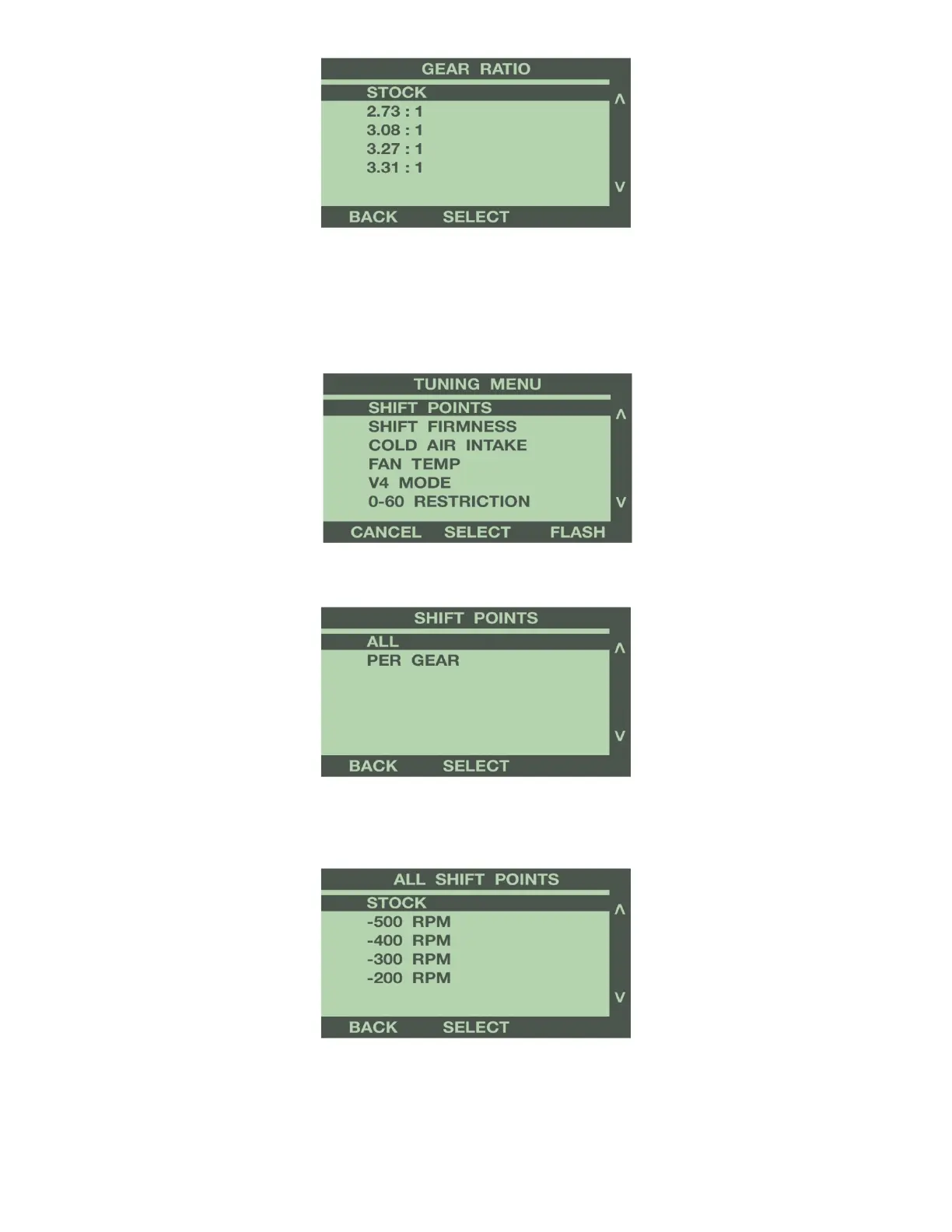
For more information on Gear Ratio option, see Programming Features explanation in Section 4.
SHIFT POINTS (Most Automatic Transmission Equipped Gas Vehicles)
Use the buttons to the right of the screen to highlight Shift Points. Press the ‘Select’ button
to change the RPM at which the transmission shifts at wide open throttle.
To adjust the shift points in all gears the same, select ALL from the Shift Points menu.
To adjust the shift points for each gear change separately, select PER GEAR from the Shift Points menu.
ALL SHIFT POINTS: Use the buttons to the right of the screen to scroll up or down, and
highlight the value to increase or decrease the shift points, in 100 RPM increments. Press
‘Select’ to save the chosen value.
Press the ‘Back’ button to go back to the Tuning Menu.


 To Next Page