32
1. Install the Tuner Update Software.
The Tuner Update Software can be installed on any Windows based PC from the same CD that these
instructions are located, or it can be downloaded from the Hypertech website at the link below. Note: The
Tuner Update Software is not compatible on Apple/MAC operating systems.
http://www.webservice99.com/downloads/tunerupdateapplication/V2/Current/UpdateInstallV2.exe
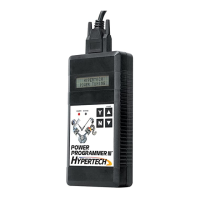
2. Connect the programmer to the PC with the supplied USB cable.
3. Open the Tuner Update Application software from the PC.
Once the update software is installed, there will be a shortcut installed on your desktop. Double click the
shortcut to start the program.
4. Click the ‘Update Tuner’ button, and follow the instructions on the screen.
SECTION 5: PRODUCT WARRANTY & CONTACT INFO
5-1: Factory Direct Limited 1 Year Warranty
PR
ODUCT WARRANTY Factory Direct Limited 1 Year Warranty.. Effective January 1, 2020 replaces and
supersedes previous product warranty policy.
Hypertech products are warranted against defects in materials or workmanship for one year from the date of
purchase. Hypertech’s liability under this warranty shall be limited to the prompt correction or replacement of
any defective part of the product which HYPERTECH determines to be necessary. This Limited 1 Year
Warranty is to the original purchaser providing all the information requested is furnished. You must retain a
copy of your original sales invoice or receipt. Without proper documentation, a service fee will be applied.
Third Party Resellers and Resold units are NOT covered under this warranty.


 To Next Page