15
0-60 RESTRICTION (Some Vehicles)
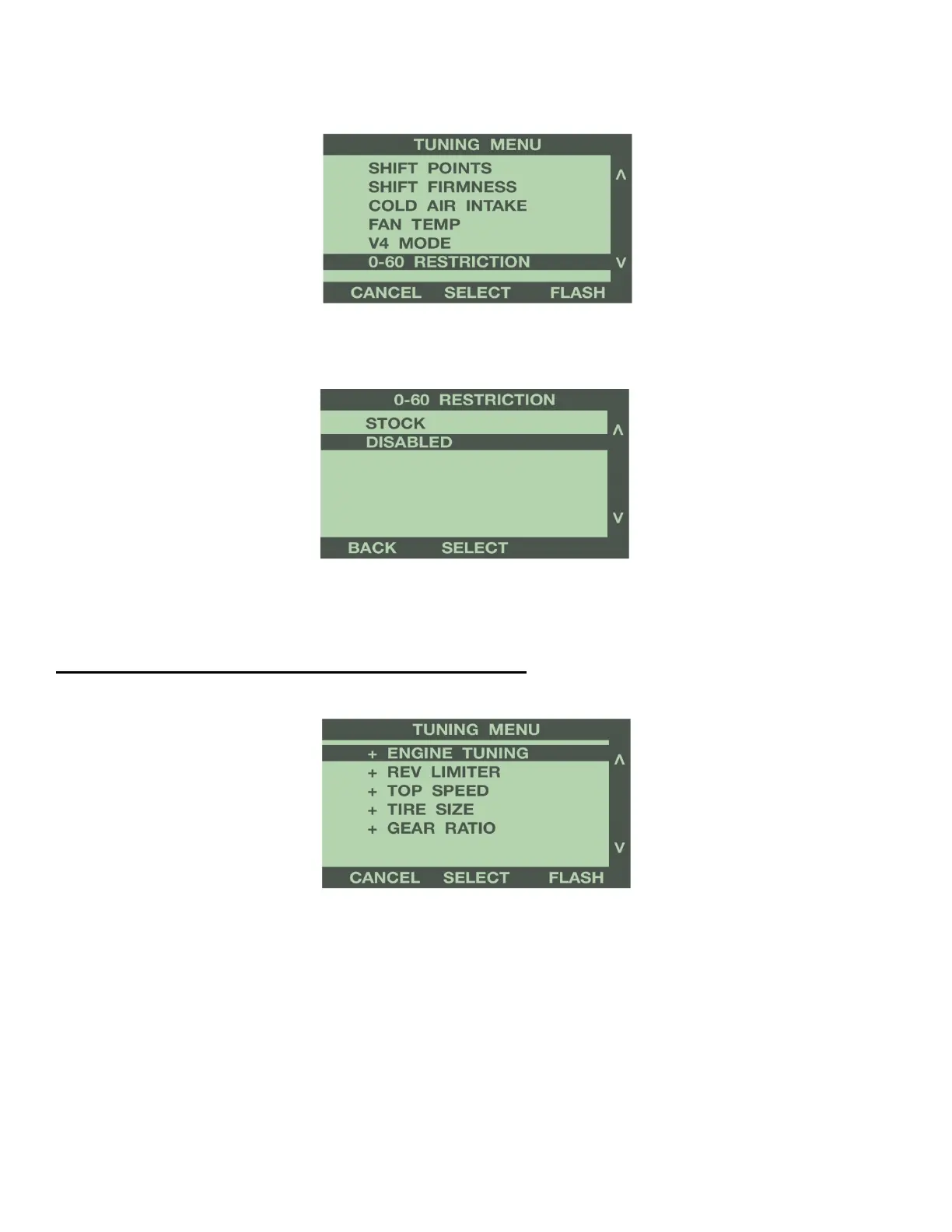
Use the buttons to the right of the screen to highlight 0-60 Restriction.
Use the buttons to the right of the screen to scroll down, and highlight Disabled. Press the ‘Select’
button to save this option.
For more information on 0-60 Restriction option, see Programming Features explanation in Section 4.
1-3: SELECTION REVIEW & PROGRAMMING
The Tuning Menu will display a + sign next to each option that you selected to change. Once you have
completed your selections from the Tuning Menu, the programmer is now ready to flash the vehicle’s computer.
Press the ‘Flash’ button to continue.
REVIEW CHANGES
The next screen displays all of the Tuning Options for your vehicle, and the options selected. Use the buttons to
the right of the screen to scroll up or down, and review your selections.


 To Next Page