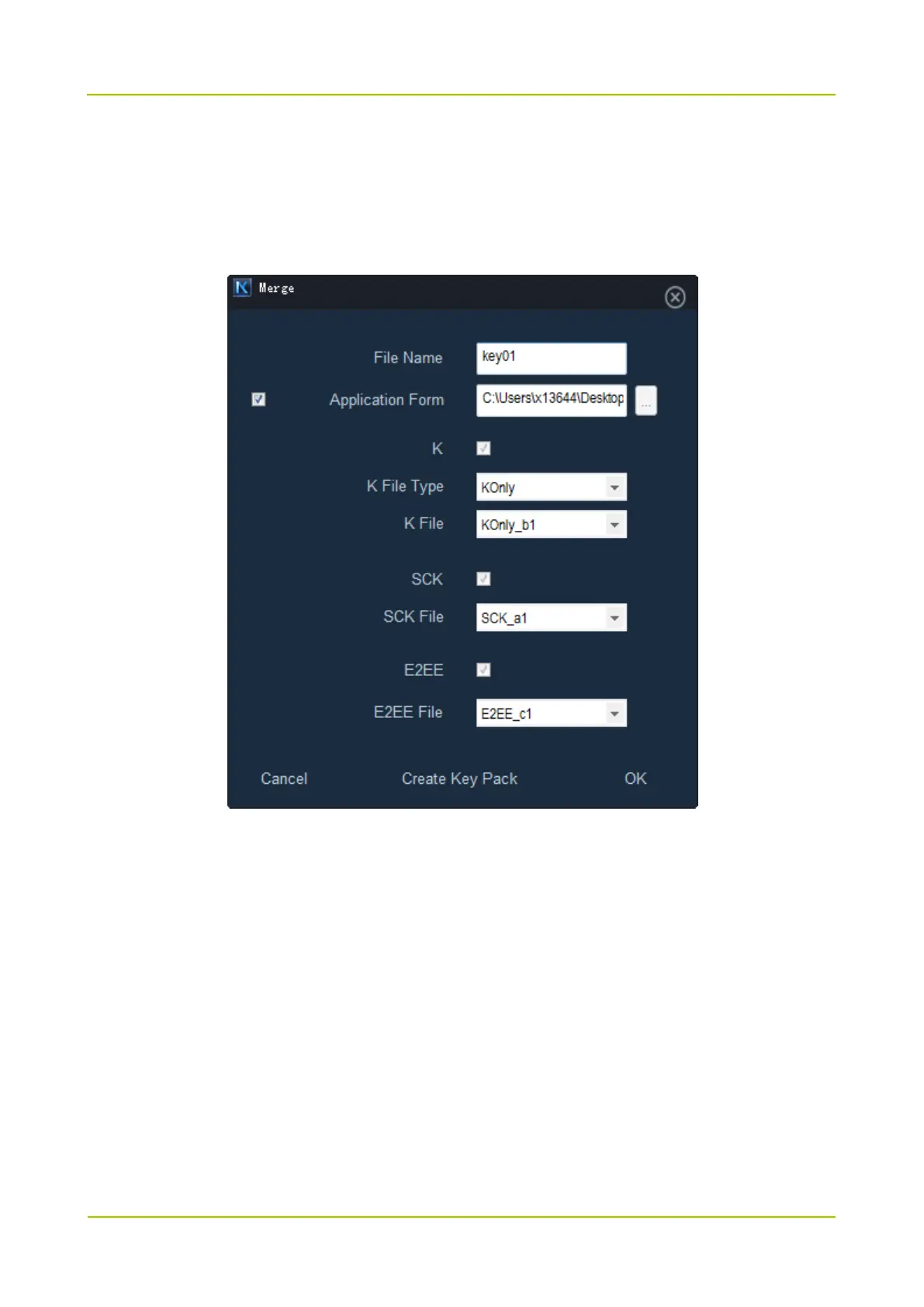
Step 7 (Optional) Choose the K File Type.
For authentication keys, you need to set K File Type to TEI-K or KOnly. For SCK and E2EE, this step
can be ignored.
Step 8 Choose the key file from the drop down list.
Step 9 Click Create Key Pack, choose the save path and click OK in the popped dialogue box.
KMC generates the key packs according to the key type and saves them in the specified path in .key
format.
Please send all key packs to the administrator of Smart MDM to push the keys.
6.6 Upload and Push Key
Step 1 Use the account of administrator to log in to Admin Client.
Step 2 Choose Multi-mode -> Key.



 To Next Page
 Loading...








