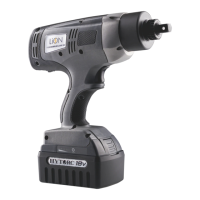
Release
Button
TEST
Test, Charge & Install Battery
Press TEST button on battery to display remaining charge
Before charging battery verify local voltage supply to ensure
capability with charger; this will typically be 110 or 220 Volts AC.
Connect power cord to grounded outlet. If necessary, connect
plug adapters for compatibility with local power outlets.
Insert battery by sliding it onto the charger until it
locks into place. The flashing green indicator light
means the battery is charging.
Battery will be fully charged within 90 minutes. The
indicator light will stop flashing to indicate battery
is fully charged.
Remove battery by pressing release button and
sliding it off the cradle. Slide battery onto bottom of
the Tool until it firmly latches into place.
L2
ON
OFF
Charge Indicator



 To Next Page
 Loading...