External USB CD-RW
User’s Guide
- 12 -
Hardware Installation
Check to make sure you have at lease one available USB port on your
computer. Also check that the power plug is suitable with the power outlet in
your office or home.
Note: Some USB hubs may not be able to detect the CDRW
drive. In which case, you will have to connect the USB cable
directly to the USB port of your computer system.
1 Power on your computer. Wait until Windows has fully loaded.
2
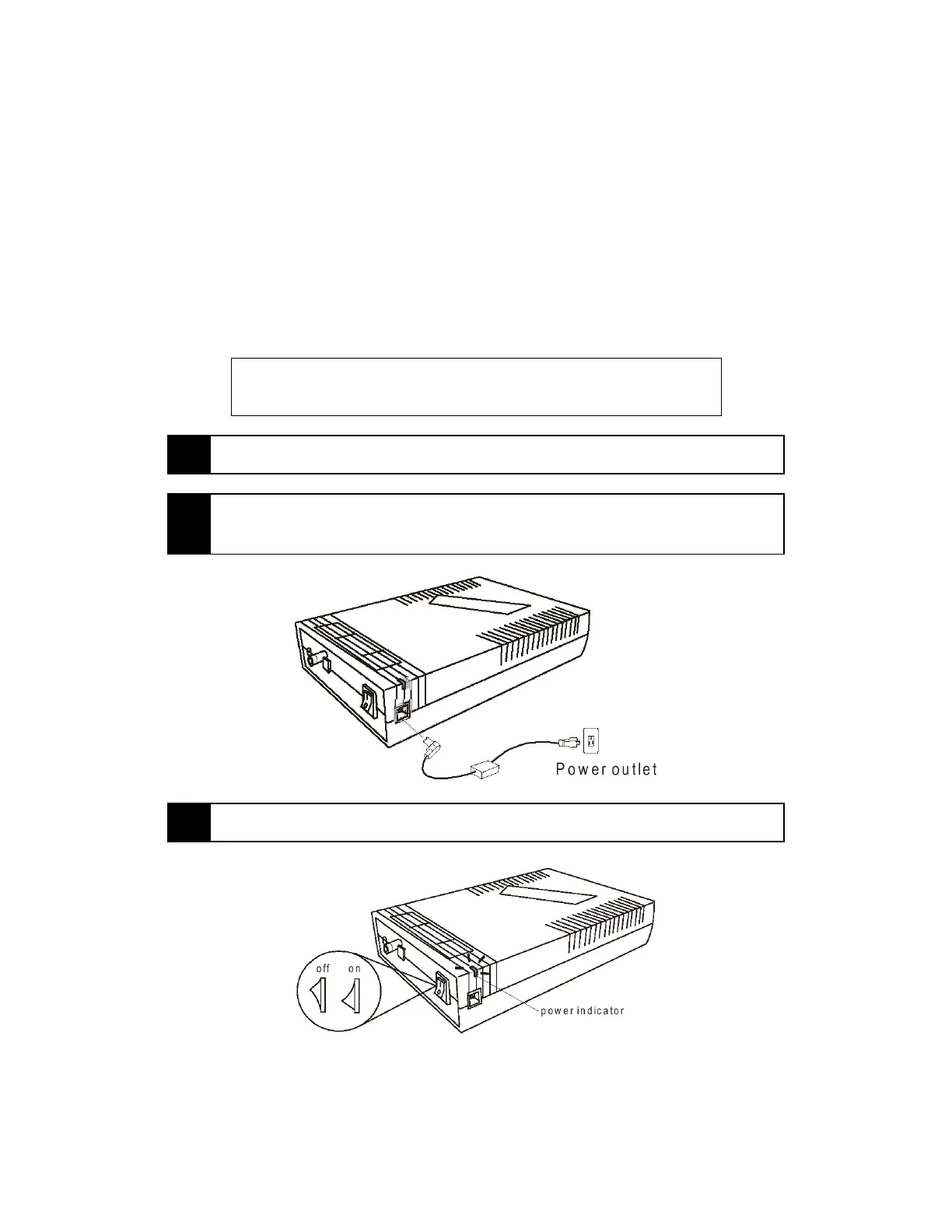
Connect the AC adaptor to the CD-ReWritable drive and the power
outlet
3 Turn on the power. The power indicator should turn on at this time.



 To Next Page