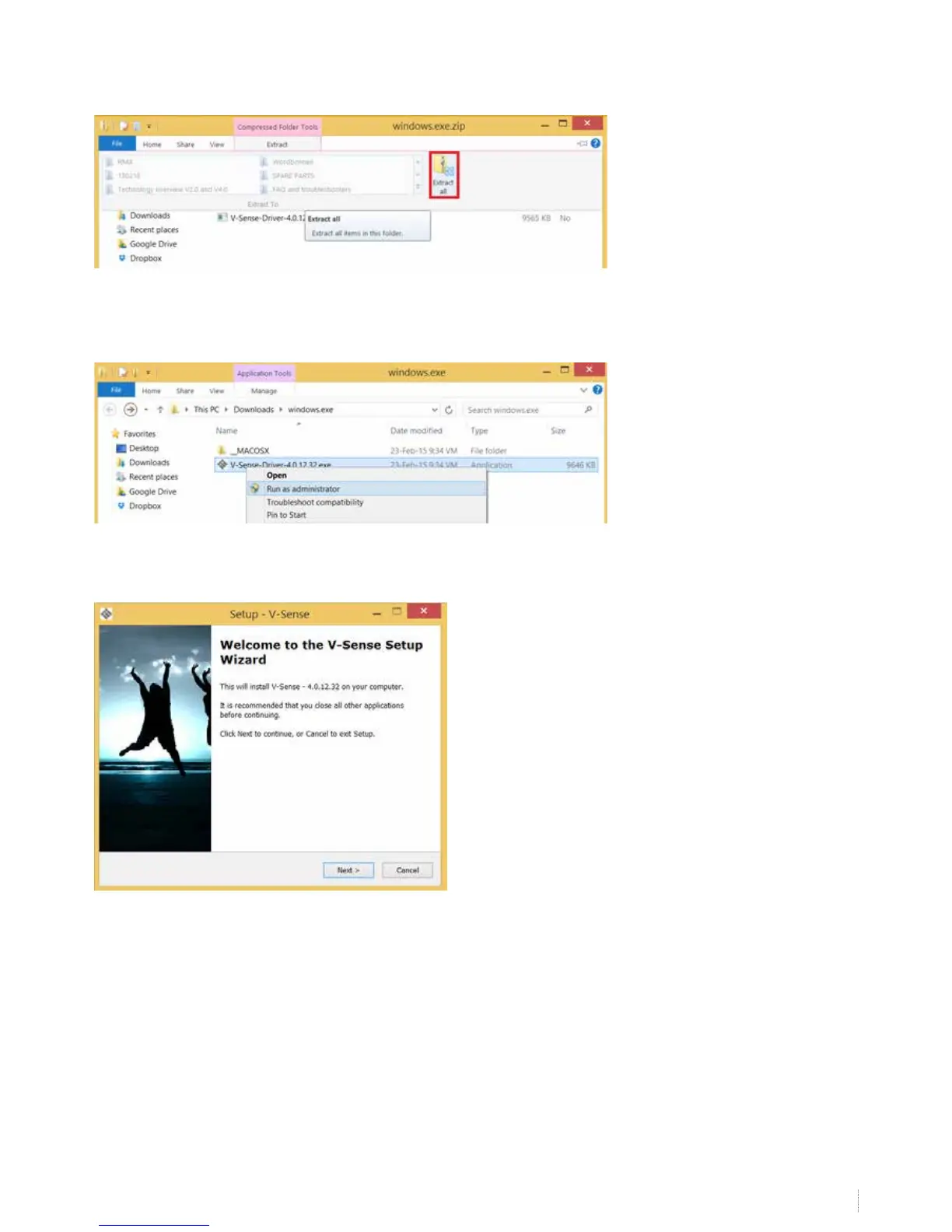
The drivers are compressed in a .ZIP-le. When using windows 7 or higher: double click the le and choose “extract all”.
Extract the content of the folder on your PC.
Now click on the le “V-Sense Driver – x.x.xx.xx.exe” (version number depends on the download date). If you cannot open the
le, right click on the le and choose “run as administrator”. Make sure you have installation rights.
Run the installer and click 4 times “next” and nally “install”. If you can nish the installation, the drivers will ask for a reboot.
Reboot your computer to nish the installation.
If the installation was successful, skip step 4


 To Next Page