18
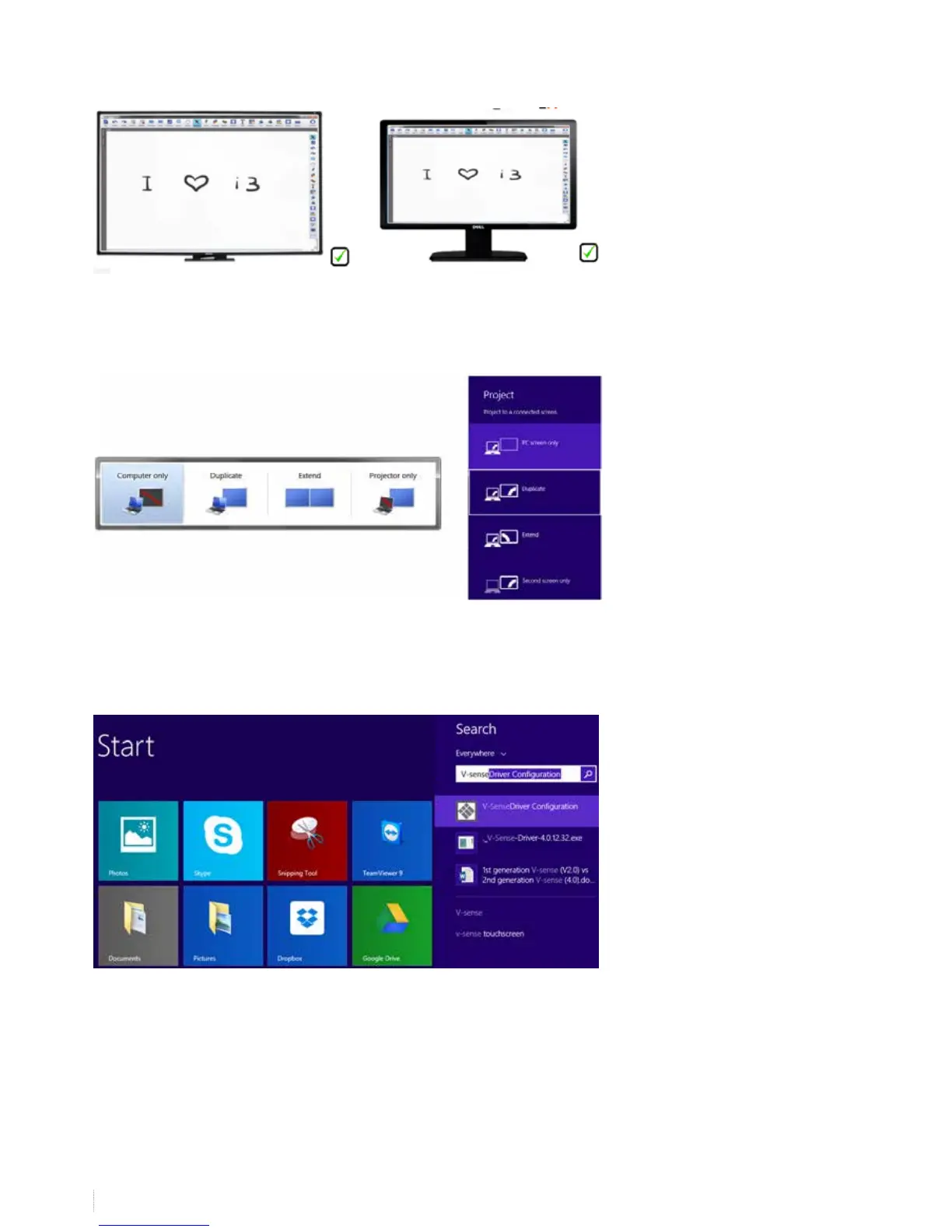
If you don’t manage to have both screens scaled full screen, the graphical card of your computer or the drivers of this
graphical card might need to be upgraded. As an alternative, choose “projector only” in your display settings and only use the
projector. If you prefer to use both computer display and projector, move on to step 9 before heading to step 8.
8. Calibrating the I3BOARD
Calibrate your board. The best method to calibrate is using the V-sense drivers. Go to start -> all programs -> i3learning ->
V-sense -> V-Sense Driver Conguration. If you have a windows 8.1 computer, search for the V-sense driver in the search
eld of the start screen


 To Next Page