12
IV. Conguration & driver installation
1. Driver download
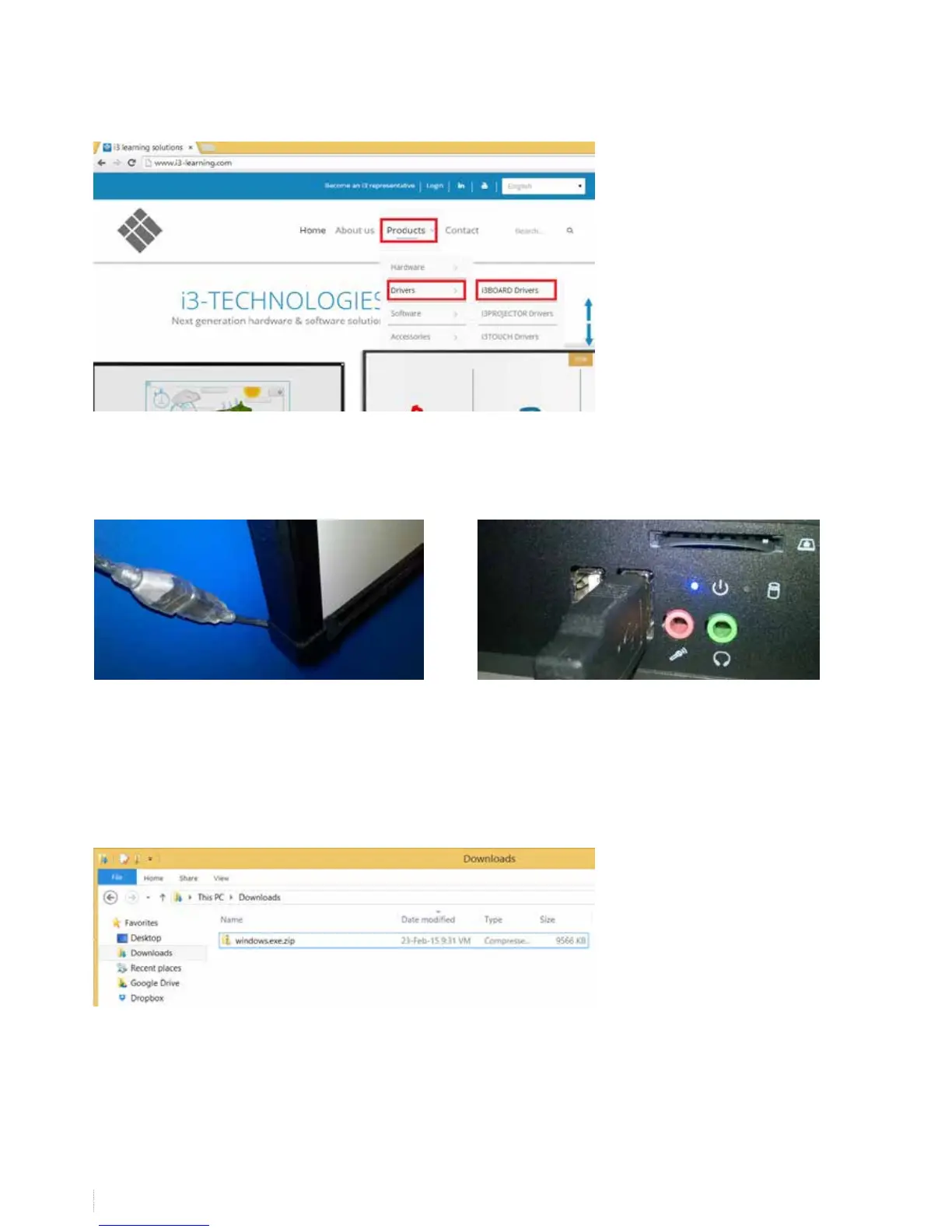
Go to the i3-learning website www.i3-learning.com and download the latest drivers (products -> drivers -> i3BOARD drivers)
IInstall the projector in order to calibrate the board later on.
3. Installing the drivers
install the drivers you downloaded on the website (you will nd the driver in the download folder that has been set in your
browser preferences).
2. Connecting the board
Connect the i3BOARD to the supplied USB cable Connect the other end of the cable to your computer


 To Next Page