24
12. No touch after installing the driver
When the driver was installed but you have no touch, this may be due to:
- The touch sensor of the board being recognized earlier than the projector at start-up
This problem only occurs on certain Win 8.1 versions. It can be solved by installing the latest drivers online including a bugx.
If you prefer to use older drivers, unplug the USB-cable and reboot your PC. After reboot, when an image is shown wait 10
seconds. Then plug in the USB-cable.
- A touch driver conict
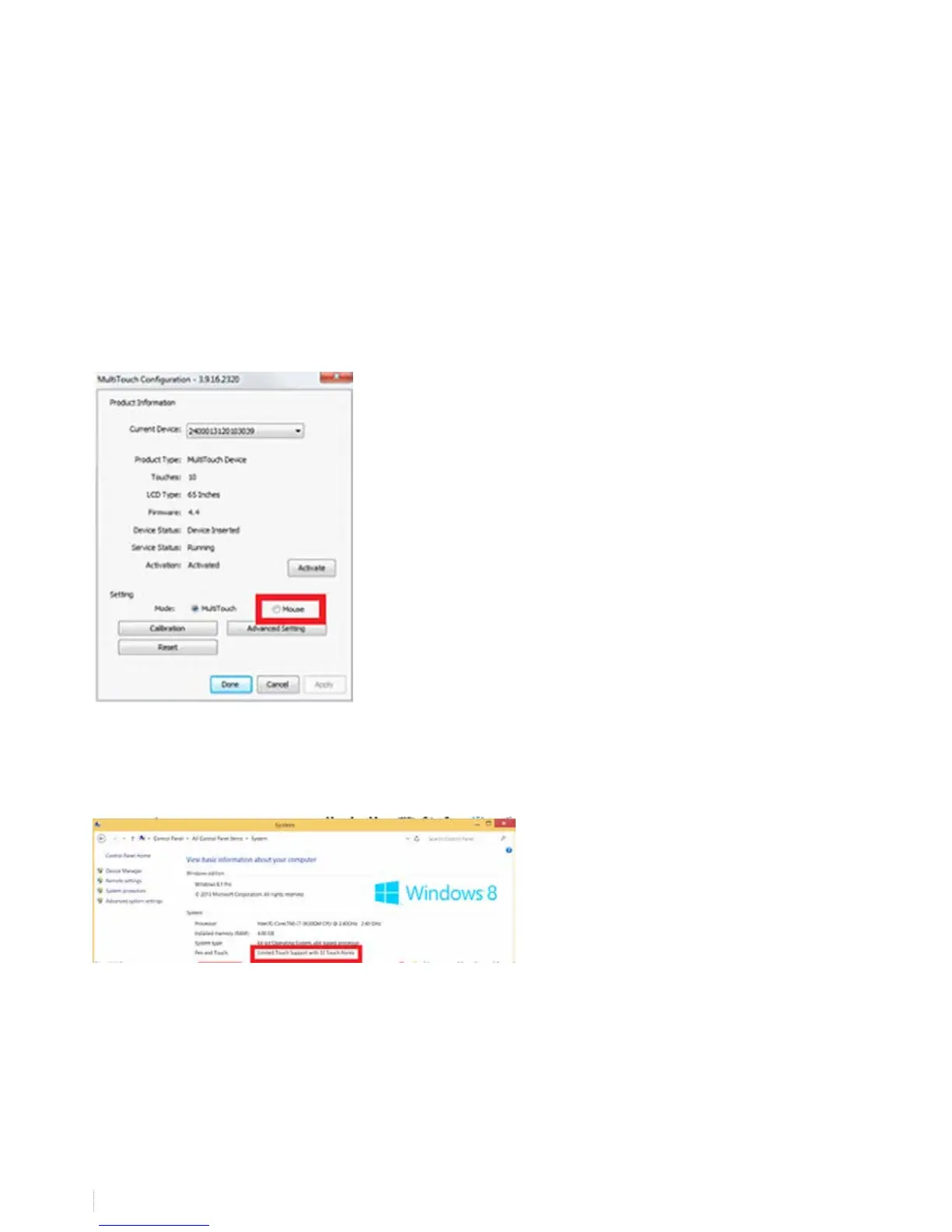
Check if you have touch when opening the V-sense driver and selecting “mouse” mode in settings and then “apply”. If you
have touch, you might need a driver update. Check if you downloaded the latest drivers on the website and if so, contact i3
support
if you don’t have touch using “mouse” mode, check your system settings (Control Panel\All Control Panel Items\System). If
the drivers are working the pen & touch should indicate 32 touch points.


 To Next Page