If you don’t see 32 touch points, the driver is not running correctly. You might need a driver update. Check if you downloaded
the latest drivers on the website and if so, contact i3 support.
- The “turn on fast start-up function”
Some computers have a “turn on fast start-up” function to quickly boot. If that function is enabled, sometimes the touch
sensor is not recognized at start-up or the touch sensor is recognized before the projector/display, which causes a conict.
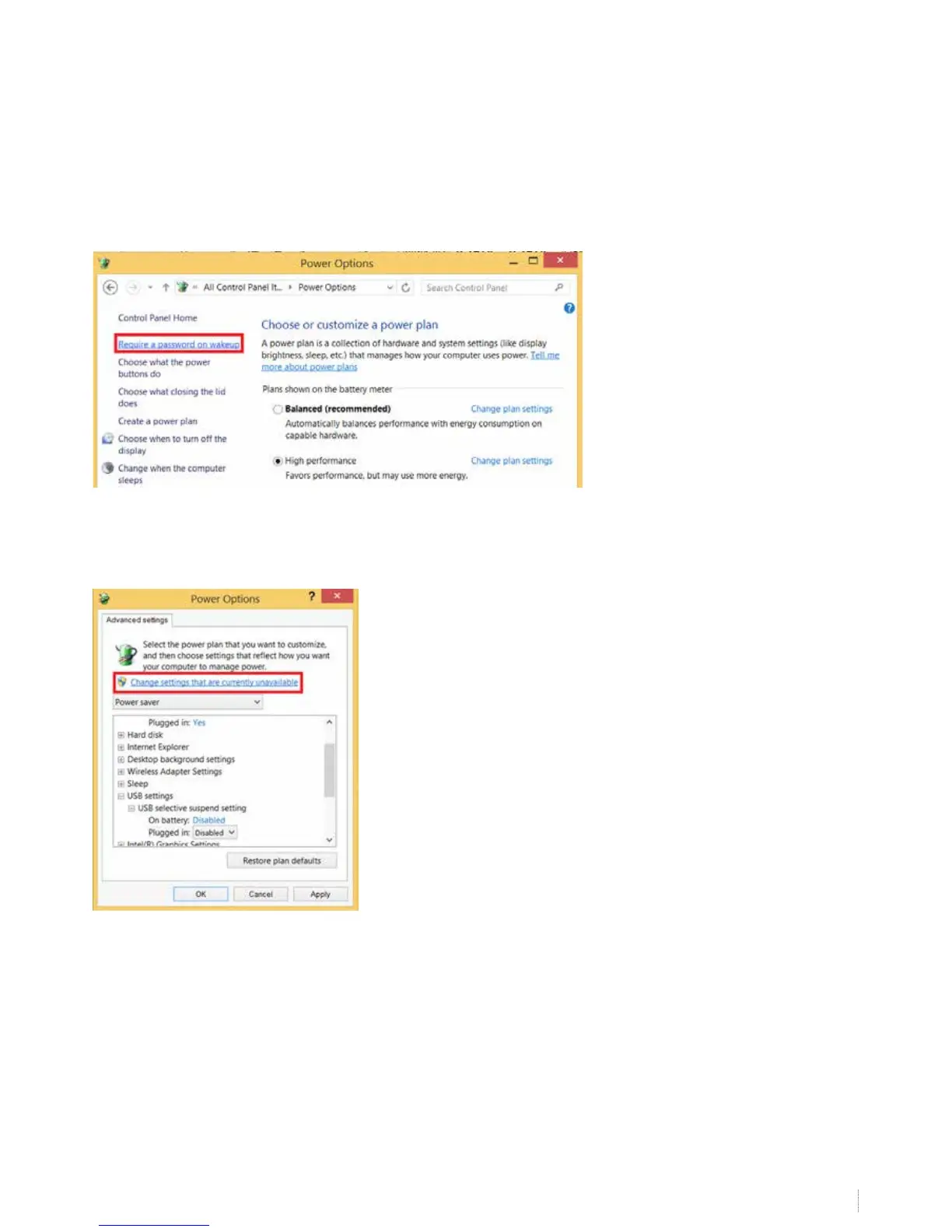
Go to Control Panel\All Control Panel Items\Power Options. Choose “require a password on wakeup”
Choose “change settings that are currently unavailable”


 To Next Page