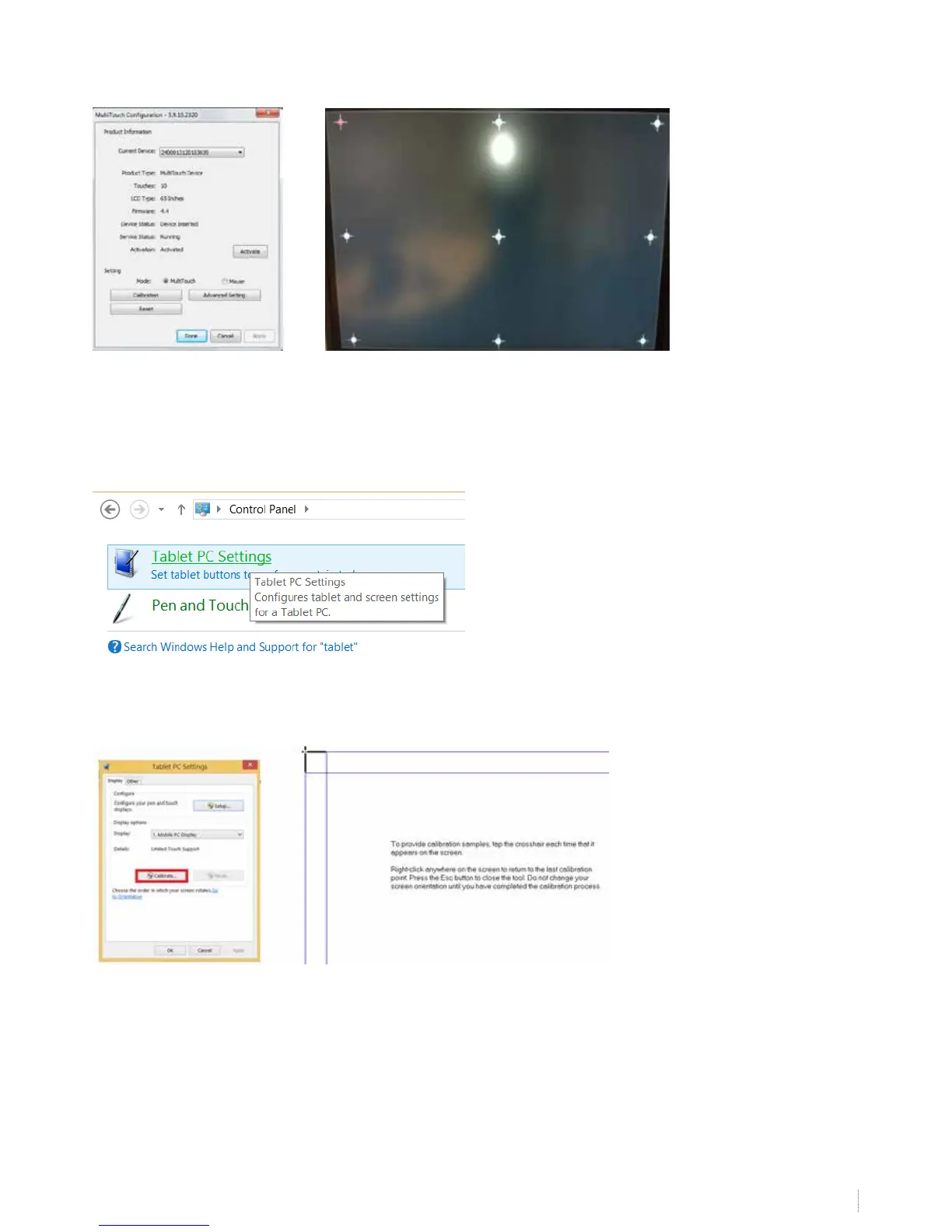
Choose calibration and press on the 9 red circles with your nger (or the i3BOARD pen to increase accuracy) from the top left
side to the bottom right side.
This concludes the calibration. Check if your board is calibrated well. If so, the board is ready to be used. Before using the
board, please check step 11. If you cannot calibrate the board because of no touch, move to step 12.
If you calibrated the board but the calibration is not accurate, you can perform an extra calibration using the Windows
calibration tool on top of the V-sense calibration. Go to “control panel” -> “tablet PC settings” (windows 7 / windows 8)
Now choose “calibrate and press with your nger on the black crosses


 To Next Page