22
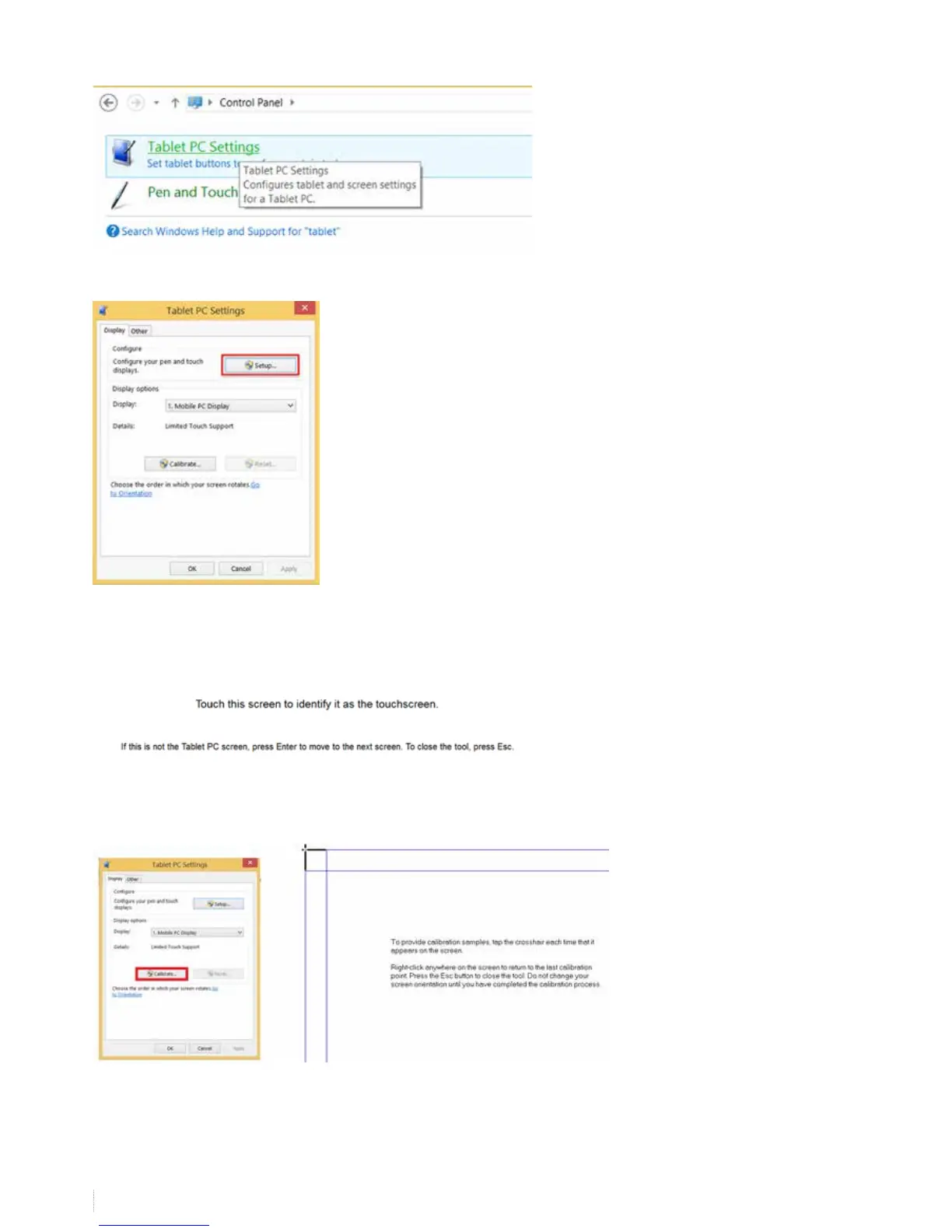
Now go to “control panel” -> “tablet PC settings” (windows 7 / windows 8)
Choose “Setup”
Follow the on-screen instructions. Tap on the board when the below instructions are shown on the board or press “enter”
when you read the instructions on your computer screen only. With this step you identify the board as the touch screen to
be used in windows. Finish with “escape”.
Now choose “calibrate and press with your nger on the black crosses


 To Next Page