iBaby MonitorUser Manual
My account: personal information display and settings
Settings: device parameters, information settings
Contact us: Contact iBaby
Logout / Logout: Exit the current account
Introduction to common functions
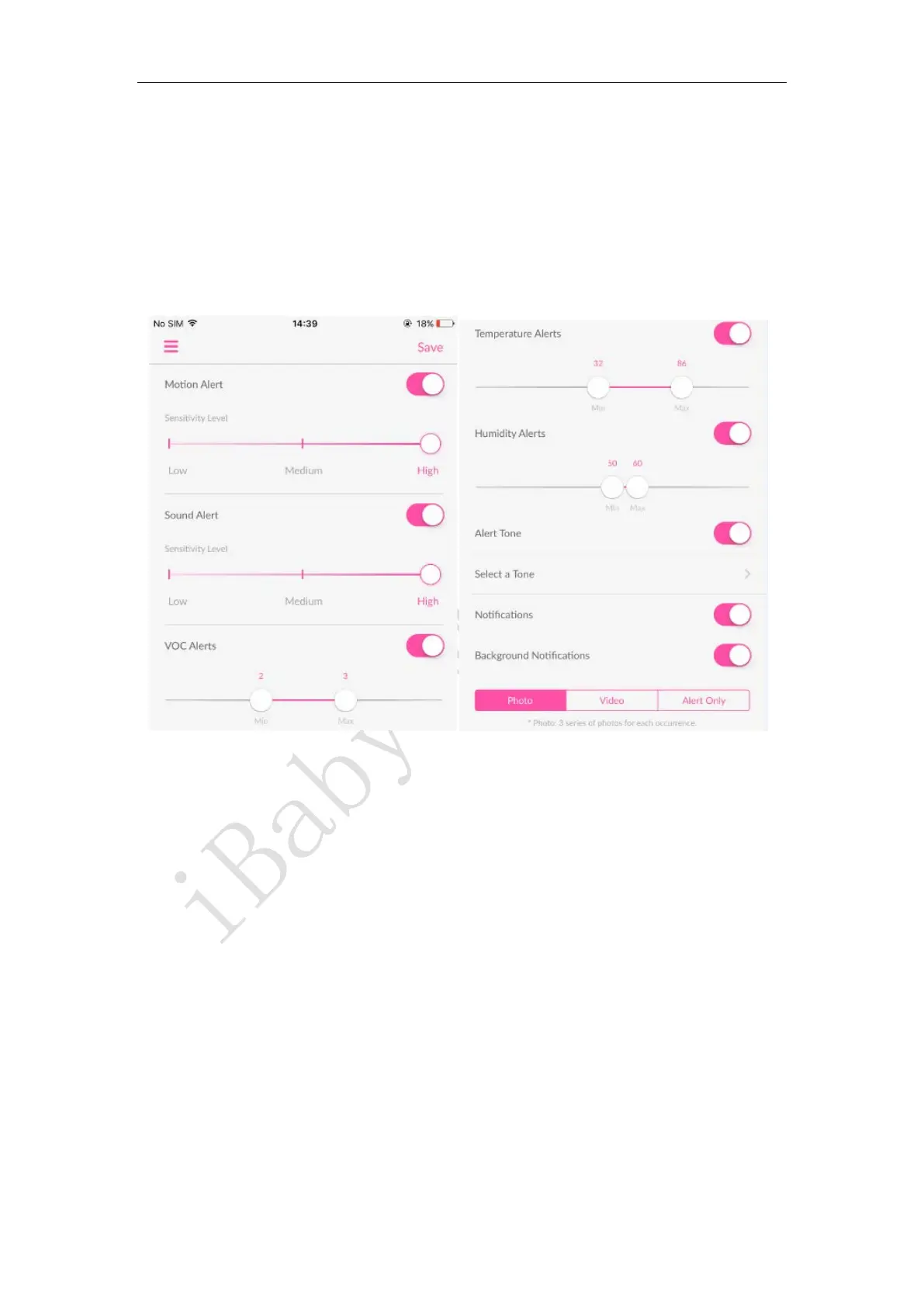
3.3.1 Alarm setting function
Motion alarm: An alarm that is triggered when an object moves in the screen. The higher the
sensitivity level, the more sensitive it is.
Audible alarm: The alarm that is triggered when the ambient sound reaches the alarm level. The
higher the sensitivity level, the more sensitive it is.
Temperature alarm: An alarm that is triggered when the ambient temperature is below a
minimum value (such as 32°F) or above a maximum value (such as 86°F).
Humidity alarm: An alarm that is triggered when the ambient humidity is below a minimum
value (such as 50%) or above a maximum value (such as 60%).
Alarm ringtone: Whether there is an audible prompt when setting the alarm, and the alarm
ringtone can be selected when it is turned on.
Push notification: This button is enabled to receive an alert push message when the app is closed
or running in the background.



 To Next Page