1 Product Overview
1.1 Package List
ü iBaby Monitor
ü Base
ü Power Adapter
ü User Manual
1.2 Interface Introduction
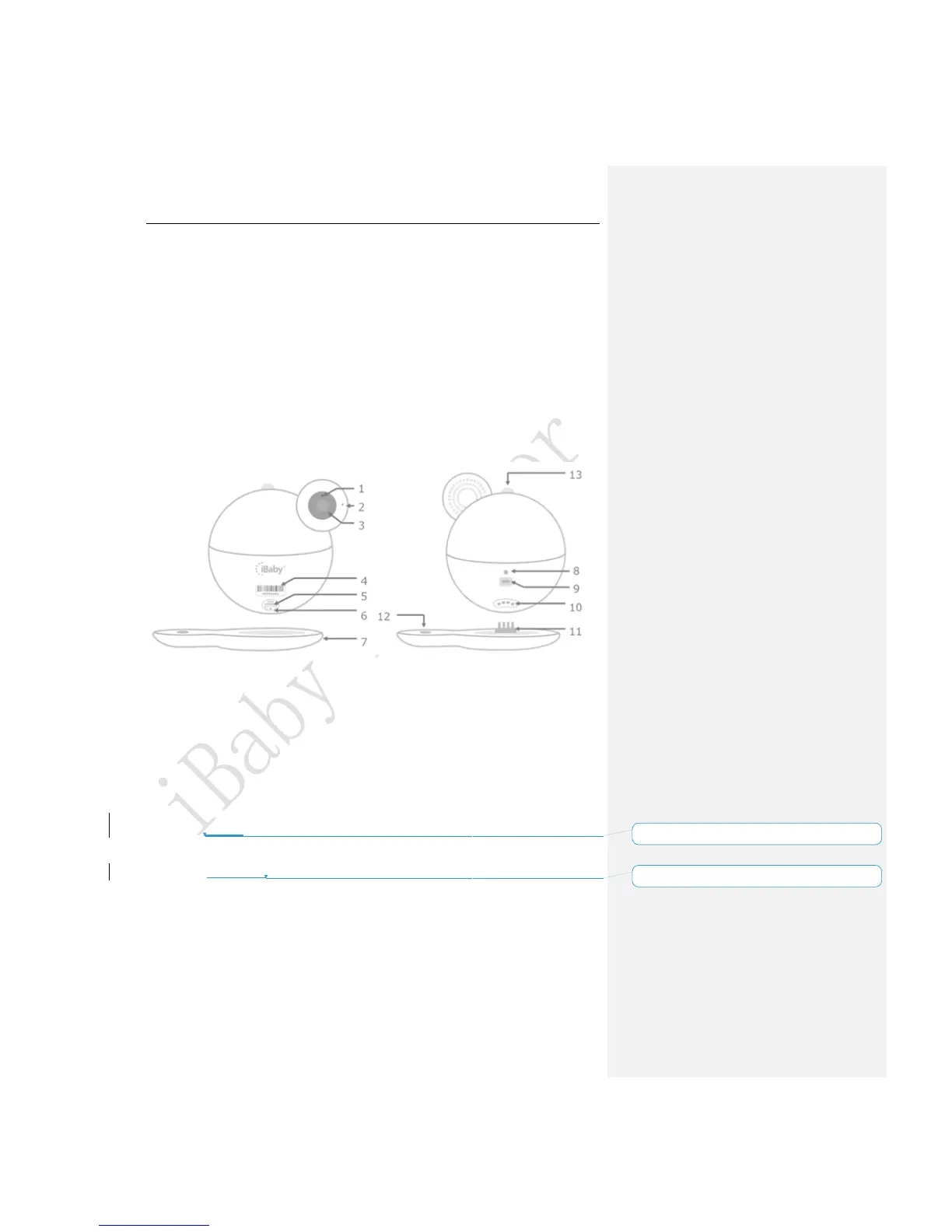
Figure 1
1) Night Vision Sensor
2) Microphone
3) Camera Lens
4) Monitor Serial Number
:
Monitor unique ID, such as “708Qaaaa”
5) USB Port: To Install the monitor for iPhone User Only.
6) Reset Button
:
hold for 30 seconds to reset
7) Base
8) LED Status Light
:
Shows status of monitor. Refer to Table 1 of Section 4.1
9) Power Source
10) Temperature/Humidity Sensor
:
detect temperature and humidity
11) Metal prong insert
12) Help Button
13) Moonlight



 To Next Page