install.
2.4.1 Apple Users Activation
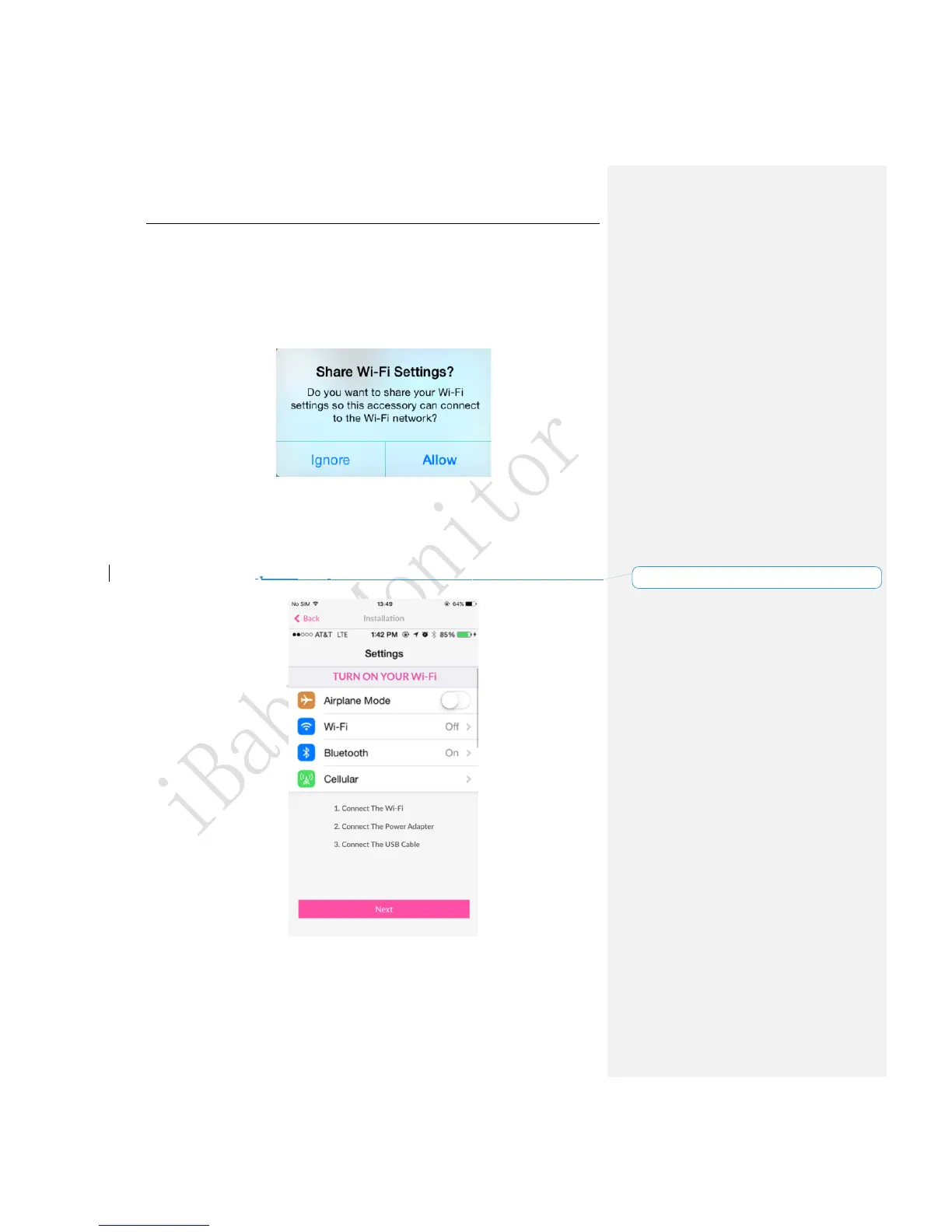
1.Open the USB cover on the bottom of the device, then connect your iPhone or iPad to
the device with the original iPhone USB cable.
2.You will see a “Share Wi-Fi Settings?”prompt on your screen. Once this window shows,
click “Allow”. The LED status light will then turn into a blinking green light.
Figure 2
Note:
1) If the prompt does not show, unplug and re-plug the USB cable.
2) If the LED status light does not turn a blinking green, please contact Customer Service
or refer to the FAQ of section 4.2 for help.
3.It will show a scene, shown below, on the app after selecting the monitor you have, then
click “Next”to activate the device.
Figure 3
4.Once the device is activated, unplug the USB cable. Put the USB cover back on and
place the device on the base.



 To Next Page