IBERITAL
Page 88 INSTALLATION AND OPERATION MANUAL
ENGLISH
The user can accept the alarm, in order to continue to see the display in the usual manner. When the machine is
turned o and on again, the error will once again be displayed, if it has not yet been corrected.
2.10.- CONTROL UNIT RESET ON MACHINES WITH DISPLAY (not available on all models)
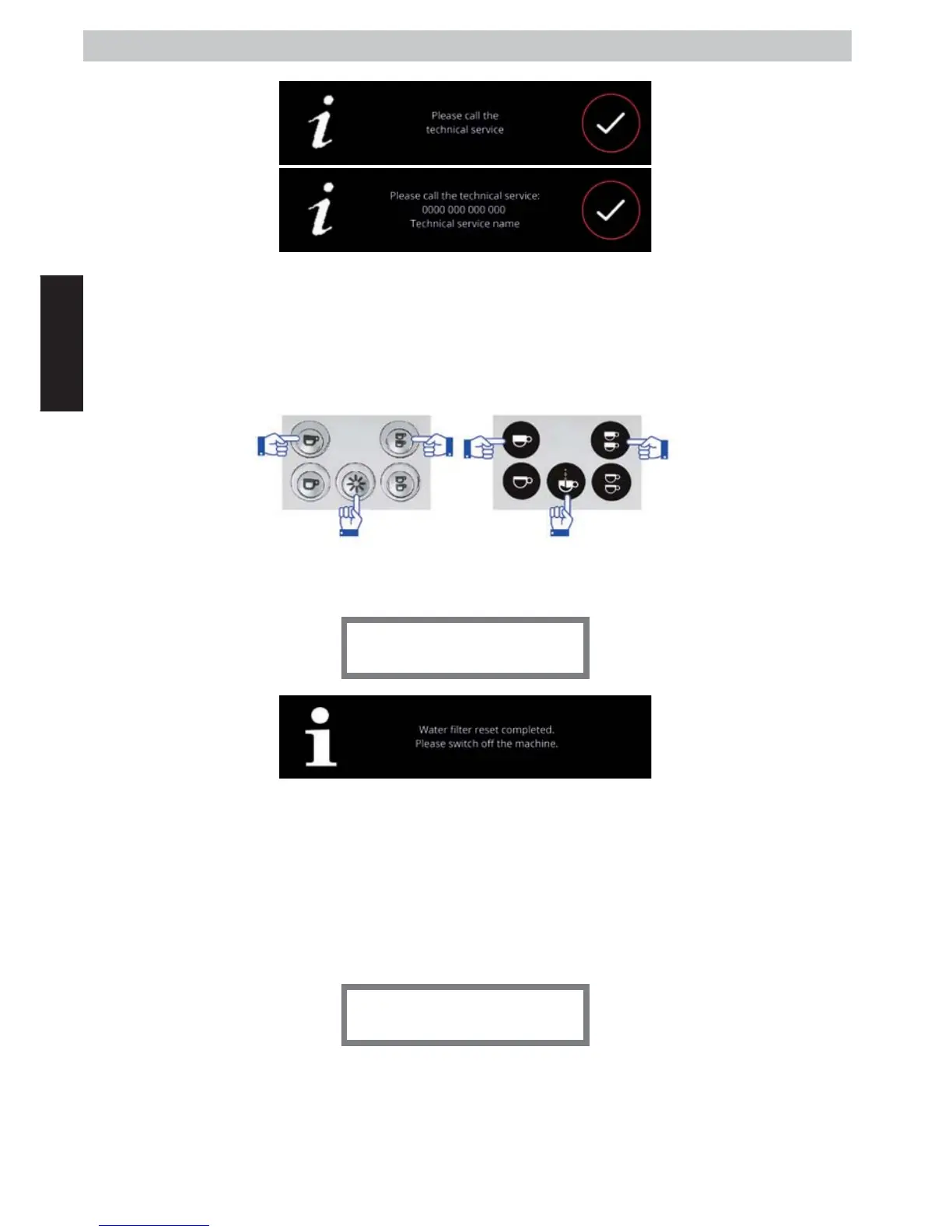
On models with a display, the control unit can be reset with the initial factory settings. To do this, switch o the
machine using the main switch. Once the machine is switched o, press the 1 espresso, 2 espressos and non-stop
buttons, simultaneously.
Keep them pressed and switch on the machine using the main switch. Once the machine is switched on, and
without having released the 3 buttons, keep them pressed for a few seconds, until the following message appears
on the display screen:
Preset reset complete
Switch o the machine using the main switch, and release the buttons. On switching on the machine, we will have
reset the control unit with the factory settings.
NOTE: Perform this action means losing any customization done on the machine, both in the technical menu and
the user menu. Accountants, visualizations, dosages, date / time and settings, climate control,..
WARNING: If the machine has a touchscreen, it will be necessary to re-enter the number of groups, and whether
or not the machine has an auto-frother.
If your machine does not regulate the temperature by temperature sensor, but does so through the action of a
pressure switch, the display will appear in the following error:
T.ProbeUnconnect
This situation is due to an incorrect selection on the heating menu. In order to eliminate this alarm, follow the steps
indicated in paragraph 2.9.3.1.3, section “C” (INTERRUPTED TEMPERATURE SENSOR), acting like a replacement unit
in question.
Generic screen
Custom screen
Non-touchscreen display.
Touchscreen display.



 To Next Page