v Power button: Press this button to turn on and turn off the display power. This indicator shows the
status of the display operation:
– Green: Normal operation
– Flashing green: Standby power
– Black: Power is off
Using the display menu
Learn how to use the display menu on the TFT - LCD display.
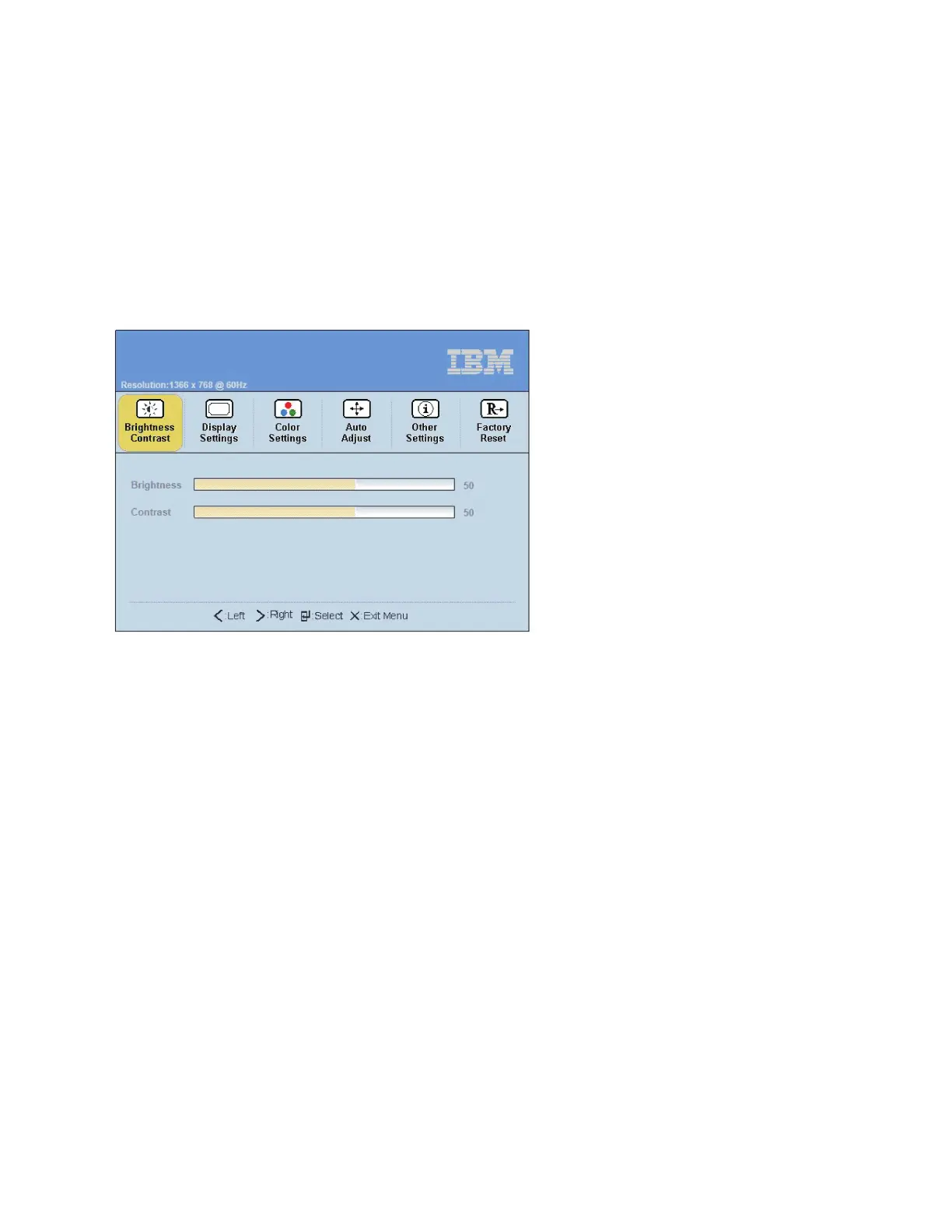
To activate the display menu, press the Select/Menu button. The Main menu is displayed.
The menu choices are described in the following list:
v Brightness/Contrast
– Brightness - Brightness Slider Default 50, incremental adjustment by 0 from1-100
– Contrast - Contrast Slider Default 50, incremental adjustment by 0 from1-100
v Display Settings
– Wide Mode
- 1:1 - Uses exact pixel count from video controller
- Aspect - Uses pixel ratio but scales to largest available picture
- Fill - Default. Scales incoming image to utilize full screen
– Horizontal Position - Screen picture adjustment - Default at 50 Center of the Screen, incremental
adjustment by 1 pixel from0-100
– Vertical Position - Screen picture adjustment - Default at 50 Center of the Screen, incremental
adjustment by 1 pixel from0-100
– Sharpness - Visual reference to light and dark - Default 50, incremental adjustment by 10 from 0 -
100
– Pixel Clock - Analog input control - Default Panel Dependent
– Phase - Analog input control - Default Panel Dependent
– Display Info - Display Resolution and Refresh Rate
– Reset Display settings - Reset Display Settings to Factory Default - confirmation required
v Color Settings
– Standard
– Warm
P8EGB521-0
Installing the 7316-TF4 18.5-Inch Flat Panel Rack-Mounted monitor and keyboard 19



 To Next Page