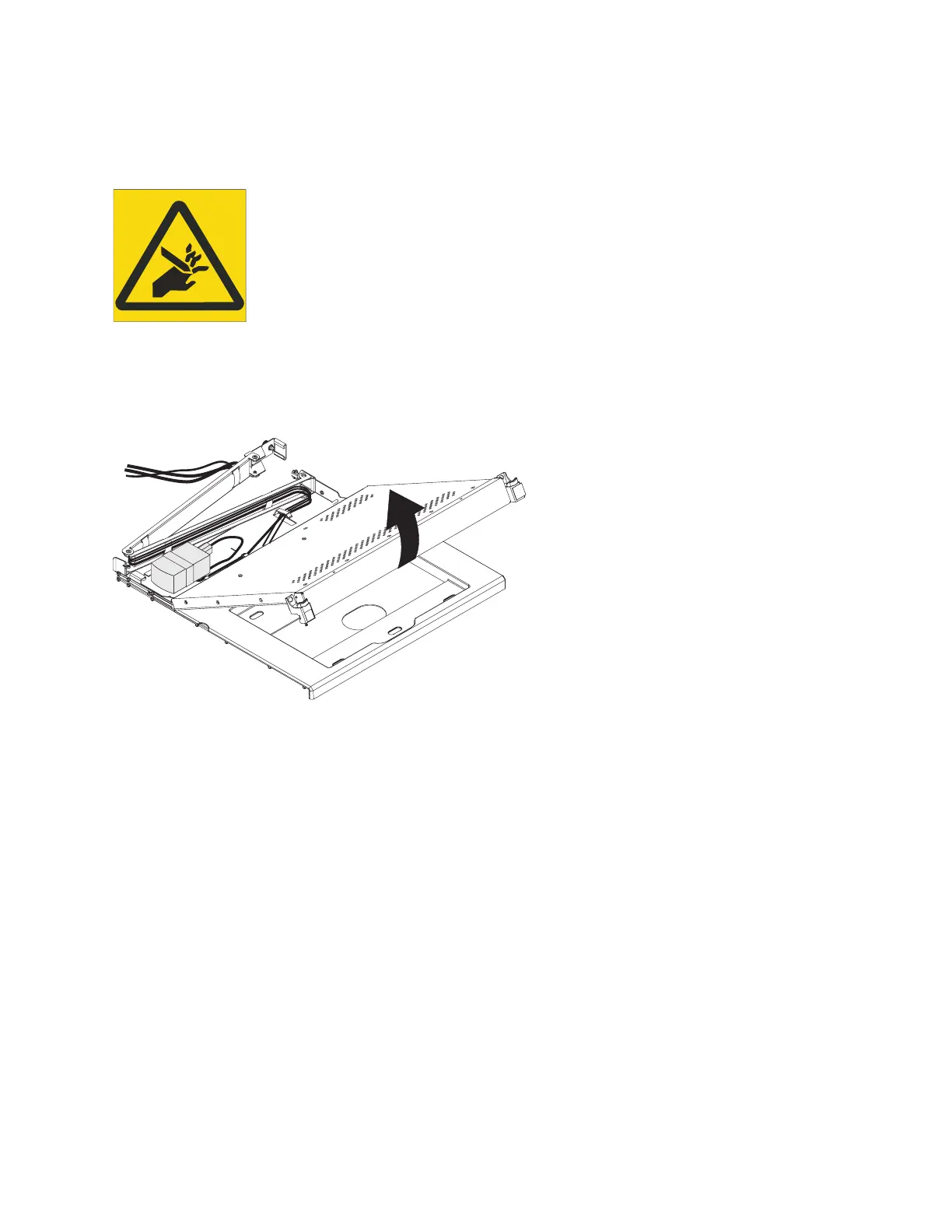
3. Carefully unfasten the hook-and-loop fastener strips from the cable-management arm and remove
the keyboard-and-mouse cable.
L012
CAUTION: Pinch hazard. (L012)
4. Fully extend the console unit out of the rack.
5. Lift the front of the flat-panel display and raise the display to the full upright position.
6. Remove the old keyboard from the console unit.
7. Unpack the replacement keyboard.
Note: Do not extend the keyboard feet. The flat-panel display screen might be damaged if the feet is
extended when the display is closed.
8. Hold the new keyboard near the keyboard tray and carefully route the keyboard-and-mouse cable
down through the keyboard tray cutout and up through the cutout that is behind the flat-panel
display. (See the illustration.) Carefully pull the cable through the cutouts.
P8EGB525-0
P8EGB504-0
Installing the 7316-TF4 18.5-Inch Flat Panel Rack-Mounted monitor and keyboard 31



 To Next Page