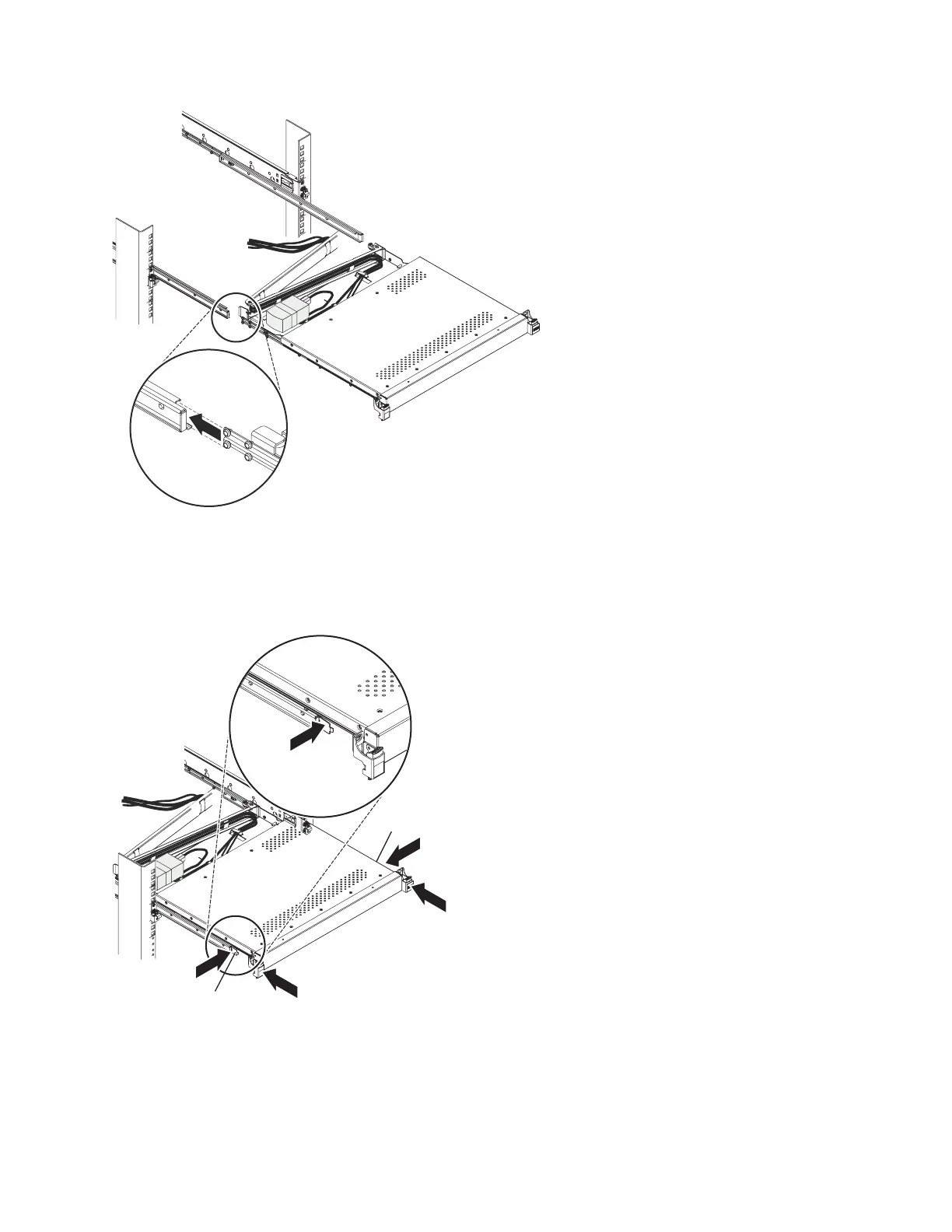
2. Press in both release latches 1; then, grasp both sides of the console unit and push it completely into
the rack 2. There will be resistance initially as the inner and outer rails are aligned. Pull the console
unit out halfway, and then push it back in to seat the console unit in the rails. Do this a few times
until the console unit moves smoothly in the rails.
3. Align the C-channel on the end of the cable-management arm with the bracket on the console unit.
Slide the C-channel onto the bracket until the cable-management arm thumbscrew aligns with the
hole in the bracket. Tighten the thumbscrew.
P8EGB511-0
Release latch
Release latch
1
2
1
2
P8EGB512-0
Installing the 7316-TF4 18.5-Inch Flat Panel Rack-Mounted monitor and keyboard 47



 To Next Page