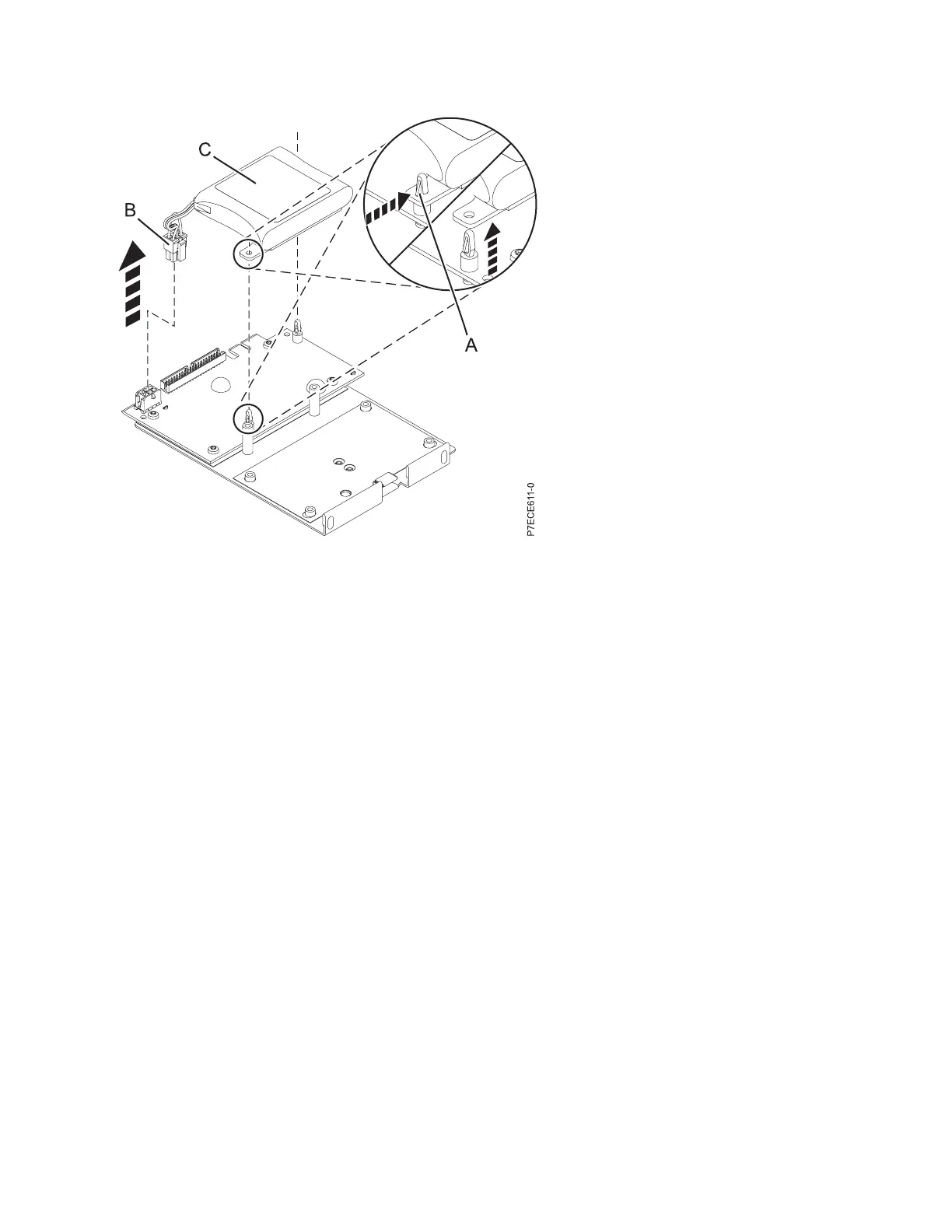
(A) Standoff tab
(B) Battery connector
(C) Cache battery pack
4. Remove the battery assembly:
v Remove the mounting plate from the standoffs, one standoff at a time
v Push in the standoff retaining tab and pull up on the mounting tab until the standoff is released
through the hole in the mounting tab. Repeat this step for the second standoff.
Note:
v The battery is mounted on a black plastic plate with two tabs, secured by white plastic standoffs
with the retaining tabs.
v If the retaining tab is difficult to push in, turn the white standoff so its retaining tab faces away
from the battery pack.
5. Install the battery on to the posts until the latches click into place.
Figure 30. Removing the cache battery
SAS RAID controllers for IBM i 43



 To Next Page