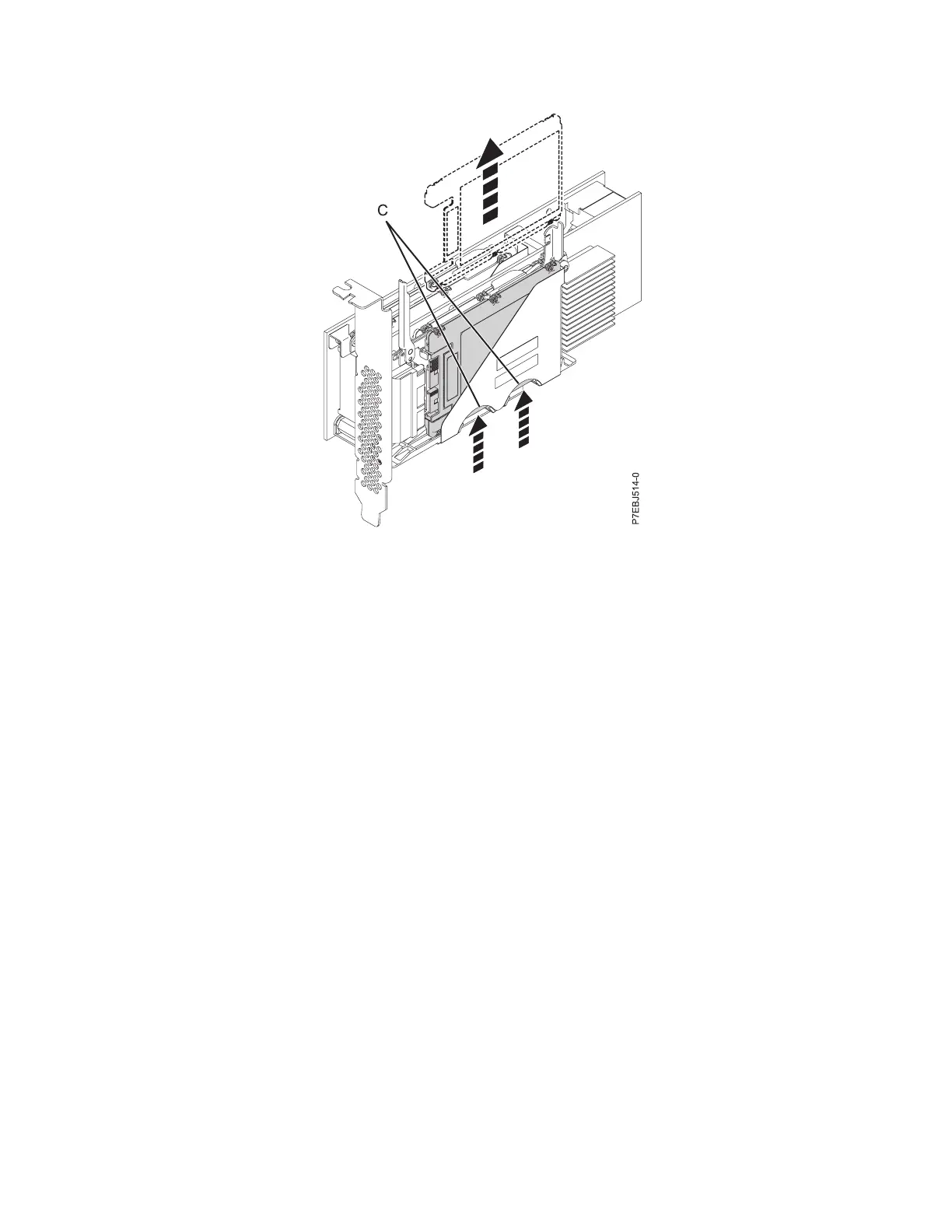
7. Grasp the SSD and continue to remove it from the adapter.
8. Install the replacement SSD by performing steps 7 to 2 on page 49 in the reverse order.
Note: Ensure that the device retaining latch and undocking lever are in the fully closed position.
9. Reinstall the adapter in the system. See PCI adapters .
10. If you replaced the SSD as a part of another procedure, return to that procedure.
Viewing SAS fabric path information
Use the Hardware Service Manager to view details of the SAS fabric information.
Perform the following steps to view the SAS fabric information:
1. Start the Hardware Service manager and page forward to the second selection screen.
2. Select SAS Resource Path Information.
3. Enter 1 in front of the required adapter resource to display resource path information. The screen
displayed looks similar to the following example:
Figure 42. Pushing the SSD that is being replaced
SAS RAID controllers for IBM i 51



 To Next Page