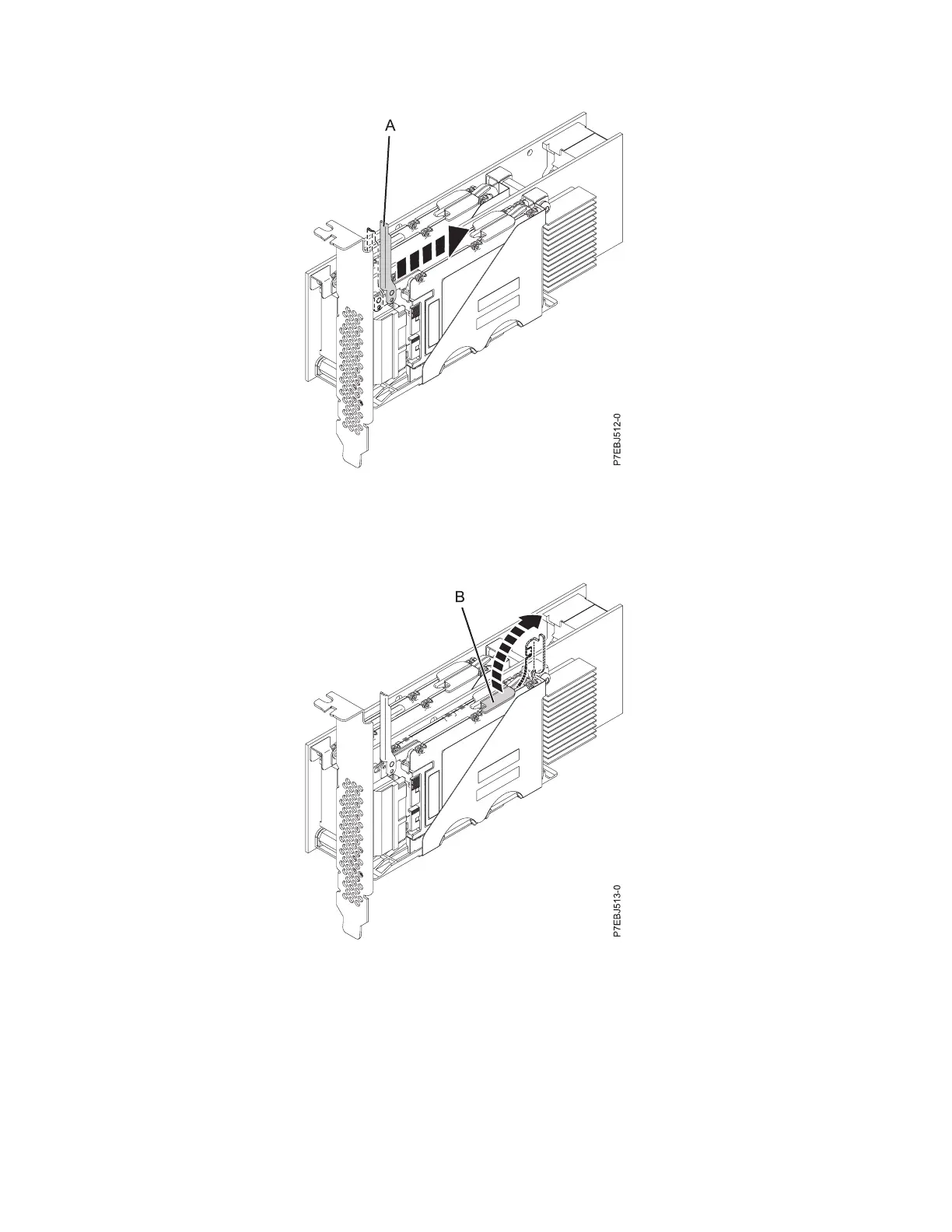
5. Lift the single device retaining latch (B) for only the SSD that you are replacing by first moving it
away from the center of the SSD divider and then lifting it to a fully vertical position.
6. Using the device access finger openings (C), push the single SSD that you are replacing out of the
device holder.
Figure 40. Pushing the lever away from the adapter tailstock
Figure 41. Lifting the device retaining latch
50 SAS RAID controllers for IBM i



 To Next Page