s. 20 / 40
work memory. The data backup 'copy' and 'restore' commands can be found in the commands menu.
(see chapter 27. Command menu)
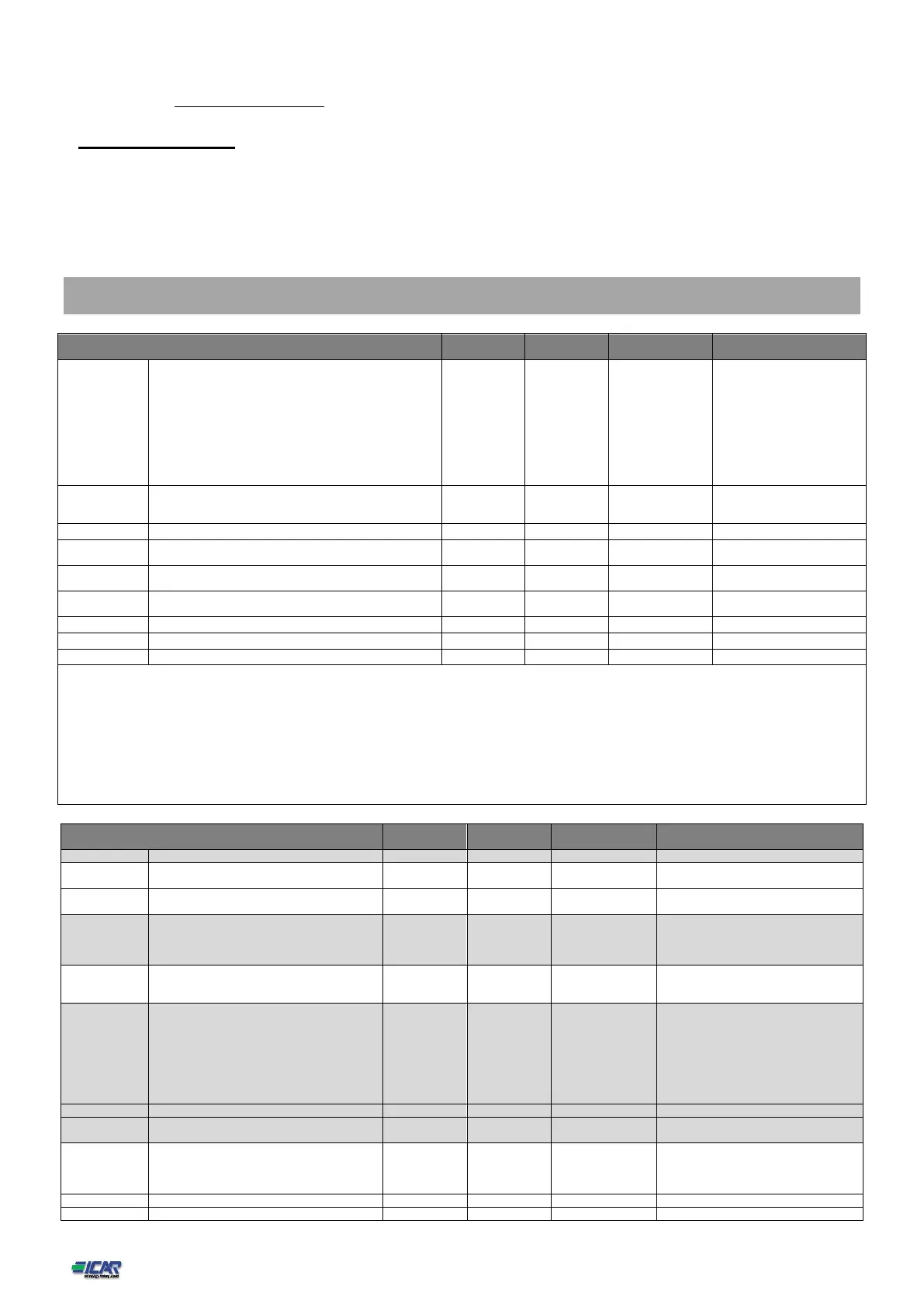
21. Parameter table
Below are listed all the programming parameters in tabular form. For each parameter are indicated the
possible setting range and factory default, as well as a brief explanation of the function of the parameter.
The description of the parameter shown on the display can in some cases be different from what is
reported in the table because of the reduced number of characters available. The parameter code can be
used however as a reference.
Note: The parameters shown in the table with a shaded background are essential to the operation of the system, thus they
represent the minimum programming required for operation.
Italian
French
Spanish
Portuguese
German
Polish
Czech
Russian
Custom
Set clock at system power on
Display backlight high intensity
Display backlight low intensity
Time to switch to low backlighting
P01.01 – Select display text language.
P01.02 – Active automatic clock settings access after power-up.
P01.03 – Adjust LCD contrast.
P01.04 – Display backlight high adjustment.
P01.05 – Display backlight low adjustment.
P01.06 – Display backlight low delay.
P01.07 – Default page display restore delay when no key pressed. If set to OFF the display will always show the last page selected manually.
P01.08 – Default page displayed on power-up and after delay.
P01.09 – Free text with alphanumeric identifier name of specific panel/plant. If a description is set here, it will be shown as title of tha home page. The sme description will be used
also for identification after remote reporting alarms/events via SMS/E-mail.
L2-L3
L3-L1
L1-N
L2-N
L3-N
L1-L2-L3
L1-L2-L3-N



 To Next Page