CR IMMO User Manual
15
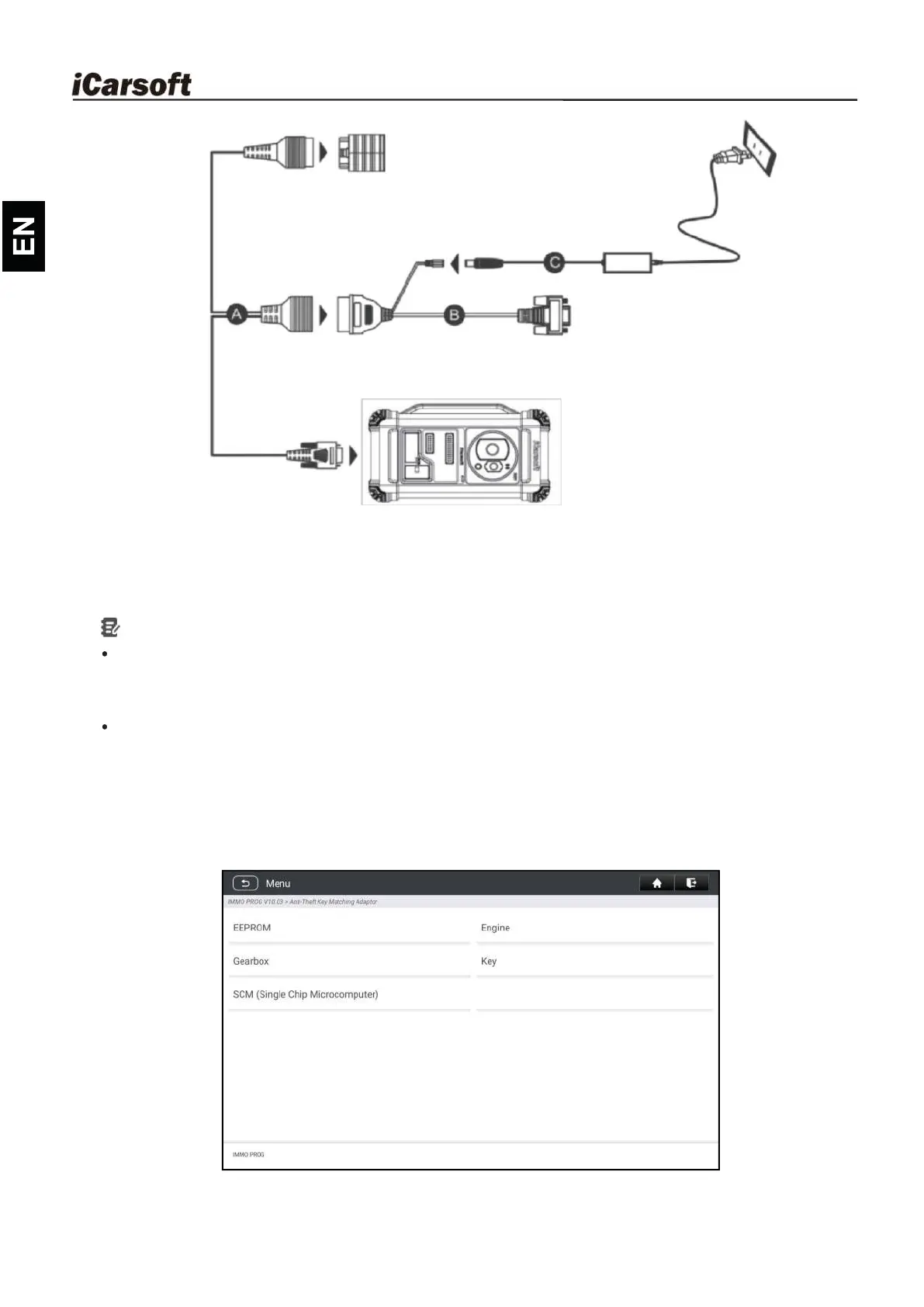
A. Main diagnostic cable
B. OBD I adaptor
C. Switching power supply of the IM2000 PRO
Notes:
You are suggested to connect the VCI dongle shown in below diagram to
the tablet via the USB cable. Using a USB cable could effectively enhance
your data transmission speed.
IMMO Programming does not require a connection to the vehicle. To
ensure that the IM2000 PRO works properly, ONLY use the switching
power supply and OBD I adaptor to supply power to the IM2000 PRO.
Obtaining power through a connection to the DC power jack of the
IM2000 PRO via the switching power sup
ply alone is failed.
2. Tap Anti-theft programmer to enter the following screen.
3. Select the desired item to proceed.










 To Next Page