CR IMMO User Manual
4
Technical Parameters
•
CPU: 4-Core 1.8GHz
•
Memory: 4GB
•
ROM: 64GB
•
Screen Size: 8 inches
•
Resolution: 1280*800 pixel
•
Camera: 8MP rear-facing camera
•
Working Voltage: 5V
•
Working Current: 3A
•
Working Environment: 0 ~45
•
Storage Environment: -10 ~60
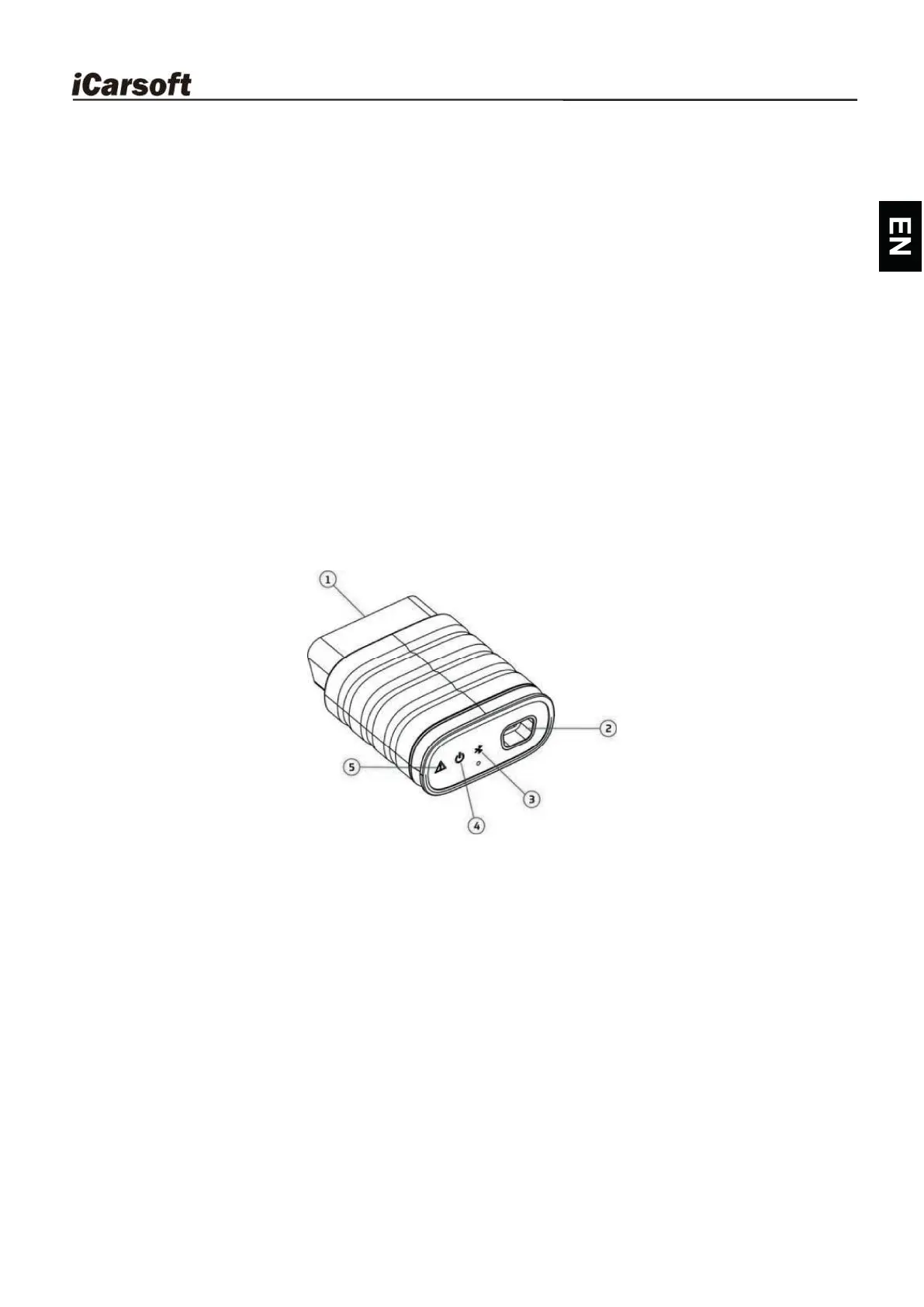
2.3 VCI Dongle
This dongle works as a VCI (Vehicle Communication Interface) device. It is
used to obtain the vehicle data, and then send it to the tablet for analysis via
Bluetooth.
1. OBD-16 diagnostic connector - Connects the OBD-II extension cable or directly
plug into the vehicle's DLC (Data Link Connector) port.
2. Data transmission port - Connects to the display tablet via data cable to perform
vehicle diagnosis.
3. Communication LED - It lights up and keeps flashing when the VCI dongle is
communicating with the tablet.
4. Power LED - It lights up when powered on.
5. Error LED - It lights up when communication failure occurs.
Technical Parameters
•
Working Voltage: 12V
•
Working Current: 60mA
•
Working Environment: 0 ~50
•
Storage Environment: -10 ~60










 To Next Page