CR IMMO User Manual
17
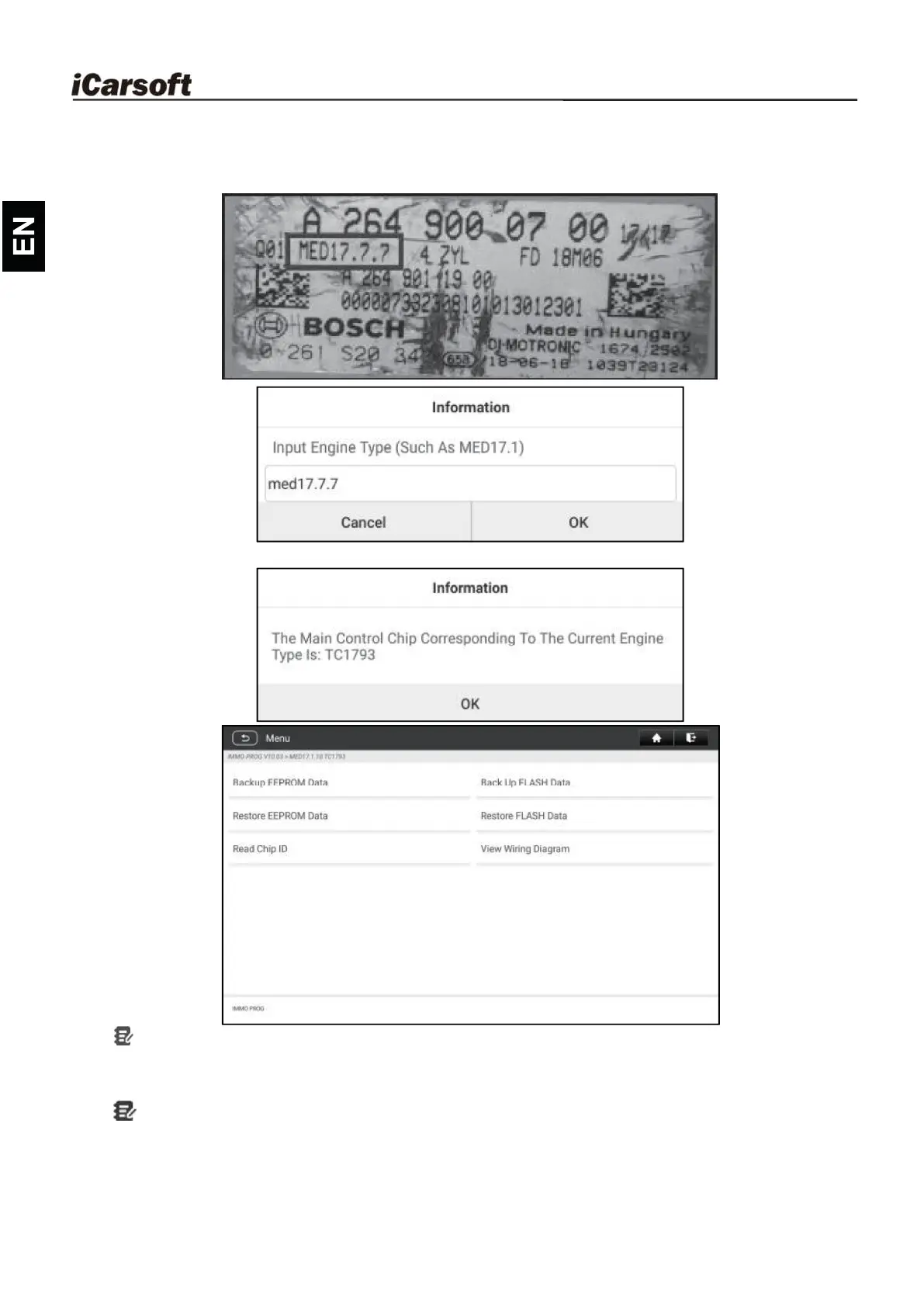
4. Check ECU model (printed on the sticker on the back of your Engine), enter
the engine type in the dialogue box (for example , the engine type should be
MED17.7.7) and tap OK.
5. Tap OK to confirm the engine type and enter the function selection screen.
Note: The function selection screen varies by differentvehicle manufacturers.
a. Tap View Wiring Diagram to check how to connect the engine with the
IM2000 PRO.
Note: Vehicle engine connection could vary depending on engine types, for
information how to connect the car engine, refer to the onscreen connection
diagram.










 To Next Page