CR IMMO User Manual
29
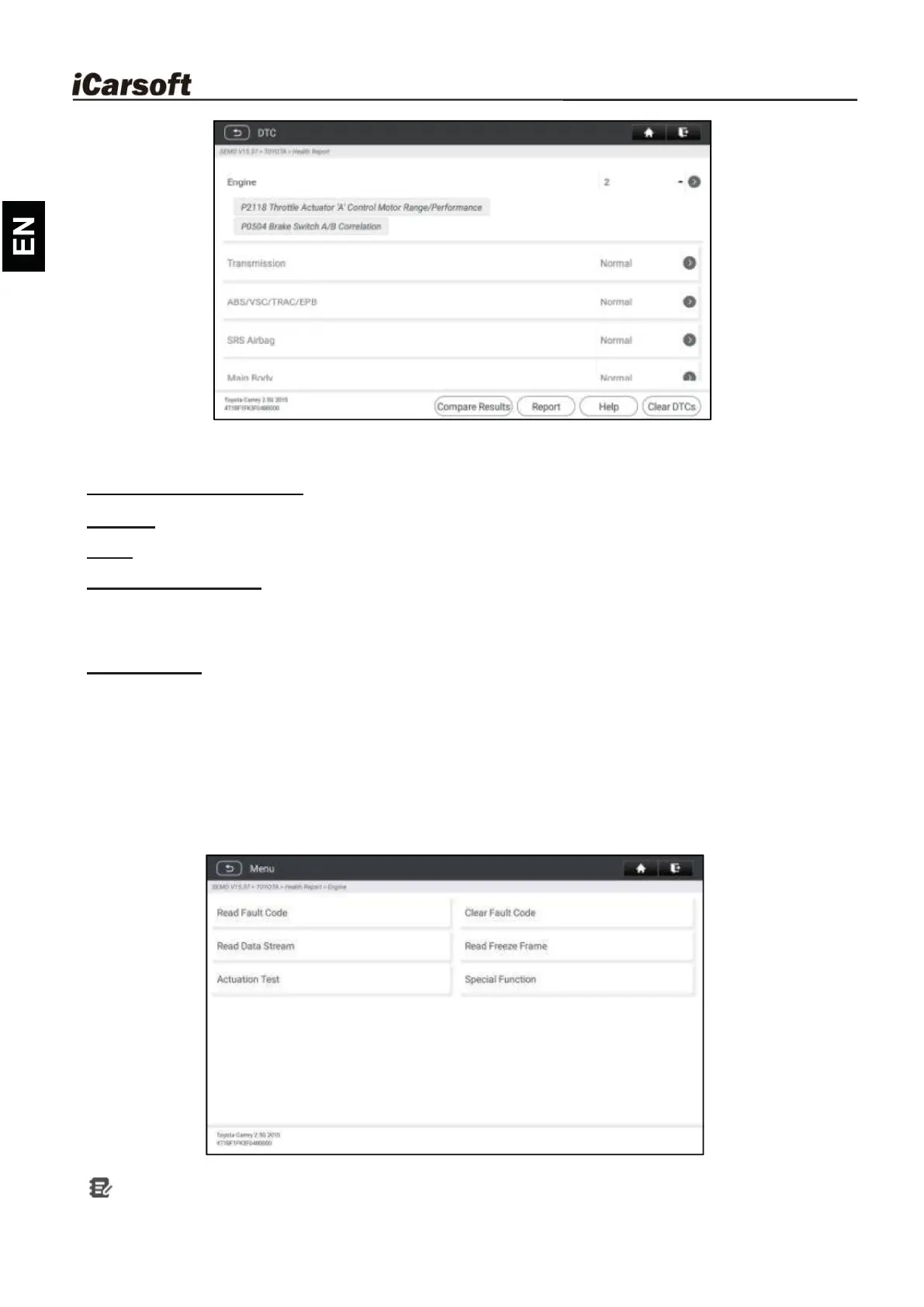
Systems with fault codes are displayed in red. Systems functioning normally are
displayed in black.
Explanation of terms:
Report: Tap to save the diagnostic result as a diagnostic report in text format.
Help: Tap to view the help information of the selected DTC.
Compare Results: Tap to select the pre-repair report to compare.
By comparison of the pre- and post- repair reports, you can easily identify which
DTCs are cleared and which remain unfixed.
Clear DTCs: Tap to clear the existing diagnostic trouble codes.
6.2.2
System Scan
This option allows you to quickly scan which systems are installed on the vehicle.
6.2.3
System Selection
This option allows you manually select the test system and function step by step.
Tap System Selection and select the target system (take Engine for example)
to enter the test function screen.
Note: Different vehicle has different diagnostic menus.










 To Next Page