www.ichibot.id USER GUIDE Page 10
AUTOMATIC CALIBRATION OF SENSORS
Before running the robot, the sensor must be calibrated so that the robot can distinguish
between black and white color. The simplest calibration method is automatic calibration by:
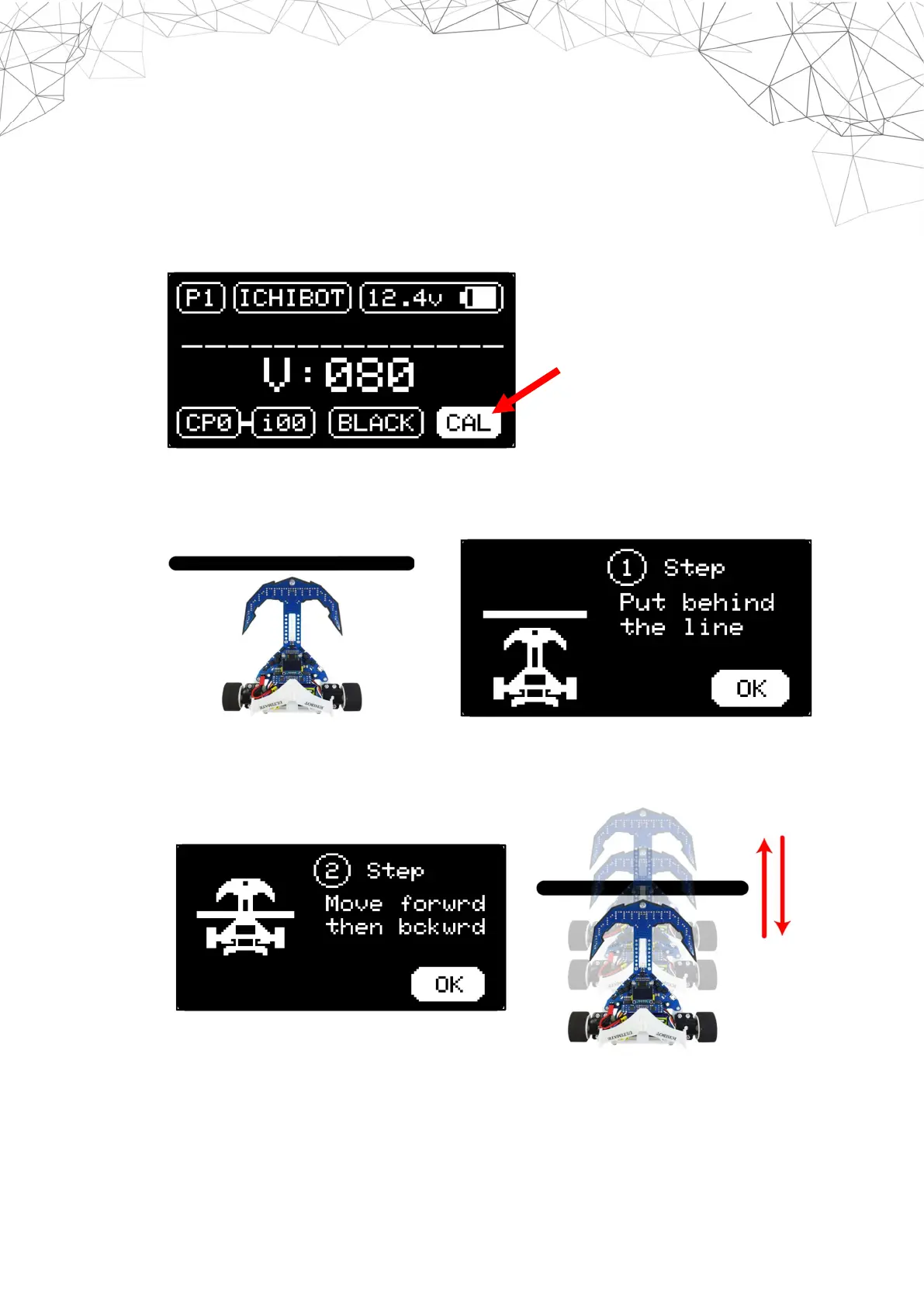
1. Select the CAL menu on the homescreen.
2. Place the robot behind a horizontal line. When scanning the sensor make sure the
robot is always on the floor (don't lift it). Then Press OK Left (enter).
3. Make the robot move forward and backward at least five times until all sensors pass
the black line. Then Press OK Left (enter).


 To Next Page