www.ichibot.id USER GUIDE Page 9
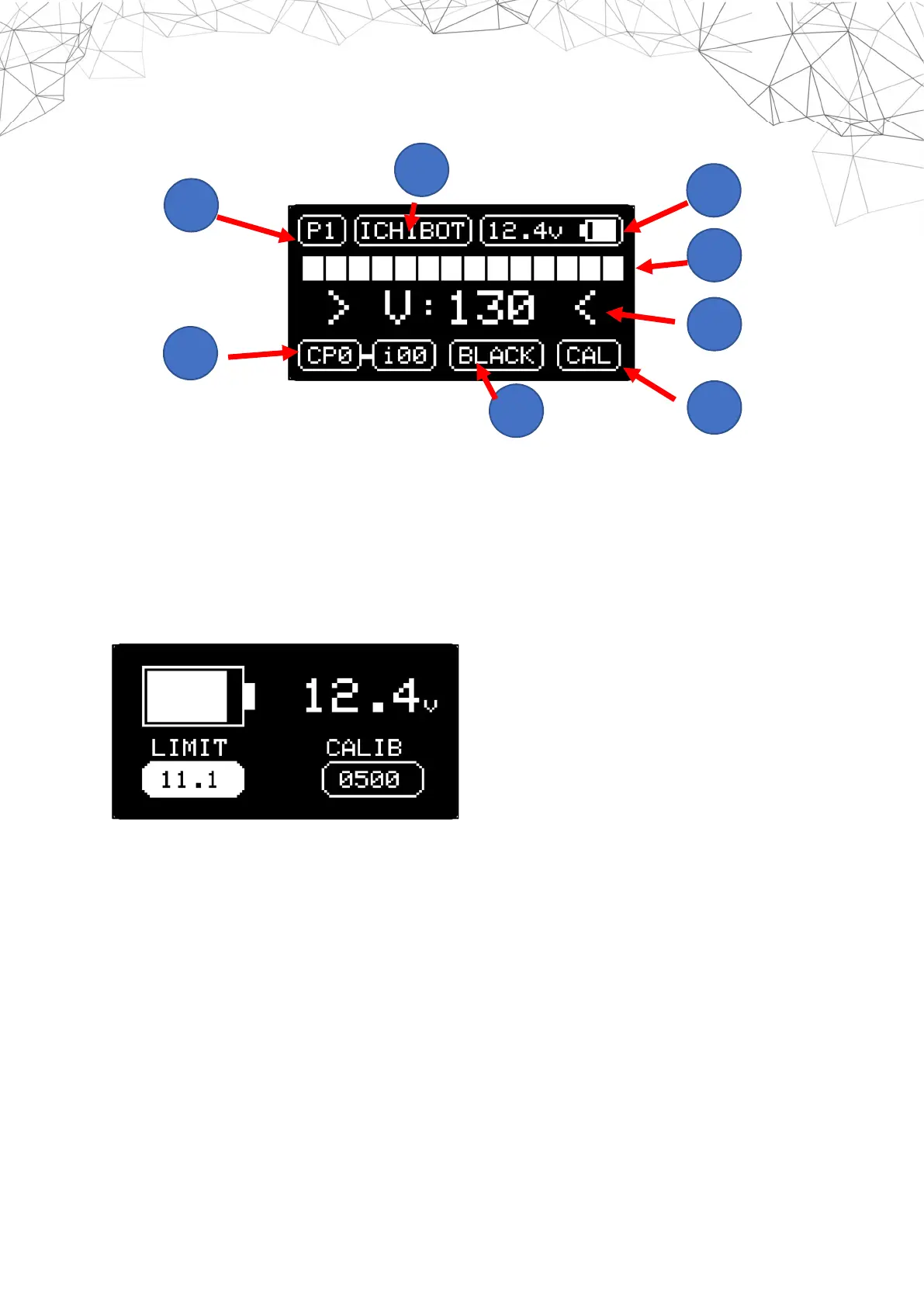
HOME SCREEN
1. PLAN number that is currently active
2. Robot name
3. Battery indicator
4. Sensor indicator
5. The main speed value used
6. The selected checkpoint value and the value of the first index that will be run
7. Track line color
8. Line sensor calibration
BATTERY SETTINGS
Hover over the battery indicator and press the OK Button to display the battery menu
LIMIT : select 11.1 for the 3 Cell battery or 7.2 for 2 Cell
CALIB : add or subtract if the battery voltage reading is not in accordance with the
appointment of the measuring instrument.
1
2
3
4
5
6
8
7


 To Next Page