www.ichibot.id USER GUIDE Page 14
LOG IN TO THE SUB MENU
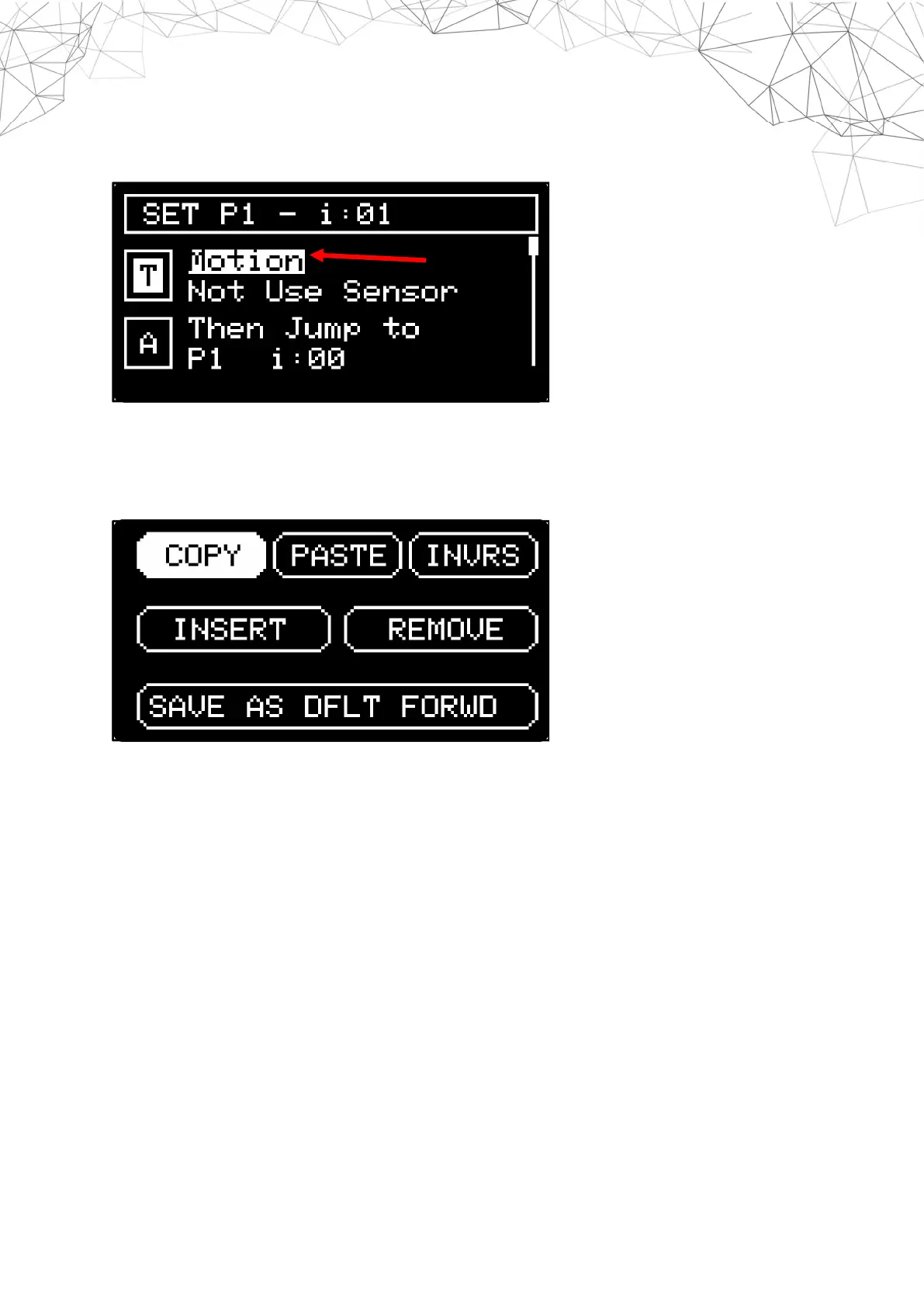
By pressing the menu button (OKL) it will enter the sub menu setting mode in each setting
step.
HIDDEN INDEX MENU
By pressing and holding the menu button (OKL) for a few seconds it will enter the hidden
menu in the index settings
COPY : To save index data in memory copy.
PASTE : Paste the index copied in the selected index position.
INVRS : Flipping the index settings from turning left to right or vice versa.
INSERT : Insert a new index in the selected index position.
REMOVE : Delete or eliminate the selected index position.
SAVE AS DFT : Save settings in the action sub menu selected as the default value.


 To Next Page