EasyManua.ls Logo

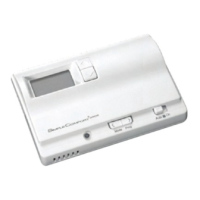
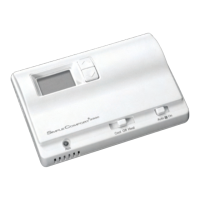
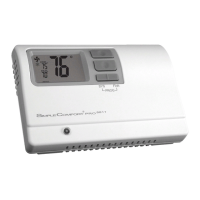
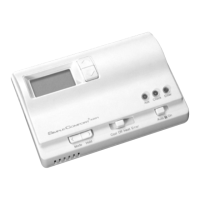
ICM Controls SC 1800 - User Manual

ICM Controls SC 1800
12 pages
Print Icon
To Next Page IconTo Next Page
Loading...
Manual Changeover
Non-Programmable
Hardwired
SC 1800
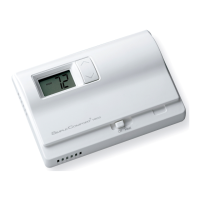
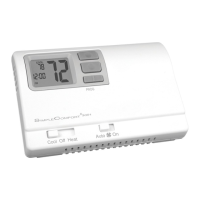
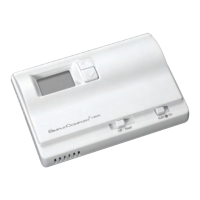
Non-Programmable Electronic Thermostat
Installation, Operation & Application Guide
For more information on our complete range of American-made
products – plus wiring diagrams, troubleshooting tips and more,
visit us at www.icmcontrols.com
Controls Single Stage Heating Systems
Millivolt and Hydronic
(water or steam) System Compatible
Compatible with Gas and Electric Systems
Mercury-Free, Environmentally Safe

Questions and Answers

  • H
    haroldwellsJul 31, 2025
    Why is the temperature display not accurate on my ICM Controls SC 1800 Thermostat?
    • T
      Tanya WrightJul 31, 2025
      If the temperature shown on your ICM Controls Thermostat isn't correct, ensure the thermostat is set to your preferred temperature scale (Fahrenheit or Celsius) using the jumper. Also, make sure any openings behind the thermostat where wires pass through are sealed with non-flammable insulation or putty.
  • A
    Adrienne DunnAug 7, 2025
    What to do if LCD is blank, or displaying LO BAT on ICM Controls SC 1800?
    • M
      michelle36Aug 7, 2025
      If your ICM Controls Thermostat's screen is blank or shows 'LO BAT', try replacing the batteries or ensuring the existing batteries are correctly installed.
  • V
    Victoria HernandezAug 12, 2025
    How to fix ICM Controls Thermostat not turning on?
    • D
      deckercarlyAug 12, 2025
      If your ICM Controls Thermostat isn't turning on, check the batteries. A blank display usually means the batteries are either missing or dead.
  • S
    Samuel OrtizAug 19, 2025
    Why does my ICM Controls SC 1800 Thermostat turn on and off too frequently?
    • Z
      zacharyrossAug 19, 2025
      If your ICM Controls Thermostat is causing the system to cycle on and off too often, try adjusting the temperature differential. Refer to “Setting the Temperature Differential,” Page 8 for guidance.
  • A
    anthonyvincentAug 25, 2025
    What to do if ICM Controls Thermostat is not properly controlling the fan?
    • J
      James WilliamsAug 25, 2025
      To resolve issues with your ICM Controls Thermostat not properly controlling the fan, check that the fan switch setting matches your system type (gas or electric).

Summary

Parts Diagram

Specifications

Important Safety Information

Package Contents and Tools Required

General Description

To Remove Existing Thermostat

Replacing Wiring Labels

To Install Thermostat

Installing and Changing Batteries

Wiring Diagrams

Heating Only

Diagrams for single transformer, 3-wire and 2-wire heating-only systems.

Zone Valve;Damper Motor System

Wiring diagrams for 3-wire and 2-wire zone valve/damper motor systems.

Operation and Settings

Setting the Setpoint Temperature

Procedure for adjusting the thermostat's desired temperature setting.

Setting the Temperature Differential

Instructions on adjusting temperature variance to control system cycling.

Changing Fahrenheit to Celsius

Steps to switch the temperature display unit from Fahrenheit to Celsius.

Starting the Thermostat

Initial setup steps for activating the thermostat's heating function.

Quick Test and Troubleshooting

A Quick Test

Procedure to verify correct installation and basic system functionality.

Troubleshooting

Common symptoms and their remedies for thermostat operation issues.

One-Year Limited Warranty

ICM Controls SC 1800 Specifications

General IconGeneral
Stages1 Heat / 1 Cool
Auto ChangeoverYes
DisplayLCD
BacklightYes
MountingHorizontal
Power Source24 VAC or Battery
Operating Humidity5% to 90% RH (non-condensing)
Operating Temperature32°F to 122°F (0°C to 50°C)
Temperature Range45 to 90°F (7 to 32°C)
CompatibilityHeat Pump or Conventional Systems

Related product manuals