To Next Page
M
Michael Sullivan MDAug 14, 2025
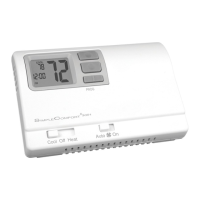
How to fix ICM Controls SC 3000 Thermostat with no display?
- JJoseph LewisAug 14, 2025
If your ICM Controls Thermostat display is blank, the batteries may be dead or not present. Check and replace the batteries.

How to fix ICM Controls SC 3000 Thermostat with no display?
If your ICM Controls Thermostat display is blank, the batteries may be dead or not present. Check and replace the batteries.
What to do if the low battery indicator is on ICM Controls Thermostat?
If the low battery indicator is displayed on your ICM Controls Thermostat, you need to replace the batteries.
Why my ICM Controls SC 3000 Thermostat does not follow the program?
Your ICM Controls Thermostat might not be following the program because it is not operating in Program mode, the time (AM/PM) is incorrect, or it is in Hold mode. Verify that it is in Program mode, check the time, and ensure it is not in Hold mode.
How to troubleshoot ICM Controls SC 3000 system fan not working properly?
To troubleshoot your ICM Controls Thermostat system fan, verify the wiring is correct and check the Gas/Electric switch position.
Why does the fan run continuously on my ICM Controls Thermostat?
If the fan runs continuously on your ICM Controls Thermostat, check the Fan Auto/On switch.
What to do if my ICM Controls SC 3000 Thermostat turns on and off too frequently?
If your ICM Controls Thermostat turns on and off too frequently, adjust the temperature differential.
How to stop “PROGram” from flashing on my ICM Controls SC 3000?
If “PROGram” is flashing on your ICM Controls Thermostat while in Hold mode, press the Hold button to exit Hold mode.
Why does ICM Controls Thermostat program schedule activates at the wrong time?
If your ICM Controls Thermostat program schedule activates at the wrong time, check the time (AM/PM) set on the thermostat.
What to do if there is a problem with ICM Controls SC 3000 Thermostat not listed in the manual?
If you are experiencing a problem with your ICM Controls Thermostat that is not listed, press the reset button once.
Step-by-step instructions for removing the old thermostat.
Step-by-step instructions for mounting and connecting the new thermostat.
How to adjust the desired temperature level on the thermostat.
Adjusting the temperature band for system cycling.
Configuring the thermostat for heat pump or conventional systems.
Initial steps to get the thermostat operational after installation.
Steps to verify cooling system operation.
Steps to verify heating system operation.
Steps to verify fan operation.
How the thermostat behaves in OFF mode.
How the thermostat controls the cooling system.
How the thermostat controls the heating system.
How to temporarily override programmed settings.
Understanding the four daily periods for setting temperatures.
How to set times and temperatures for each period.
 General
| Brand | ICM Controls |
|---|---|
| Model | SC 3000 |
| Category | Thermostat |
| Language | English |