EasyManua.ls Logo

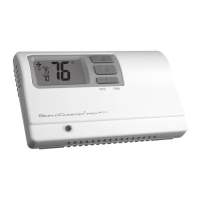
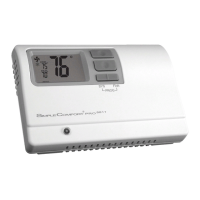
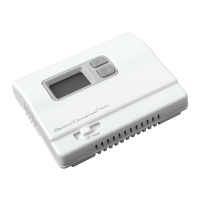
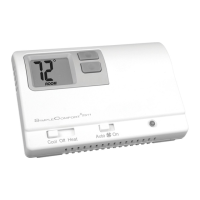
ICM Controls SimpleComfort 2010 - User Manual

ICM Controls SimpleComfort 2010
22 pages
Print Icon
To Next Page IconTo Next Page
Loading...

Questions and Answers

  • P
    Paul CampbellAug 15, 2025
    How to fix no display on my ICM Controls SimpleComfort 2010 Thermostat?
    • M
      Michael PayneAug 15, 2025
      If you have a hardwired ICM Controls Thermostat, a blank display indicates that 24 VAC is not present, so check for that. If it's a battery installation, the display is blank when batteries are either drained or installed incorrectly.
  • C
    Cathy LynchAug 18, 2025
    Why does the fan run continuously on my ICM Controls SimpleComfort 2010?
    • M
      Michael White IVAug 18, 2025
      If the fan is running continuously on your ICM Controls Thermostat, check the fan On/Auto switch. When it is in the 'ON' position, the indoor fan will run continuously.
  • W
    whitney30Aug 21, 2025
    What to do if my ICM Controls Thermostat displays 'filter'?
    • U
      uwheelerAug 21, 2025
      The word 'filter' appearing on your ICM Controls Thermostat means that the fan run time has exceeded the filter check time set in configuration. To reset the counter to zero and clear the filter warning, press the up and down buttons simultaneously for 5 seconds.
  • J
    Joseph HillAug 25, 2025
    Why is the room temperature not correct on my ICM Controls Thermostat?
    • S
      Sarah StaffordAug 25, 2025
      If the room temperature displayed on your ICM Controls Thermostat is incorrect, first verify that the wall hole behind the thermostat is plugged with putty or insulation. You can also calibrate the thermostat.
  • R
    Richard WebbAug 27, 2025
    What to do if the system fan does not come on properly on my ICM Controls Thermostat?
    • J
      Joshua PerkinsAug 28, 2025
      If the system fan on your ICM Controls Thermostat isn't working correctly, verify that the wiring is correct and check the position of the gas/electric switch.
  • M
    Monica Whitehead PhDAug 31, 2025
    What does it mean when my ICM Controls SimpleComfort 2010 displays a low battery symbol?
    • D
      David TurnerAug 31, 2025
      The low battery indicator on your ICM Controls Thermostat displays when the batteries need to be replaced. Replace the batteries with fresh “AA” alkaline batteries.
  • D
    David BurnsSep 3, 2025
    How to stop my ICM Controls SimpleComfort 2010 Thermostat from turning on and off too frequently?
    • M
      Mike AllenSep 4, 2025
      If your ICM Controls Thermostat is turning on and off too frequently, adjust the temperature differential.
  • D
    Danielle SparksSep 6, 2025
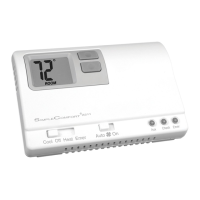
    What does 'ROOM' mean on my ICM Controls Thermostat display?
    • K
      Kelly MillerSep 7, 2025
      The word 'ROOM' displayed on your ICM Controls Thermostat indicates that the room temperature offset is not zero.
  • E
    erika73Sep 10, 2025
    What to do if I have a problem not listed for my ICM Controls SimpleComfort 2010?
    • H
      Hailey AlexanderSep 10, 2025
      If you are experiencing a problem with your ICM Controls Thermostat that is not listed, press the Reset button once. This will refresh the display and reset the anti-short cycle timing to zero.

Summary

Specifications

Important Safety Information

Removing the Existing Thermostat

Installing the Thermostat

Installation Steps

Detailed steps for mounting the thermostat base and connecting wires.

Wiring Diagrams

Heat Pump Wiring Configurations

Wiring diagrams for heat pump systems with reversing valves.

Configuration Mode

Configuration Mode Settings

Setup screens for configuring the thermostat for specific system types.

Testing the Thermostat

Cool Test Procedure

Steps to test the thermostat's cooling function.

Heat Test Procedure

Steps to test the thermostat's heating function.

Troubleshooting

No Display Issues

Remedies for when the thermostat display is blank.

ICM Controls SimpleComfort 2010 Specifications

General IconGeneral
Stages1 Heat/1 Cool
ProgrammableNo
Hold FunctionYes
Temperature Control+/- 1°F (+/- 0.5°C)
Power Source24VAC (Battery Optional)
Fan ControlAuto/On
TypeNon-Programmable Thermostat

Related product manuals