EasyManua.ls Logo

ICM Controls SimpleComfort 2210 - User Manual

ICM Controls SimpleComfort 2210
30 pages
Print Icon
To Next Page IconTo Next Page
Loading...

Questions and Answers

  • A
    anthony99Aug 14, 2025
    How to fix no display on my ICM Controls SimpleComfort 2210?
    • J
      Jesse HallAug 14, 2025
      If your ICM Controls Thermostat display is blank, here's what to check: * **For hardwired installations:** Ensure that there is 24 VAC present at the thermostat. The display will be blank if there is no 24 VAC. * **For battery installations:** Make sure the batteries are not drained and are installed correctly. A blank display indicates drained or incorrectly installed batteries.
  • J
    Joseph SmithAug 17, 2025
    What to do if my ICM Controls SimpleComfort 2210 displays 'filter'?
    • D
      Dylan HannaAug 17, 2025
      The 'filter' display on your ICM Controls Thermostat indicates that the fan run time has exceeded the filter check time set in the configuration. To reset the counter to zero and clear the filter warning, simultaneously press the up and down buttons for 5 seconds.
  • T
    Traci MillerAug 21, 2025
    Why does the fan run continuously on my ICM Controls SimpleComfort 2210?
    • M
      Matthew HarrisAug 21, 2025
      If the fan runs continuously on your ICM Controls Thermostat, check the fan On/Auto switch. If it's in the 'ON' position, the indoor fan will run continuously. Switch it to 'Auto' for normal operation.
  • C
    Crystal VangAug 25, 2025
    How to fix incorrect room temperature on my ICM Controls SimpleComfort 2210 Thermostat?
    • C
      cstewartAug 25, 2025
      If the room temperature displayed on your ICM Controls Thermostat is incorrect: * Verify that the wall hole behind the thermostat is plugged with putty or insulation to prevent drafts. * Calibrate the thermostat.
  • D
    Debra RasmussenAug 27, 2025
    What to do if the system fan does not come on properly on my ICM Controls SimpleComfort 2210 Thermostat?
    • G
      Gloria MartinezAug 27, 2025
      If the system fan on your ICM Controls Thermostat is not working correctly, verify that the wiring is correct.
  • W
    willieestradaAug 31, 2025
    How to stop ICM Controls SimpleComfort 2210 Thermostat from turning on and off too frequently?
    • J
      jeanette86Aug 31, 2025
      To address frequent on/off cycling of your ICM Controls Thermostat, adjust the temperature differential.
  • M
    Mr. Robert Barnett DDSSep 3, 2025
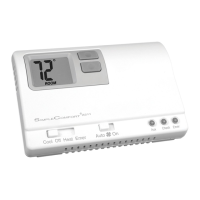
    What does 'ROOM' display mean on my ICM Controls SimpleComfort 2210?
    • R
      ronaldhernandezSep 3, 2025
      The 'ROOM' display on your ICM Controls Thermostat indicates that the room temperature offset is not set to zero.
  • T
    Timothy MyersSep 6, 2025
    What to do if there is a problem not listed for ICM Controls Thermostat?
    • E
      Emily FoxSep 7, 2025
      If you are experiencing an issue with your ICM Controls Thermostat that is not listed, press the Reset button once. This will refresh the display and reset the anti-short cycle timing to zero.
  • J
    jamesadamSep 10, 2025
    How to adjust auxiliary heat on ICM Controls SimpleComfort 2210 to come on sooner?
    • A
      Alexis Durham IISep 10, 2025
      If the auxiliary heat on your ICM Controls Thermostat is not activating soon enough, adjust the differential for 2nd and 3rd stage heating if required.

Summary

Product Specifications and Safety

Important Safety Information

Provides essential safety warnings and precautions for installation and operation.

Thermostat Installation Procedures

Install New Thermostat

Detailed instructions for mounting, wiring, and securing the new thermostat.

Configuration Mode

Configuration Steps

Procedure to enter and navigate configuration mode for system setup.

Configuration Mode Settings

Details on setting temperature scale, differential for stages 1 and 2.

Temperature Differential Stage 3

Setting the temperature difference for stage 3 heating activation.

Minimum and Maximum Setpoints

Setting minimum cool and maximum heat temperature limits.

Troubleshooting Guide

Testing the Thermostat

Cooling System Test

Procedure to test the thermostat's cooling mode operation.

Heating System Test

Procedure to test the thermostat's heating mode operation.

Emergency Heat Test

Procedure to test the thermostat's emergency heat mode operation.

Troubleshooting Common Issues

ICM Controls SimpleComfort 2210 Specifications

General IconGeneral
ProgrammableNo
Stages1 Heat/1 Cool
Terminal DesignationsR, C, W, Y, G
Storage Temperature Range-4°F to 140°F (-20°C to 60°C)
Hold FunctionYes
CompatibilitySingle Stage Heat/Cool
DisplayLCD Display
Humidity Range0% to 90% RH (non-condensing)
Battery BackupYes
TypeNon-programmable Thermostat
Operating Temperature Range32°F to 105°F (0°C to 41°C)

Related product manuals