Apple AirPlay - Wireless Screen Mirroring
You can enjoy contents on another device with you projector via wireless connection.
1.Execute AirReceiver application on your projector.
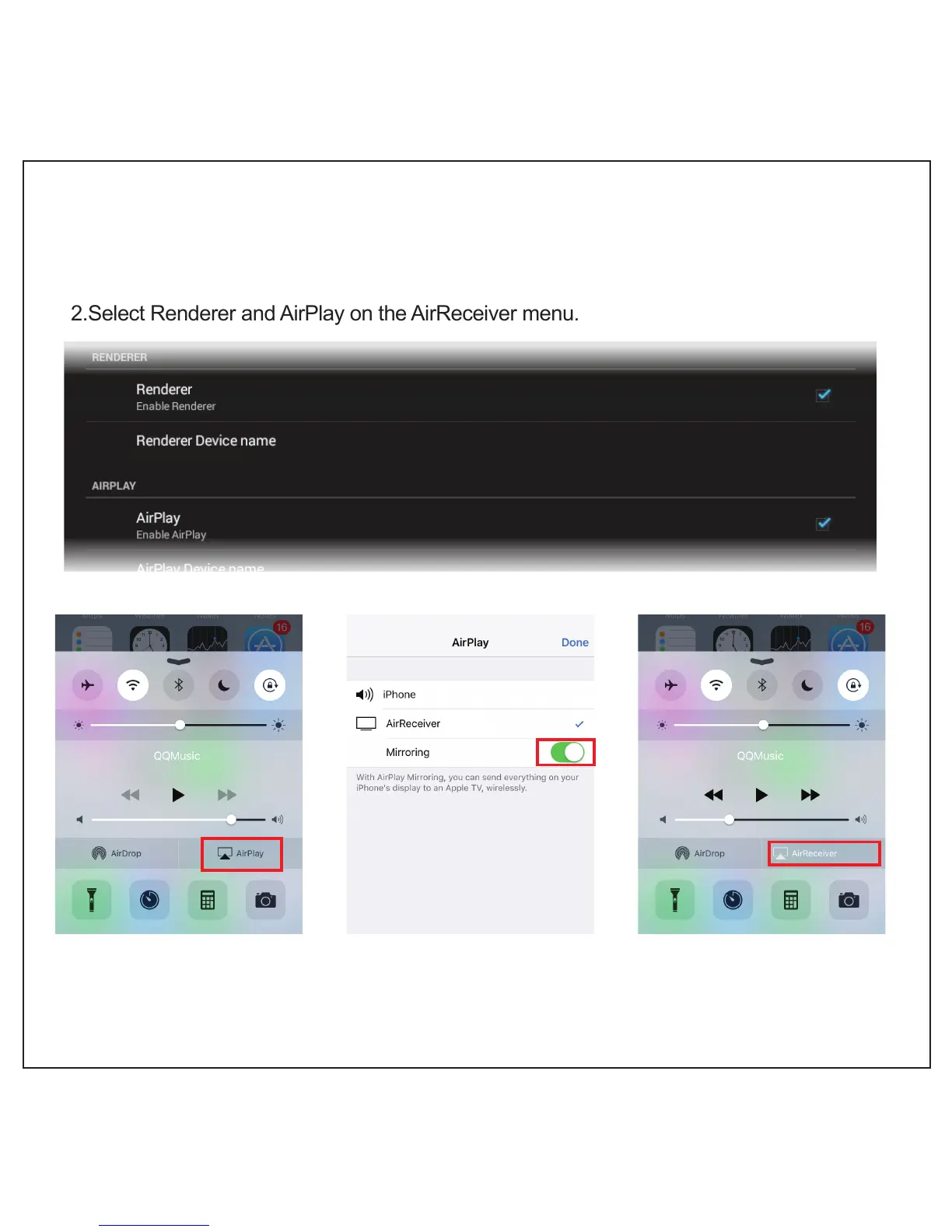
2.Select Renderer and AirPlay on the AirReceiver menu.
3.Click AirPlay on control center of iPhone or iPad.
4.Select CB-200 and Mirroring on the device list.
AirReceiver(CB-200)
(CB-200)
(CB-200)
10



 To Next Page