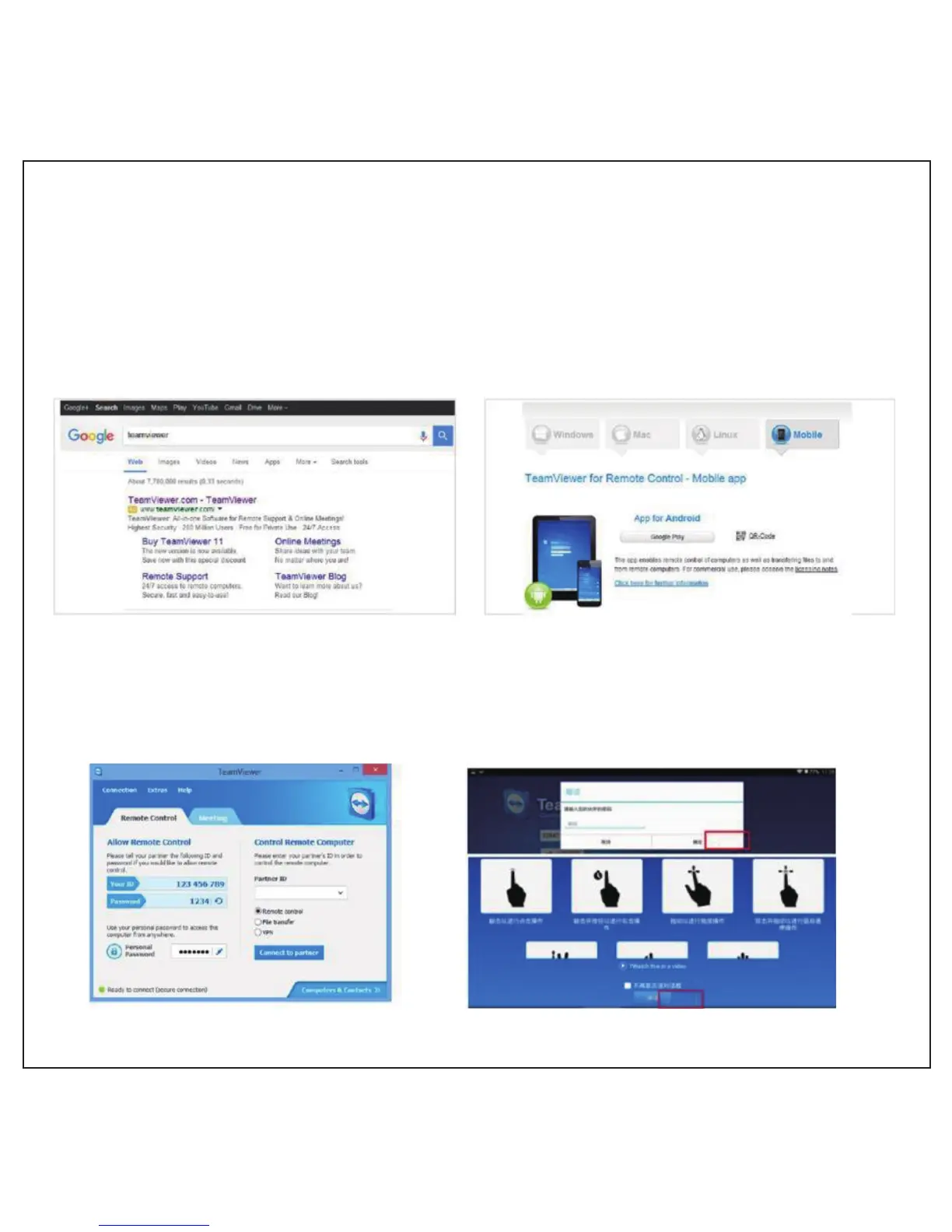
Windows Teamviewer--Wireless Screen Mirroring
1. Computer and projector both need to download and install Teamviewer ( Download
“PC version” in your computer, Download “Android version” in your projector )
2. After installing in computer, get ID and password according to hint settings.
3. Install the Android version on projector and open it.
4. Input ID and password obtained from computer, click “confirm”, then click “continue” to
synchronize with computer.
12



 To Next Page