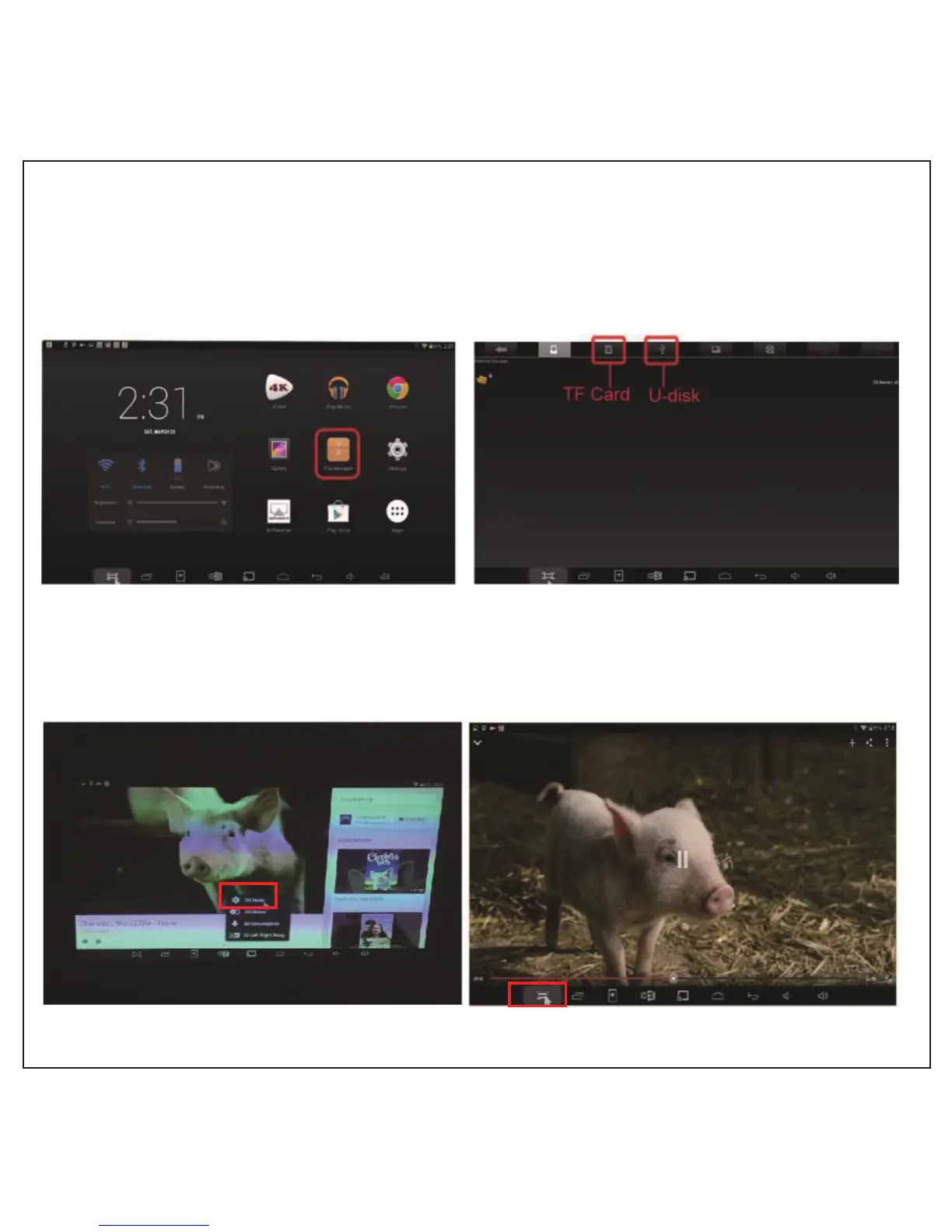
1. CB-300 supporting 2D to 3D online video player: YouTube HD video
3D Settings
1. Find the file manager in the main page, go to TF card or U-disk file,
click on the 3D video source in it and select player to play.
2. Select 3D player mode according to video format.
3. Wearing a pair of DLP Link 3D glasses after the successful pairing,
then you can enjoy the exclusive big 3D screen.



 To Next Page