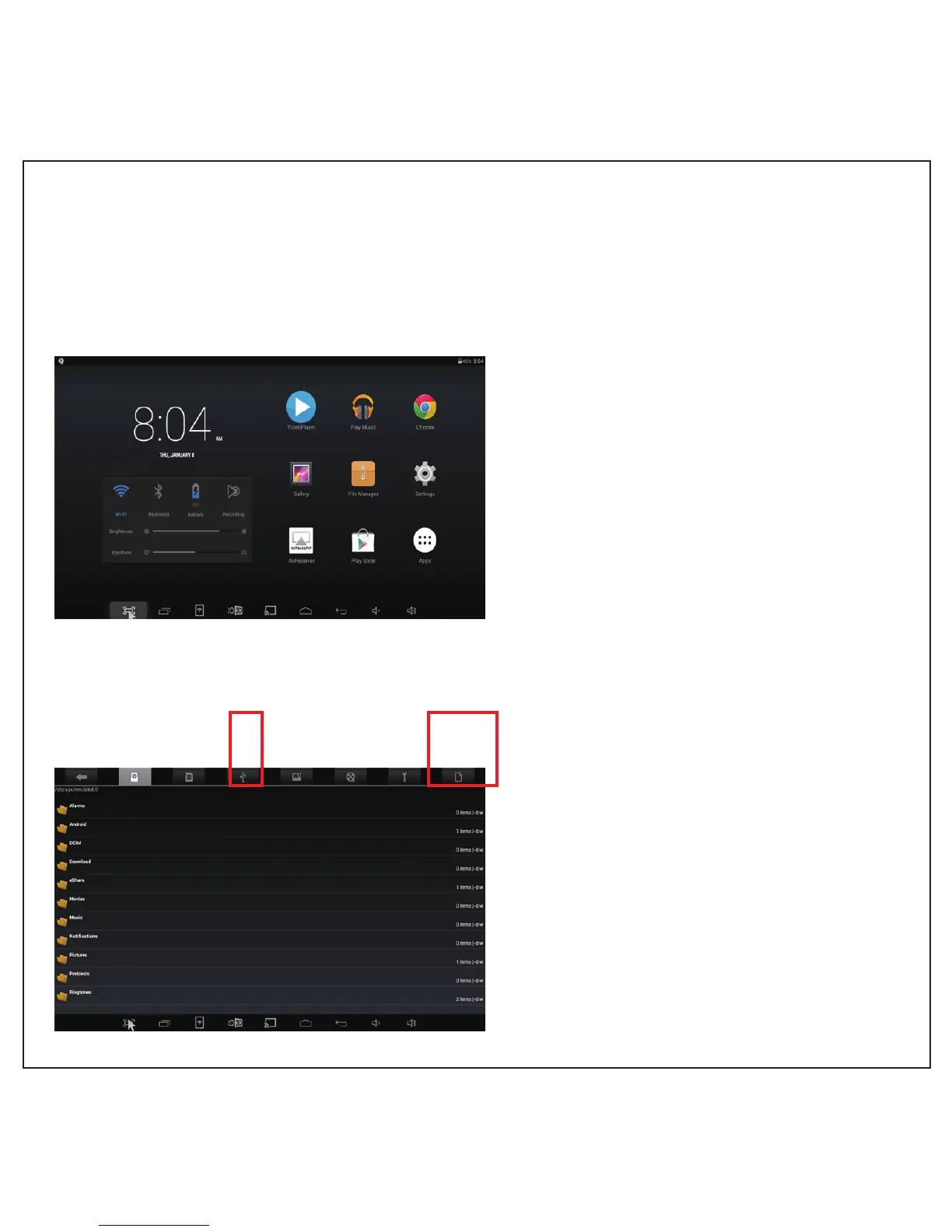
Icon instruction
After switch on, enter the main page above
Big icons ( from left ) indicate separately:
Video Player, Music player, Explorer,
Gallery, File Manager, Settings, Air receiver,
Pay Store, Applications.
Small icons ( from left ) indicate separately:
Screen shot, recently applications ( drag to
log off ), e-share DM wireless button,
3D button, Android screen mirror ( Miracast ),
home, back, volume down, volume up.
Copy Files
Copy files from U flash disk to internal
storage:
1. Plug in U flash disk, click U flash disk’s
location in File Manager, find the files to be
copied, click shortcut keys displaying
“paste”, “delete”, “copy”, “cut”, tick the file,
click “copy”.
2. Choose a location for the file ( in internal
storage or SD card ), click shorcut keys,
choose “paste”.
Return
key
Device
memory
Memory
card
U
disk
Picture Video
Tool
box
Shortcut
key
5



 To Next Page