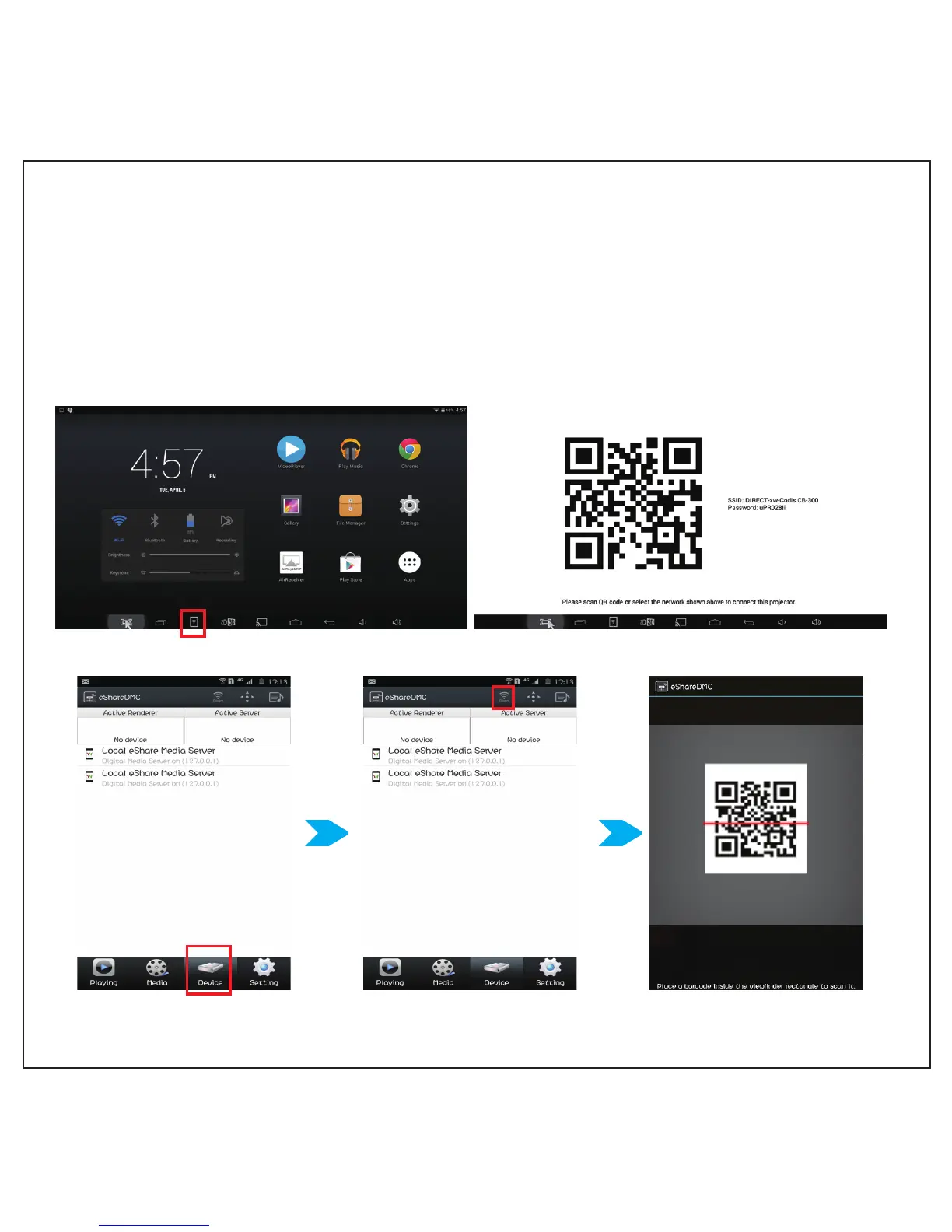
DLNA -eShareDMC for Android
Wirelessly connected to projector using the same Wi-Fi
1. Download E-share DMC application at http://www.icodis.co.kr/chinese/download.html
choose first icon “ icodis E-share DMC APK” download a E-share APP in your mobile phone,
and install it in phone.
2. Click Wi-Fi icon at the bottom of desktop, the projector will display two-dimension code (as picture )
3. Select ‘device’ on
e-ShareDMC app menu
4. Select ‘Direct’ icon, and
then select QR code scan
5. Scan QR code
7



 To Next Page