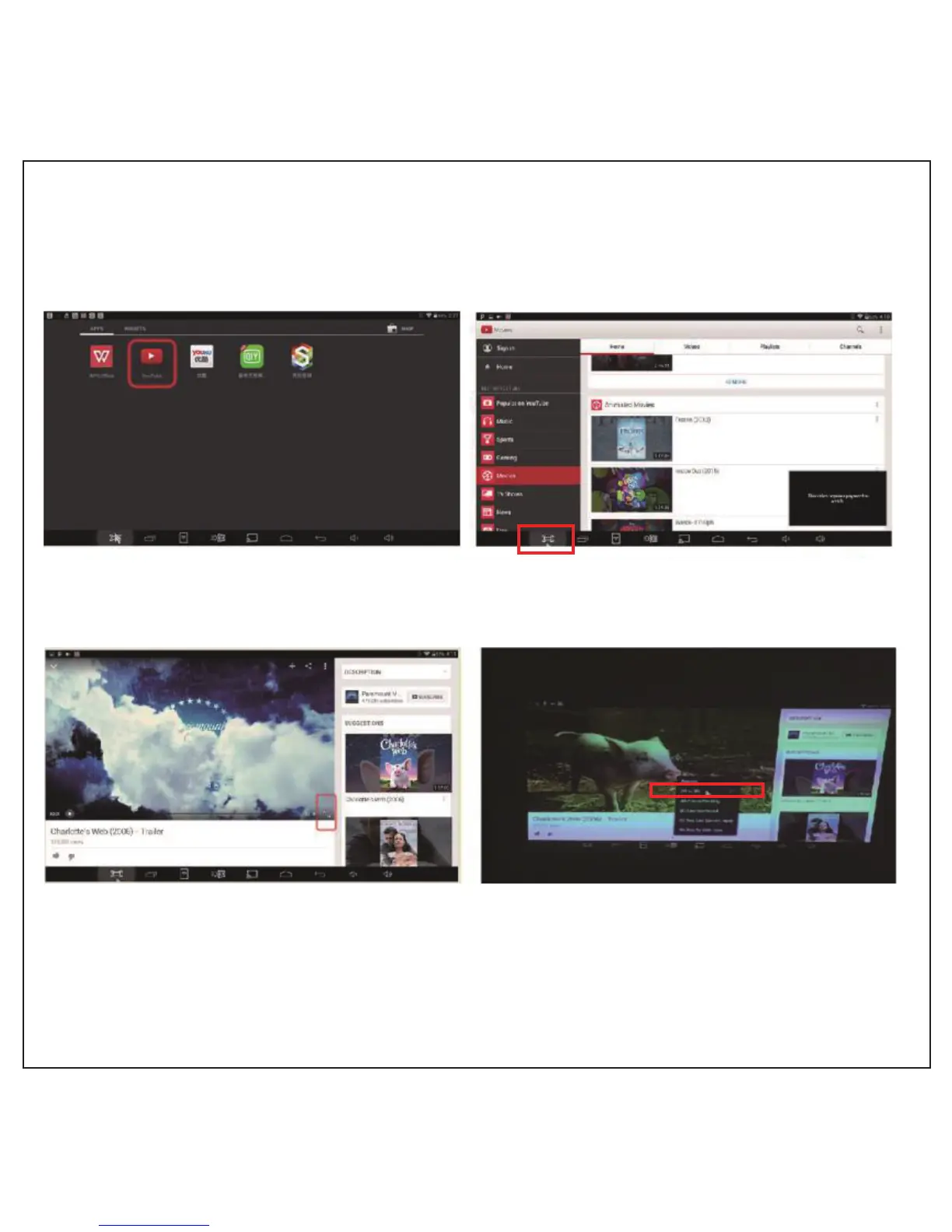
Watching 2D to 3D on internet
1. Find YouTube videos in APPS, click on the movies you like to play.
2. Click on the 3D settings menu, choose the 3D mode for “2D” to “3D”, and then select
the full screen display. Now you can watch 3D movies by wearing DLP link 3D glasses
( as shown below ).
Reminder:
CB-200 supporting 2D to 3D online video player: YouTube HD video
17



 To Next Page