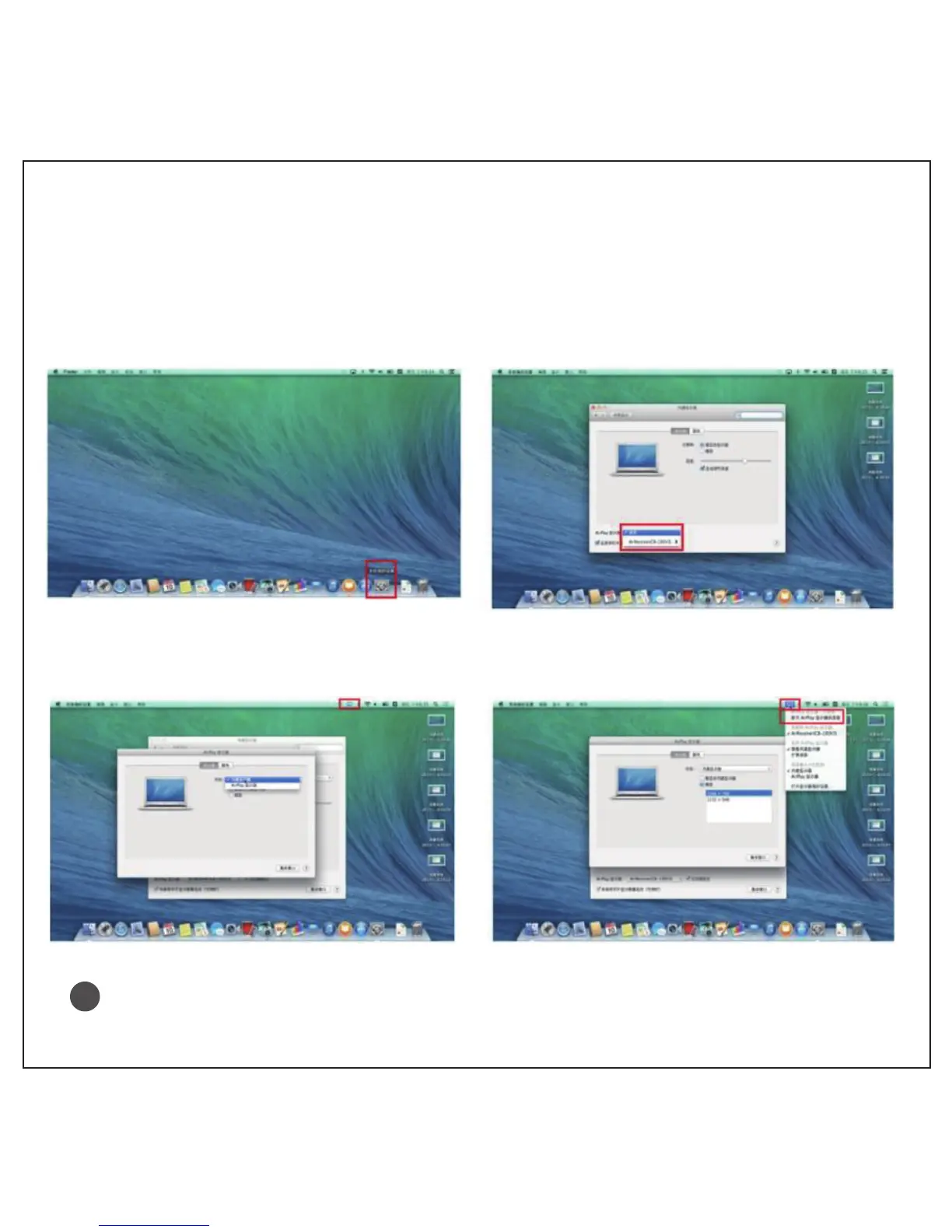
Airplay connect Apple computers
1. Click “ preferences ” at the lower right corner of windows table
2. Click “ Airplay monitor ”, it displays Air-receiver ( CB-200 ), click ‘connect’
3. After connected, one more blue “ AirPlay ” icon will be in taskbar of computer.
4. To disconnect, click “AirPlay” icon at the upper right corner, choose “ disconnect Airplay screen ”
Please connect on your iOS device and projector to the same Wi-Fi network before using AirPlay.
When Wi-Fi is not available, you can use mobile hotspot of iOS device to connect to your projector.
Wireless Mirroring performance tends to be affected by Wi-Fi signal interuption.
!
11



 To Next Page