62
7
DSC OPERATION
■ Received Call log (Continued)
Other messages D
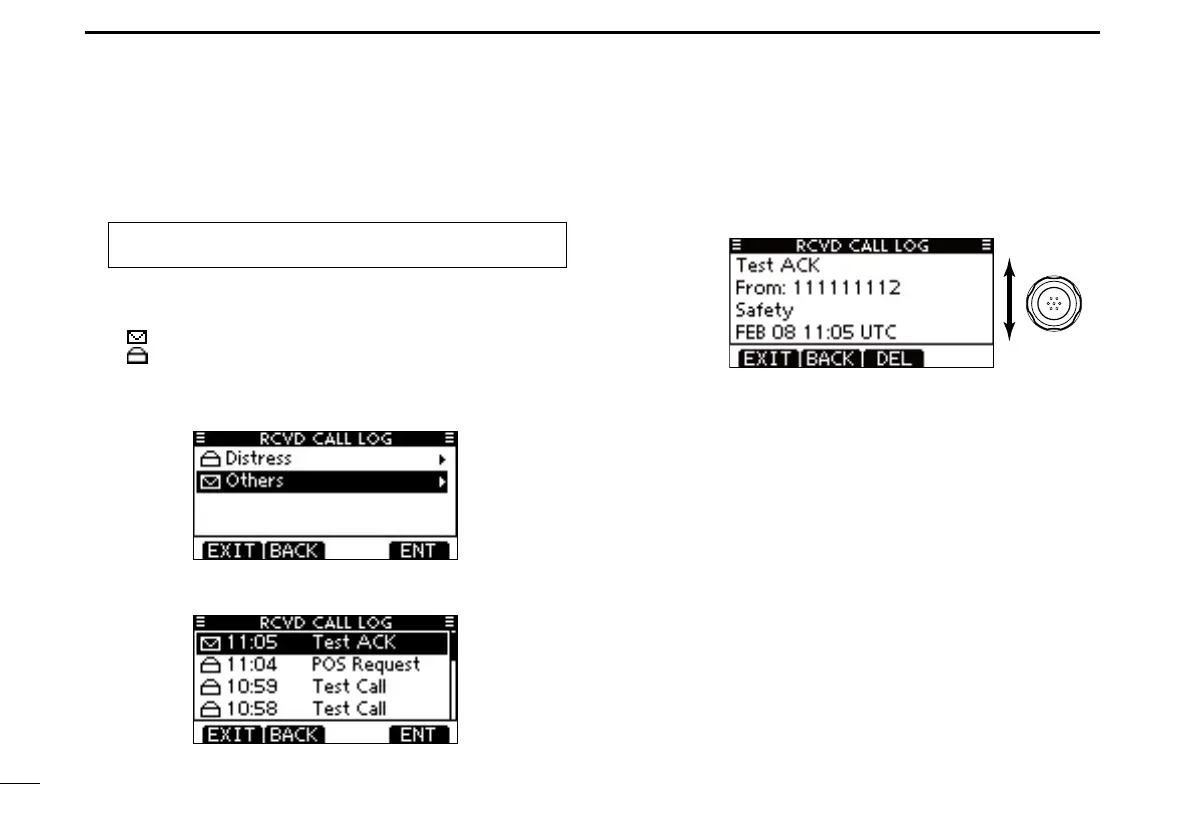
Push [LOG] to enter “RCVD CALL LOG” in the DSC CALLS q
menu, or you can enter it through the Menu screen.
MENU ➪ DSC Calls ➪ Received Call Log
(Push [MENU].)
(Rotate Dial, then push [ENT].)
Push [ w Y]/[Z] to select “Others,” then push [ENT].
•ThemessagesotherthantheDistressarestoredin“Others.”
•“ ” is displayed when there are unread DSC messages.
•“ ” is displayed when there are no unread DSC messages.
•NoiconisdisplayedwhentherearenoDSCmessages.
•Push[BACK]toreturntothepreviousscreen.
•Push[EXIT]toreturntothenormaloperatingmode.
Push [ e Y]/[Z] to select the desired item, then push [ENT].
•Themessageintheunopenedlehasnotbeenread.
Rotate Dial to scroll the DSC message contents. r
•Thestoredmessagehasvariousinformation,dependingonthe
DSC call type.
To delete the displayed DSC message, push [DEL]. t
•Theconrmationscreenisdisplayed,thenpush[OK]todelete.
Push [EXIT] to return to the normal operating mode. y



 To Next Page