EasyManua.ls Logo

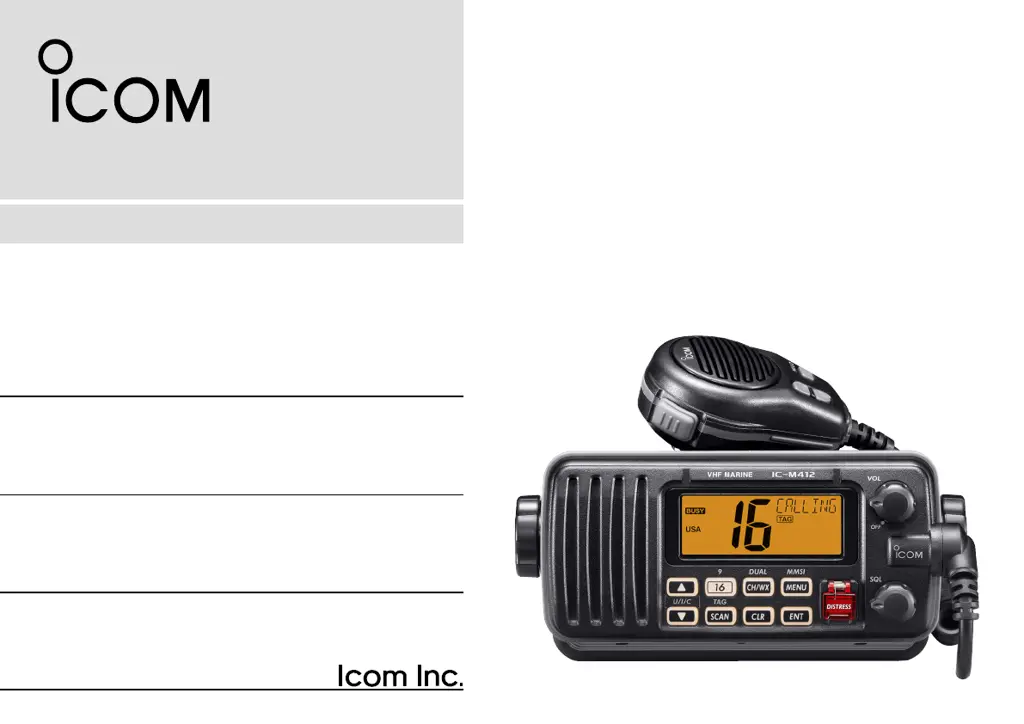
Icom IC-M412 - User Manual

Icom IC-M412
68 pages
Print Icon
To Next Page IconTo Next Page
Loading...
INSTRUCTION MANUAL
New2001
iM412
VHF MARINE TRANSCEIVER

Table of Contents

Questions and Answers

  • K
    Kathy WelchAug 15, 2025
    Why is there no sound coming from my Icom IC-M412 speaker?
    • B
      brandy52Aug 15, 2025
      If there is no sound coming from the Icom Transceiver speaker, ensure that the squelch level isn't set too high by adjusting the [SQL] to the appropriate threshold. Also, check that the volume isn't too low and adjust the [VOL] to a suitable level. If the speaker has been exposed to water, drain the water from it.
  • M
    mcmillantroyAug 18, 2025
    How to fix Icom Transceiver that does not turn ON?
    • M
      moodykimberlyAug 19, 2025
      If your Icom Transceiver does not turn ON, the issue might be a bad connection to the power supply. Check the connection to the transceiver to ensure it is properly connected.
  • J
    Jack BuckAug 21, 2025
    What to do if transmitting is impossible or high power cannot be selected on Icom IC-M412?
    • E
      Edward JonesAug 21, 2025
      If you are unable to transmit or select high power on your Icom Transceiver, it could be because some channels are set for low power or receive only. Try changing to a different channel. Also, verify that the output power isn't set to low; push the [HI/LO] button on the microphone to select high power.
  • R
    Robert MccallAug 25, 2025
    Why does the scan not start on my Icom IC-M412 Transceiver?
    • H
      Hannah AllenAug 26, 2025
      If the scan function does not start on your Icom Transceiver, the TAG channel may not be programmed. Set the desired channels as TAG channels.
  • M
    michael44Aug 28, 2025
    How to turn on beeps on Icom IC-M412?
    • S
      susanburnettAug 28, 2025
      If you are not hearing any beeps from your Icom Transceiver, the beep tones may be turned OFF. Turn the beep tone ON in the Set mode.
  • C
    Carol ObrienSep 1, 2025
    What to do if distress call cannot be transmitted on Icom IC-M412?
    • D
      Douglas TorresSep 1, 2025
      If a distress call cannot be transmitted from your Icom Transceiver, the MMSI (DSC self ID) code might not be programmed. Program the MMSI (DSC self ID) code.
  • S
    skingSep 4, 2025
    Why is there no sound coming from my Icom Transceiver speaker, or why is the sound very weak?
    • D
      Denise MillerSep 4, 2025
      There could be several reasons for this issue. First, the squelch level might be set too high; try adjusting the [SQL] to the threshold point. Second, the volume level may be too low; increase the [VOL] to a suitable level. Finally, if the speaker has been exposed to water, use the AquaQuake function to remove it.
  • D
    David ReynoldsSep 7, 2025
    Why is transmitting impossible on my Icom Transceiver, or why can't I select high power?
    • C
      Cory JonesSep 7, 2025
      This issue can occur for a couple of reasons. Some channels are designed for low power or receive-only operation, so try changing channels. Alternatively, the output power may be set to low; push the [HI/LO] button on the microphone to select high power.
  • S
    Stephen LeeSep 12, 2025
    Why can't distress calls be transmitted on my Icom Transceiver?
    • R
      ryanbrownSep 12, 2025
      If you're unable to transmit distress calls, the MMSI (DSC self ID) code may not be programmed. You need to program the MMSI (DSC self ID) code into the transceiver.

Summary

INTRODUCTION AND SAFETY

Important Usage Instructions

Emphasizes reading and saving the instruction manual.

EMERGENCY PROCEDURES

Distress Call via Channel 16

Outlines the procedure for distress calls on Channel 16.

Distress Call via DSC (Channel 70)

Details the distress call procedure using DSC on Channel 70.

RADIO OPERATOR SAFETY

RF Exposure Guidelines

Details RF exposure requirements for radio operators.

BASIC OPERATION - CHANNEL MANAGEMENT

BASIC OPERATION - TRANSMISSION AND TIMERS

DSC OPERATION - MMSI

MMSI Code Programming

How to program the Maritime Mobile Service Identity code.

DSC OPERATION - ADDRESS IDs

DSC OPERATION - ADDRESS AND GROUP MANAGEMENT

DSC OPERATION - POSITION INPUT

Manual Position and Time Input

How to manually enter ship position and UTC time.

DSC OPERATION - POSITION AND DISTRESS CALLS

Position Indication and Distress Call Procedure

How position is displayed and how to send a DSC distress call.

DSC OPERATION - DISTRESS CALL DETAILS

Specifying Distress Nature

How to select the type of distress for a call.

DSC OPERATION - DISTRESS CALL CONTINUED

Manual Distress Information Entry

Continues manual input for distress calls.

DSC OPERATION - CALL TRANSMISSION

Transmitting Individual DSC Calls

How to initiate an individual DSC call.

DSC OPERATION - INDIVIDUAL CALL INPUT

DSC OPERATION - GROUP CALL TRANSMISSION

Transmitting Group DSC Calls

How to initiate a DSC call to a group.

DSC OPERATION - GROUP CALL INPUT

DSC OPERATION - ALL SHIPS CALL

Transmitting All Ships DSC Calls

How to send a message to all ships.

DSC OPERATION - ALL SHIPS CALL INPUT

DSC OPERATION - ALL SHIPS CALL CATEGORIES

DSC OPERATION - POSITION REQUEST

Transmitting a Position Request Call

How to request a ship's position.

DSC OPERATION - POSITION REPLY

Transmitting a Position Reply Call

How to send your position in reply to a request.

DSC OPERATION - POLLING REQUEST

Transmitting a Polling Request Call

How to check if a specific ship is in range.

DSC OPERATION - POLLING REPLY

Transmitting a Polling Reply Call

How to reply to a Polling Request.

DSC OPERATION - TEST CALL

DSC OPERATION - TEST ACKNOWLEDGEMENT

DSC OPERATION - RECEIVING CALLS

Receiving DSC Distress Calls

How the transceiver alerts and displays incoming Distress calls.

DSC OPERATION - DISTRESS RELAY

Receiving Distress Acknowledgements and Relays

How to receive acknowledgements and relayed Distress calls.

DSC OPERATION - INDIVIDUAL AND GROUP CALLS

DSC OPERATION - AREA CALLS

DSC OPERATION - REQUEST AND POLLING

DSC OPERATION - TESTS AND AUTO SWITCH

TROUBLESHOOTING

Icom IC-M412 Specifications

General IconGeneral
BrandIcom
ModelIC-M412
CategoryTransceiver
LanguageEnglish

Related product manuals