36
6
DSC OPERATION
New2001
n Receiving DSC calls (Continued)
D Receiving an Individual call
When an Individual call is received:
➥ The emergency alarm or beeps sound for 2 minutes de-
pending on the received category.
•Push[CLR] to stop the alarm or beeps.
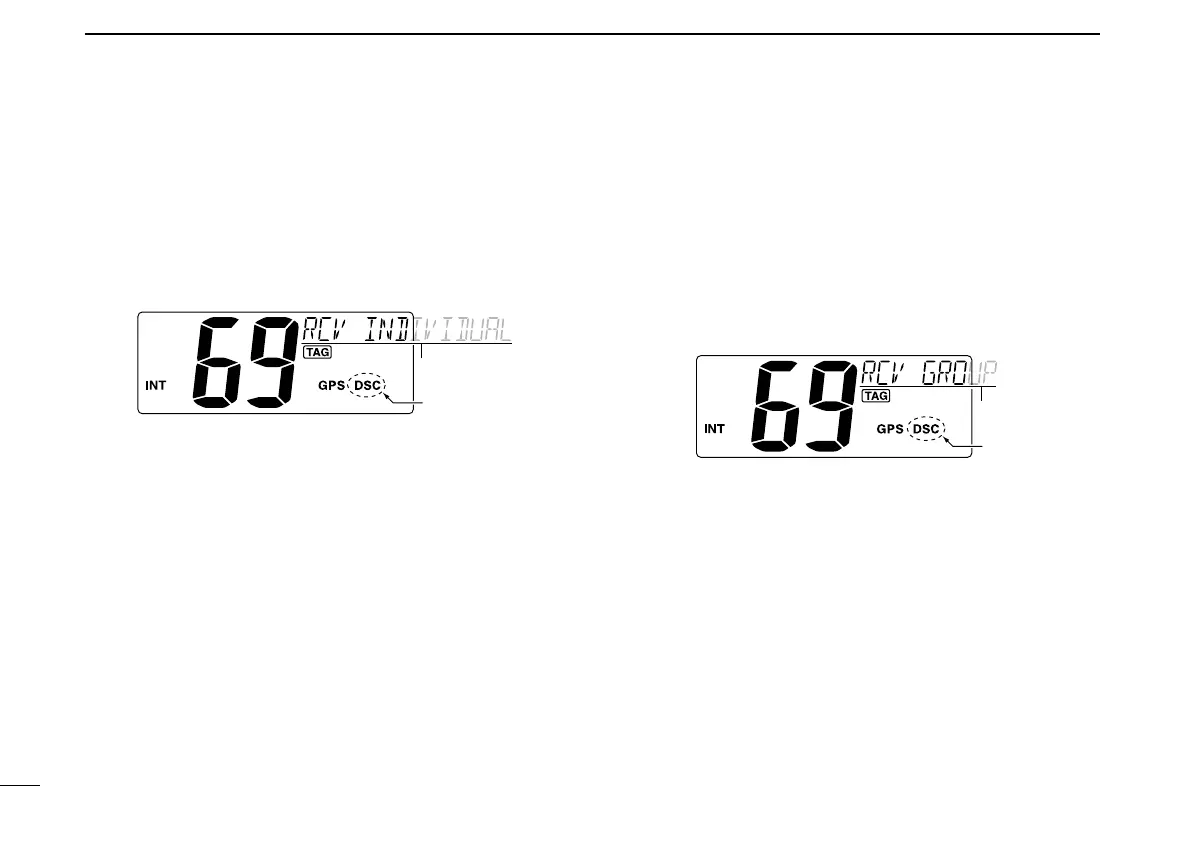
➥ “ DSC” appears and “RCV INDIVIDUAL” scrolls in the chan-
nel comment display.
➥ Push [ENT] to reply the call and select the channel speci-
fied by the calling station for voice communication (depend-
ing on your replying setting. See page 24 for details of the
Individual acknowledgement call procedure.); push [CLR] to
ignore the call.
D Receiving a Group call
When a Group call is received:
➥ The emergency alarm or beeps sound for 2 minutes de-
pending on the received category.
•Push[CLR] to stop the alarm or beeps.
➥ “ DSC” appears and “RCV GROUP” scrolls in the channel
comment display.
➥
Push [ENT] to select the channel specified by the calling sta-
tion for voice communication; push [CLR] to ignore the call.



 To Next Page