29
6
DSC OPERATION
New2001
6
D Transmitting a Position Reply call
Transmit a Position Reply call when a Position Request call
is received.
q Push [MENU] to enter the DSC menu.
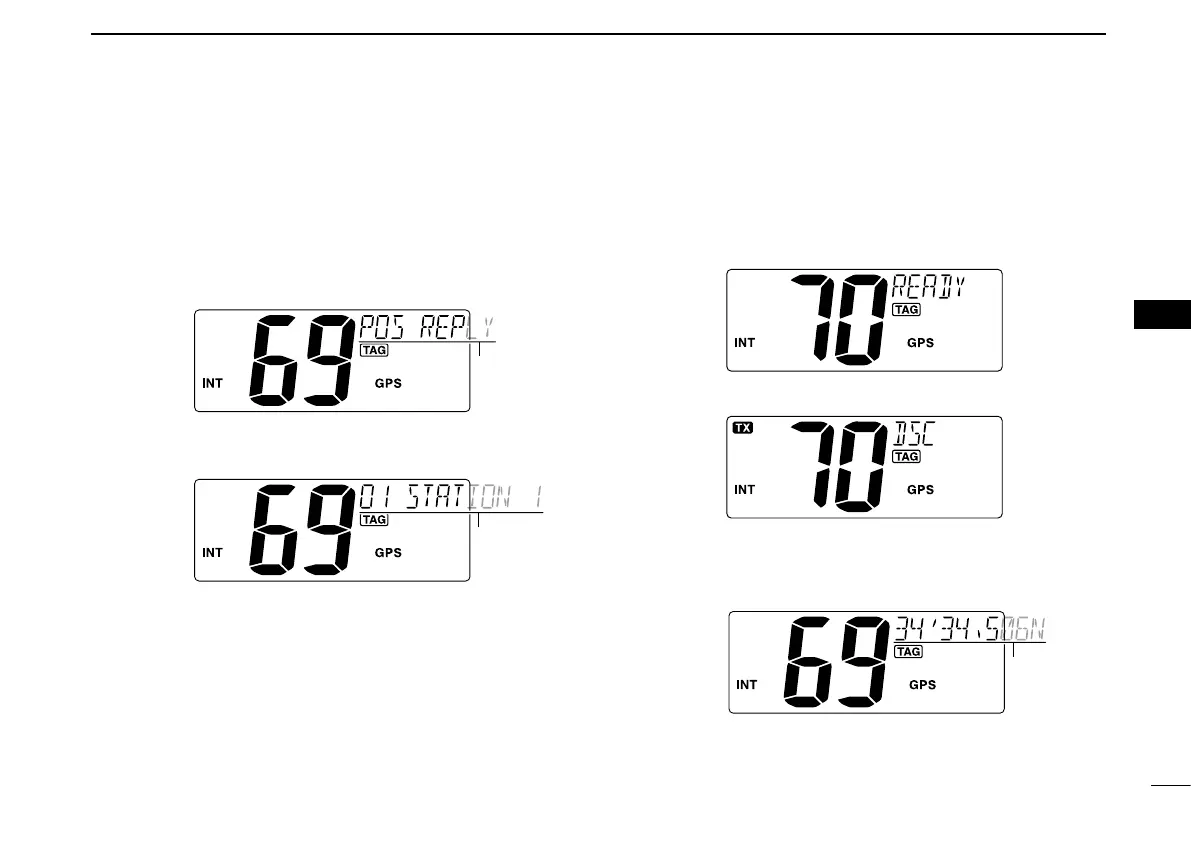
w Push [Y] or [Z] to select “POS REPLY,” then push [ENT].
•“POSREPLY”itemappearsafterreceivingaPositionRequest
call.
e Push [Y] or [Z] to select a desired individual address,
then push [ENT].
r The position information appears. Input your position data
(latitude and longitude) directly with [Y] or [Z]. (p. 17)
t After editing the position data, push [ENT] to set. Then edit
the current UTC time directly with [Y] or [Z] (p. 17), then
push [ENT].
•Afterpushing[ENT], Channel 70 is automatically selected and
“READY” appears in the channel comment display.
y Push [ENT] to transmit the Position Reply call.
u After the Position Reply call has been transmitted, return
to normal operation (before entering the DSC menu).



 To Next Page