69
9
OTHER FUNCTIONS
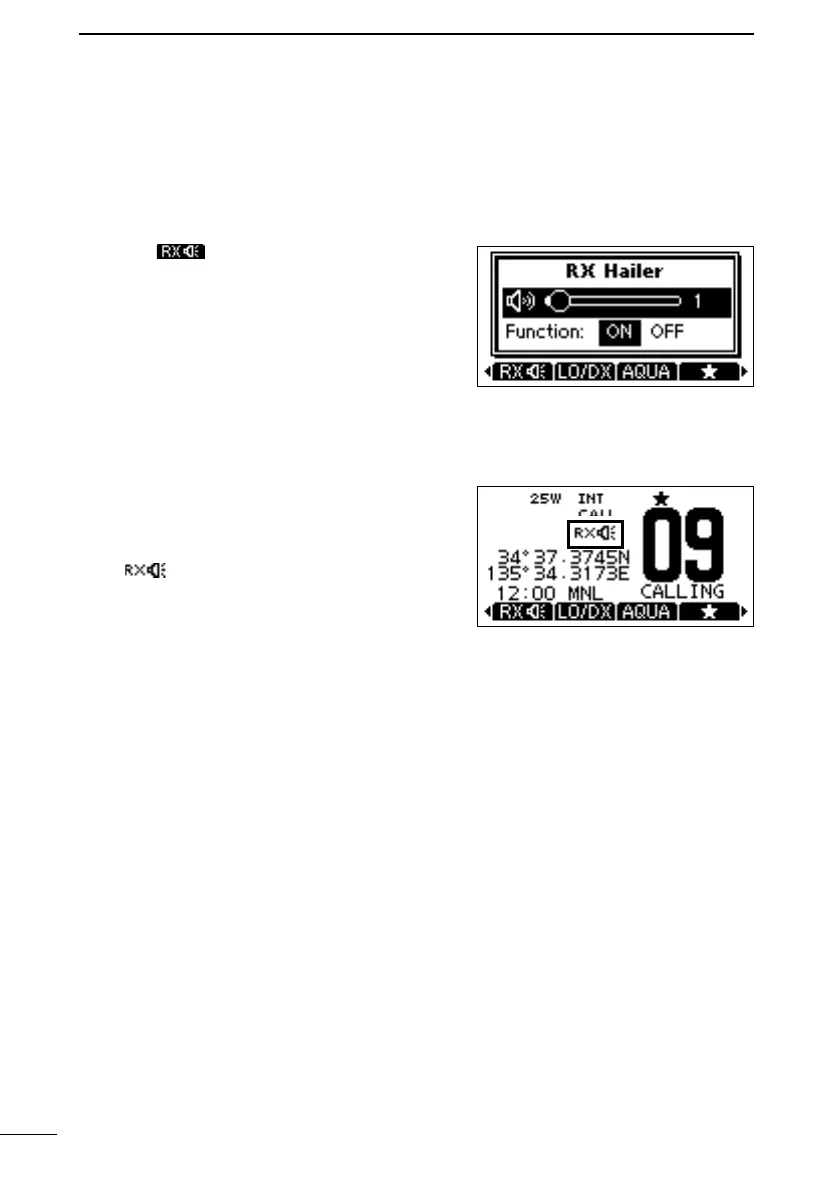
■ Using the RX Hailer
The RX Hailer function enables you to hear the received audio on the deck or bridge
through a Hailer speaker.
To use this function, the external hailer speaker must be connected to the transceiver.
L See page 82 for details of the connection.
1. Push to enter the RX Hailer setting
screen.
2.
[DIAL] to set the RX Hailer function ON or
OFF.
3.
[DIAL] to adjust the volume level.
4. To exit the RX hailer setting screen, push
[ENT] or [DIAL].
• is displayed when the RX hailer function
is set to ON.
FELLECS-TECH | inbox@fellecs-tech.com | www.fellecs-tech.com



 To Next Page