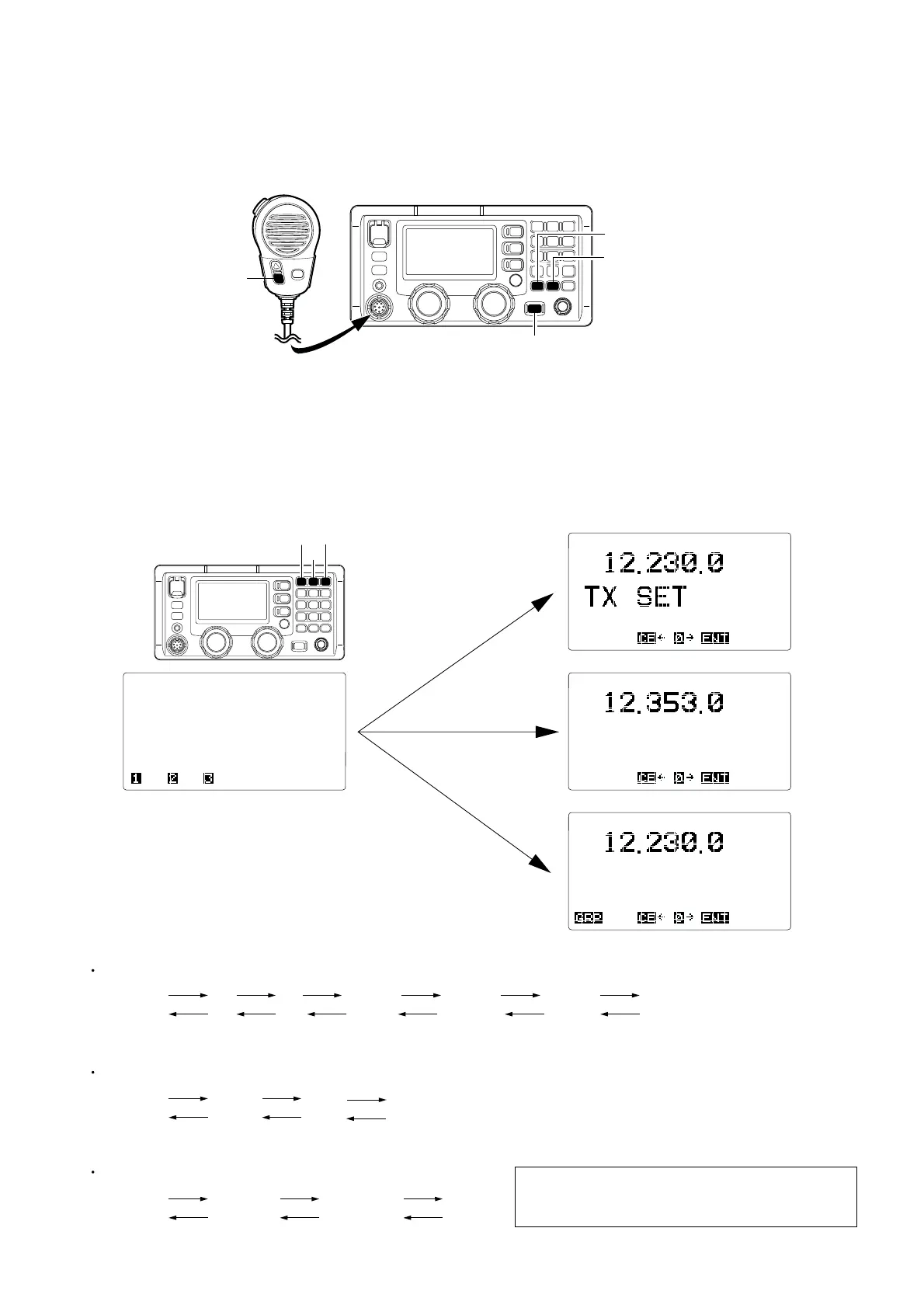
■ ENTERING THE ADJUSTMENT MODE
1 Turn the power OFF.
2 Push and hold the HM-135’s [DOWN] key, [TX] and [RX] buttons, then turn the power ON.
NOTE: Inserting the 15 kΩ resistor between 2 pin and 6 pin of HM-135 works same as pushing and holding HM-135’s [DOWN]
key (See the illustration on page 4-1).
■ OPERATING ON THE ADJUSTMENT MODE
• Enter the TX adjustment from the MAIN menu. : Push the [1] button
• Enter the RX adjustment from the MAIN menu. : Push the [2] button
• Enter the DSC adjustment from the MAIN menu. : Push the [3] button (except [OTH])
• Change the next adjustment item. : Push the [0] button
• Return to the pre-adjustment item. : Push the [CE] button
4 - 2
MAIN
menu
TX ADJUSTMENT ITEM CHANGING
[1] [0] [0] [0] [0] [0]
[CE][CE][CE][CE][CE][CE]
TX
set
TX
gain
TX power
(High)
TX power
(Middle)
TX power
(Low)
TX tune
power
MAIN
menu
RX ADJUSTMENT ITEM CHANGING
DSC ADJUSTMENT ITEM CHANGING
[2] [0]
[0]
[CE]
[CE][CE]
RX total
gain
S level
zero
S level
8
MAIN
menu
[3] [0]
[CE][CE]
*DSC
demodulation
DSC
adjustment
DSC
self check
[0]
[CE]
*NOTE: DO NOT adjust the “DSC DEMODULATION”.
Thus, after adjusting the “DSC adjustment”,
push the [0] button twice to skip it.



 To Next Page